Introduction
Locked out of your garage or dealing with an unresponsive remote? You are not alone, and figuring out how do you reset a Genie garage door opener is easier than you might think. This simple, step-by-step guide will walk you through the process safely, helping you regain control and peace of mind in just a few minutes.
Why You Might Need to Reset Your Genie Garage Door Opener
Before diving into the steps, it helps to understand why a reset is necessary. A garage door opener is a motorized device that opens and closes a garage door controlled by switches on the garage wall
en.wikipedia.org. Understanding this basic mechanism helps you realize why clearing the memory is a crucial security step.
You may need to perform a reset if:
- You have lost a remote control and want to prevent unauthorized access.
- You recently moved into a new home and want to clear previous owners’ codes.
- Your opener is experiencing signal interference or unresponsive behavior.
- You are replacing an old keypad with a new smart model.
Genie has been a trusted name in home access since 1954, and their Intellicode rolling-code technology is designed to change the access code with every use, preventing code-grabbing thefts. However, when glitches occur, a manual reset is the most reliable fix.
How Do You Reset A Genie Garage Door Opener? (Step-by-Step)
The exact method depends on your specific model. Below are the two most common procedures: a standard memory clear and a full hard reset.
Safety First: Always keep the garage door in your line of sight during this process. Ensure no people, pets, or objects are in the door’s path.
Method 1: Standard Memory Clear (Intellicode I & II Models)
This is the most common method for modern Genie openers and will erase all previously programmed remotes and keypads.
- Locate the Learn Button: Find the motor head unit mounted on your garage ceiling. The Learn (or Program) button is usually located near the antenna wire, often tucked under the light lens.
- Identify the Button Color: It will typically be red (for Intellicode I) or blue/purple (for Intellicode II).
- Press and Hold: Press and hold the Learn button firmly for 6 to 10 seconds.
- Observe the LED: Keep holding until the LED indicator light next to the button stops blinking and turns off completely.
- Release: Once the light is off, release the button. Your Genie garage door opener memory is now completely cleared.
Method 2: Full Hard Reset (For Models 600/800)
If a standard clear does not resolve your issue, or if you have an older 600/800 series model, a hard reset is required. This process also clears the travel limit settings.
- Unplug the Unit: Disconnect the opener from the wall outlet to cut all power.
- Disconnect Wall Console Wires: Locate terminals 1 and 2 on the far right of the motor unit (labeled with a minus and plus sign). Gently push the orange tab above the terminal hole to release the wires.
- Restore Power: Plug the unit back into the outlet.
- Clear Wireless Devices: Press and hold the Learn Code button until the red flashing light stops blinking, then release it.
- Clear Limit Settings: Press and hold both set buttons (Up and Down arrows) at the same time. Count to 10 seconds, then release. The LED on the unit should flash exactly 3 times to confirm the reset.
- Reattach Wires: Reconnect the wall console wires to terminals 1 and 2. Ensure a red light is showing on the wall console. If not, swap the wire positions.
Genie Garage Door Opener Reset: Quick Comparison
To help you identify your model quickly, refer to this easy-to-read comparison table:
| Genie Model Type | Learn Button Color | Required Hold Time | LED Indicator Behavior |
|---|---|---|---|
| Intellicode I | Red | 10 seconds | Stops blinking, then turns off |
| Intellicode II | Blue or Purple | 6–10 seconds | Stops blinking or changes state |
| Model 600/800 | Red | Until flashing stops | Flashes 3 times after limit clear |
How to Reprogram Your Remote After a Reset
Once you successfully clear the Genie garage door opener memory, you must reprogram your devices. Without this step, your remotes will not communicate with the motor.
- Activate Programming Mode: Press the Learn/Program button on the motor unit once and release it immediately. The LED indicator will glow solid (red or blue).
- Act Quickly: You have exactly 30 seconds to complete the next step before the unit times out.
- Program the Remote: Press and hold the desired button on your handheld remote. Hold it until the motor unit’s LED blinks, then release.
- Test the Connection: Press the remote button again. The garage door should activate.
- Repeat: Repeat steps 1–4 for every additional remote or wireless keypad you own.
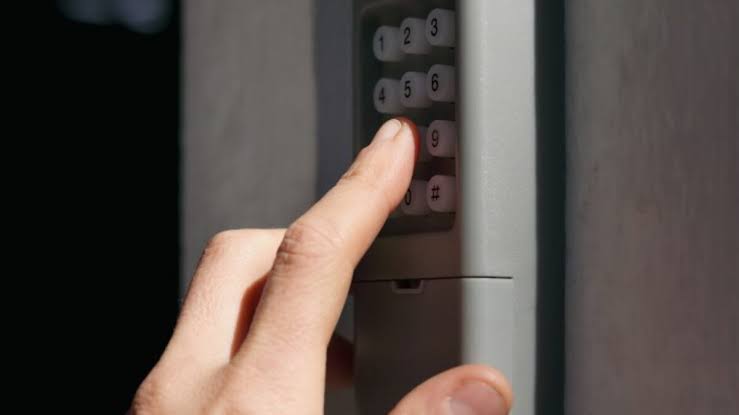
Pro Tip: If you are programming a Genie Intellicode keypad, press the “PRGM SET” button on the opener for two seconds until the round LED changes to blue, then enter your desired 4-digit PIN on the keypad followed by the “UP” button
shopactiondirect.com.
Troubleshooting Common Reset Issues
Even with careful steps, you might encounter minor hiccups. Here is how to handle them:
- The LED will not turn off: Ensure you are holding the button for a full 10 seconds. If it still fails, unplug the unit for 60 seconds to drain residual power, then try again.
- Remote programs but door does not move: Your travel limits may be misaligned. Refer to your owner’s manual to adjust the open and close force settings.
- Wall console shows no light: Double-check the wiring at terminals 1 and 2. A loose connection or reversed polarity can prevent the console from powering on.
Frequently Asked Questions (FAQ)
Q1: How do I know if my Genie garage door opener is successfully reset?
A: You will know the reset is successful when the LED indicator light next to the Learn button stops blinking and turns off completely. Additionally, any previously programmed remotes will no longer open the door.
Q2: Can I reset my Genie garage door opener without the remote?
A: Yes. The reset process is initiated directly on the motor unit mounted on your garage ceiling. You only need physical access to the Learn button on the opener itself, not the handheld remote.
Q3: What do I do if the Learn button is not working or feels stuck?
A: First, ensure the unit is receiving power. If the button feels physically stuck, do not force it. Unplug the opener, wait 60 seconds, and plug it back in. If the issue persists, the internal circuit board may need professional inspection.
Q4: How often should I clear my Genie garage door opener memory?
A: It is recommended to clear the memory whenever you lose a remote, move into a new home, or suspect unauthorized access. For general maintenance, doing this once every few years helps keep your system secure and running smoothly.
Q5: Will resetting the opener affect my MyQ or smart home integrations?
A: Yes. A full reset erases all paired devices, including Wi-Fi hubs like Aladdin Connect or MyQ. You will need to re-pair your smart hub to the opener after completing the reset process.
Conclusion
Knowing how do you reset a Genie garage door opener is an essential skill for every homeowner. It not only resolves frustrating connectivity glitches but also significantly enhances your home’s security by evicting old, unauthorized access codes. By following the clear, step-by-step instructions above, you can safely clear the memory and reprogram your devices in under 15 minutes.
Did this guide help you get your garage back on track? Share this article on Facebook, Twitter, or Pinterest to help a friend or neighbor who might be struggling with their garage door opener today!
Leave a Reply