If you’re wondering “How Do You Program A Genie Garage Door Remote”, you’re not alone. Whether you’ve bought a new remote or need to reprogram an existing one, the process can seem confusing at first.
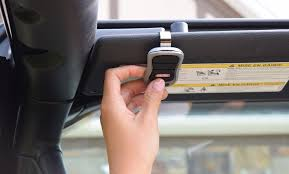
The good news? Programming a Genie garage door remote is actually simple once you know the steps. This guide will walk you through everything clearly, so you can get your remote working in just a few minutes.
Read too: Tc1 Tricode Garage Door Opener Remote W/ Clip Chamberlain: Complete Guide
How Do You Program A Genie Garage Door Remote? (Quick Answer)
To program a Genie remote:
- Press the Learn button on the opener
- Press the remote button within 30 seconds
- Wait for the light to blink or hear a click
- Test the remote
That’s it! But let’s break it down in detail so you don’t miss anything.
Step-by-Step: How To Program A Genie Garage Door Remote
Follow these detailed steps for a smooth setup.
Step 1: Locate the Learn Button
Find the Learn (or Program/Set) button on your Genie opener.
📍 Common locations:
- Back of the motor unit
- Under the light cover
- Near antenna wire
Step 2: Press the Learn Button
- Press and release the Learn button
- A small LED light will turn on
- You now have 30 seconds to program the remote
Step 3: Program the Remote
- Press and hold the button on your remote
- Release after 2–3 seconds
- Repeat until:
- The opener light blinks, or
- You hear a click
Step 4: Test the Remote
Press the remote button:
- Door should open/close
- If not, repeat the steps
How Long Does It Take?
| Task | Time |
|---|---|
| Locate button | 1 minute |
| Programming | 1–2 minutes |
| Testing | 1 minute |
👉 Total time: 3–5 minutes
Why Won’t My Genie Remote Program?
If you’re having trouble, here are common reasons.
1. You Missed the 30-Second Window
Fix: Press Learn button again and retry quickly.
2. Remote Battery Is Weak
Fix: Replace battery before programming.
3. Wrong Button Pressed
Some remotes have multiple buttons.
Fix: Try a different button.
4. Memory Is Full
Older models may store limited remotes.
Fix: Clear memory and reprogram.
How To Reset Genie Garage Door Opener
If programming fails, resetting may help.
Steps:
- Hold Learn button for 10 seconds
- LED light turns off
- All remotes are erased
- Reprogram devices
⚠️ Note: You’ll need to reconnect all remotes after reset.
Genie Remote Types and Compatibility
Genie remotes vary by model and frequency.
Common Types:
- Intellicode remotes (rolling code technology)
- Fixed code remotes (older models)
Compatibility Checklist:
- Check opener model number
- Match frequency (315 MHz or 390 MHz)
- Use compatible Genie remote
How Genie Technology Works
Modern Genie systems use rolling code technology for security.
Each time you press the remote:
- A new code is generated
- Prevents hacking or signal copying
Learn more here:
https://en.wikipedia.org/wiki/Garage_door_opener
Programming Without a Learn Button
Some older Genie systems require manual syncing.
Alternative Method:
- Set dip switches inside remote
- Match switches in opener
- Close remote and test
Real-Life Example
Scenario:
A homeowner buys a new Genie remote after losing the old one.
Steps Taken:
- Pressed Learn button
- Programmed remote in 20 seconds
Result:
Garage door working perfectly again.
Advantages vs Disadvantages of Genie Remotes
Advantages:
- Easy to program
- Secure rolling code system
- Compatible with many openers
Disadvantages:
- Limited memory in older models
- Requires reprogramming after reset
Safety Tips When Programming
- Keep garage door in view
- Ensure no people or objects are in the way
- Avoid pressing buttons repeatedly too fast
- Don’t program while door is moving
Maintenance Tips for Genie Remotes
- Replace batteries every 12–18 months
- Keep remote dry and clean
- Test monthly
- Store backup remote
FAQ: How Do You Program A Genie Garage Door Remote
1. How many remotes can I program?
Most Genie openers support 5–7 remotes.
2. Do I need the old remote to program a new one?
No, you can use the Learn button directly.
3. Why does my remote work sometimes?
Likely a weak battery or signal interference.
4. Can I program my car to a Genie opener?
Yes, if your car supports HomeLink.
5. How do I clear all remotes?
Hold the Learn button for 10 seconds.
6. What if my Genie remote still won’t work?
You may need a replacement or professional inspection.
Conclusion
Now you know exactly how do you program a Genie garage door remote—and as you’ve seen, it’s a quick and straightforward process that takes just a few minutes.
By following the steps in this guide, you can easily sync your remote, troubleshoot issues, and keep your garage door system running smoothly.
If this guide helped you, feel free to share it on social media so others can fix their garage door remote quickly too! 🚪
Leave a Reply