Introduction
There’s nothing more frustrating than standing in your driveway, pressing the garage door remote, watching the door rise smoothly, and then… nothing happens when you try to close it. If your garage door remote will open door but not close it, you’re not alone. This is one of the most common garage door issues homeowners face, and it can stem from various causes ranging from simple sensor misalignment to complex mechanical failures.
In this comprehensive guide, we’ll walk you through every possible reason why your garage door refuses to close via remote, provide step-by-step troubleshooting instructions, and share expert tips to prevent future occurrences. Whether you’re a DIY enthusiast or simply want to understand the problem before calling a professional, this article has you covered.
Why Does My Garage Door Open But Not Close With the Remote?
Before diving into solutions, it’s essential to understand why this problem occurs. Garage doors are equipped with multiple safety features designed to prevent accidents, and these mechanisms can sometimes interfere with normal operation. According to the International Door Association, over 60% of garage door service calls involve issues related to safety sensors or remote control functionality.
The most common culprits include:
- Misaligned or obstructed safety sensors
- Remote control battery issues
- Interference from other electronic devices
- Limit switch settings that need adjustment
- Damaged or worn-out remote control buttons
Understanding these potential causes will help you diagnose the problem more effectively.
Check Your Safety Sensors First
Are the Sensors Properly Aligned?
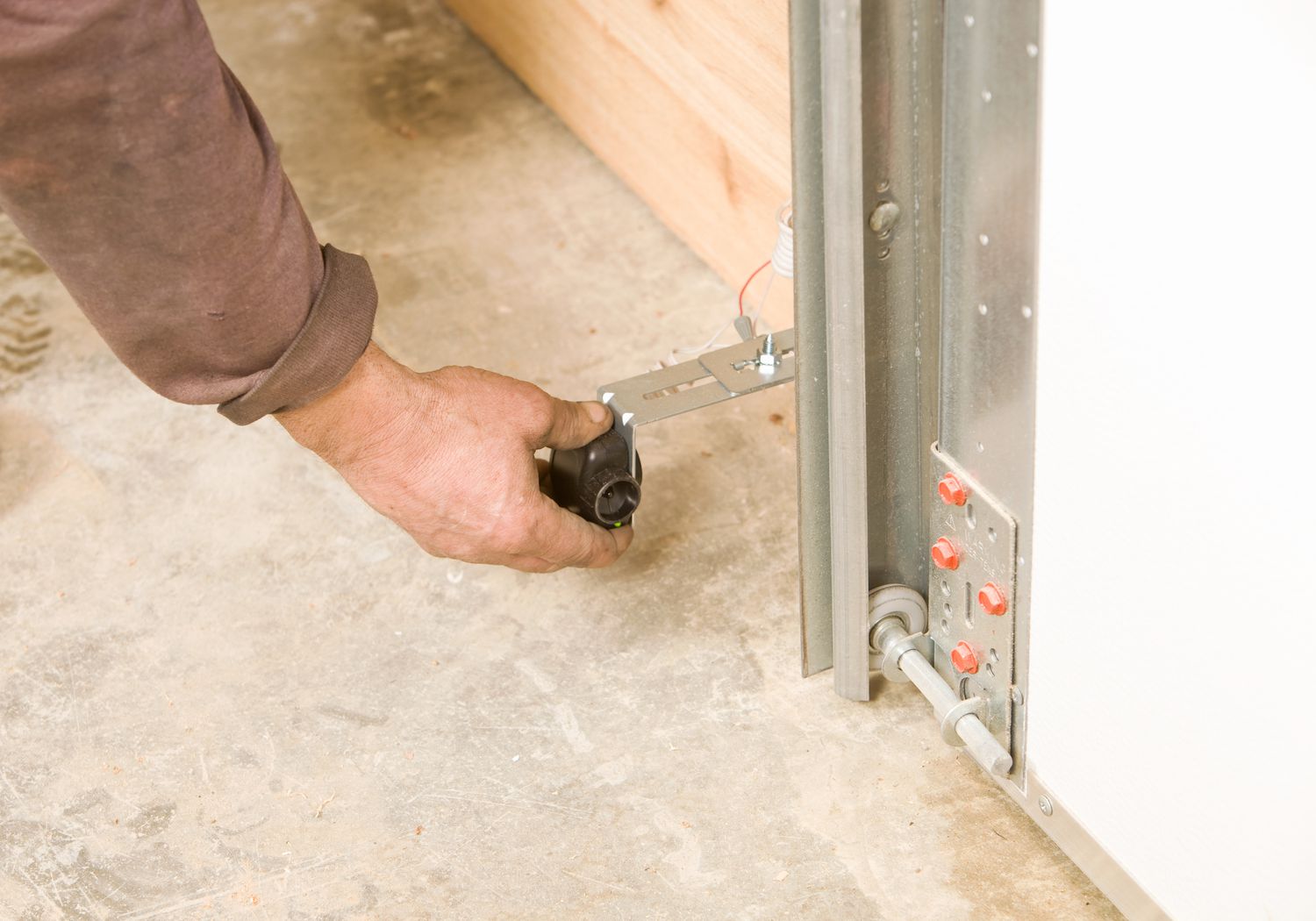
The number one reason a garage door opens but won’t close is misaligned safety sensors. These small devices, located near the bottom of your garage door tracks, emit an invisible beam that detects obstacles. If the beam is interrupted or the sensors aren’t facing each other directly, the door will refuse to close as a safety precaution.
Here’s how to check and fix sensor alignment:
- Locate the two sensor units on either side of your garage door, about 6 inches above the floor.
- Look for LED lights on each sensor. Typically, one will have a green light (power) and the other an amber or red light (beam status).
- If the amber/red light is blinking or off, the sensors are misaligned.
- Gently adjust the sensor brackets until both lights remain steadily illuminated.
- Test the remote again.
Pro Tip: Clean the sensor lenses with a soft, dry cloth. Dust, spider webs, or dirt can block the infrared beam even if the sensors appear aligned.
Remove Any Obstructions
Even small objects like leaves, toys, or boxes can break the sensor beam. Ensure the area between the sensors is completely clear. According to Wikipedia’s entry on garage door openers, modern systems use photoelectric sensors that require an unobstructed line of sight to function correctly.
Inspect Your Remote Control
Replace the Batteries
It sounds simple, but weak or dead batteries are a frequent cause of partial remote malfunction. Interestingly, some remotes may still have enough power to send the “open” signal but not enough strength for the “close” command, especially if the close function requires additional verification steps.
Steps to replace remote batteries:
- Open the battery compartment (usually on the back of the remote).
- Remove old batteries and note their orientation (+/-).
- Insert fresh AAA or AA batteries (check your manual for specifics).
- Test both open and close functions.
Check for Button Wear
Over time, remote control buttons can wear out or become less responsive. Press the close button firmly and listen for a click. If the button feels mushy or doesn’t respond consistently, the internal contacts may be damaged. In this case, consider purchasing a replacement remote compatible with your opener model.
Eliminate Signal Interference
Identify Potential Sources of Interference
Garage door remotes operate on radio frequencies (typically 315 MHz or 390 MHz in the US). Other electronic devices can interfere with these signals, causing inconsistent performance. Common sources of interference include:
- LED or CFL light bulbs in the garage
- Wireless security cameras
- Baby monitors
- Wi-Fi routers
- Nearby radio transmitters
Quick test: Try operating the remote from different distances and angles. If it works closer to the opener but not from your car, interference is likely the culprit.
Switch to LED-Compatible Bulbs
If you recently replaced traditional incandescent bulbs with LED bulbs in your garage, this could be causing interference. Some cheaper LED bulbs emit electromagnetic noise that disrupts garage door signals. Replace them with garage-door-compatible LED bulbs or revert to incandescent bulbs temporarily to test.
Adjust the Limit Switches
What Are Limit Switches?
Limit switches tell your garage door opener when to stop moving during opening and closing cycles. If the close limit switch is set incorrectly, the door may think it has already reached the closed position and refuse to move downward.
How to adjust limit switches:
- Locate the limit adjustment screws on your opener motor unit (consult your manual for exact location).
- Use a screwdriver to turn the “close” limit screw counterclockwise in small increments (¼ turn at a time).
- Test the door after each adjustment.
- Stop when the door closes fully and reverses slightly upon hitting the floor (this is normal for safety).
Warning: Never force the door or make large adjustments at once. Incorrect settings can damage the opener or create safety hazards.
Examine the Wall Control Panel
Sometimes the issue isn’t with the remote but with the wall-mounted control panel. Try closing the door using the wall button instead of the remote. If it works, the problem is isolated to the remote. If it doesn’t work, the issue may lie with the opener itself or the wiring.
Check for:
- Loose wires connecting the wall panel to the opener
- Damaged buttons on the wall panel
- Power supply issues (ensure the opener is plugged in and receiving power)
When to Call a Professional
While many garage door issues can be resolved with DIY troubleshooting, some situations require professional assistance:
| DIY-Fixable Issues | Call a Professional |
|---|---|
| Sensor misalignment | Broken springs |
| Dead remote batteries | Damaged cables |
| Minor limit adjustments | Opener motor failure |
| Signal interference | Electrical wiring problems |
If you’ve tried all the steps above and your garage door remote will open door but not close it, it’s time to contact a licensed garage door technician. Attempting complex repairs without proper training can be dangerous and may void your warranty.
FAQ Section
Q1: Why does my garage door close with the wall button but not the remote?
This typically indicates a remote-specific issue such as weak batteries, signal interference, or a damaged remote. Try replacing the batteries first, then test from different locations to rule out interference.
Q2: Can weather affect my garage door remote’s performance?
Yes. Extreme cold can reduce battery efficiency, and moisture can damage remote internals. Additionally, heavy rain or snow might obstruct safety sensors. Keep your remote dry and store it in a moderate temperature environment when possible.
Q3: How often should I replace my garage door remote batteries?
Most experts recommend replacing batteries every 12–18 months, or sooner if you notice decreased range or inconsistent performance. Use high-quality alkaline batteries for best results.
Q4: Is it safe to bypass the safety sensors to make my door close?
Absolutely not. Bypassing safety sensors violates federal safety standards and creates serious injury risks. The sensors are there to prevent the door from closing on people, pets, or objects. Always address the root cause instead of disabling safety features.
Q5: My remote works intermittently. What should I do?
Intermittent functionality often points to loose wiring, failing remote components, or intermittent interference. Start by checking connections and replacing batteries. If the problem persists, consider reprogramming the remote or replacing it entirely.
Q6: Can I reprogram my garage door remote myself?
Yes, most modern openers allow homeowners to reprogram remotes using a simple sequence involving the “learn” button on the motor unit. Consult your owner’s manual for specific instructions, as the process varies by brand.
Conclusion
Dealing with a garage door remote that will open door but not close it can be stressful, but armed with the right knowledge, you can resolve most issues quickly and safely. From checking sensor alignment to replacing batteries and eliminating interference, the solutions outlined in this guide address the most common causes.
Remember, your garage door is one of the largest moving objects in your home, and safety should always come first. If you’re ever unsure or uncomfortable performing repairs, don’t hesitate to call a certified professional.
Found this guide helpful? Share it with friends and family on social media who might be struggling with similar garage door issues. Your share could save someone hours of frustration!
Disclaimer: This article provides general troubleshooting advice. Always consult your garage door opener’s manual and follow manufacturer guidelines. For complex repairs, seek assistance from licensed professionals.
Leave a Reply