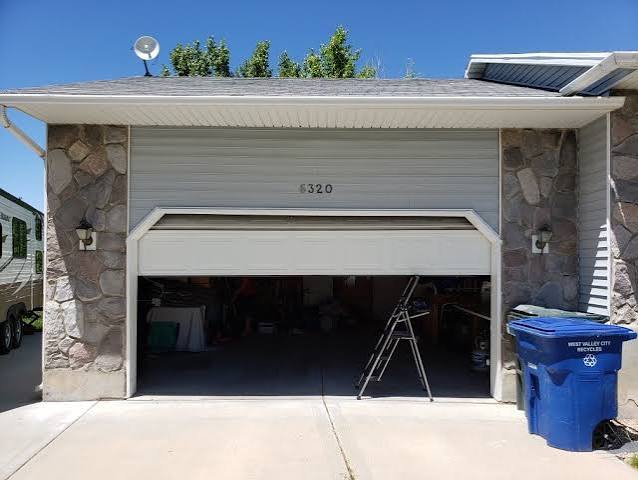
Have you ever woken up in the middle of the night to the eerie sound of your garage door moving, only to find no one there? It is a unsettling experience that leaves many homeowners feeling vulnerable and confused. If your garage door is opening and closing on its own, you are not alone, and more importantly, it is rarely a supernatural event—it is usually a solvable technical glitch.
In this guide, we will walk you through the most common causes, from simple remote interference to complex circuit board issues, and provide step-by-step solutions to stop the “ghost” visits for good.
1. Is It Really a Ghost? Understanding the Common Causes
Before calling a professional technician, it is essential to understand that modern garage doors are sophisticated electronic devices. They rely on radio frequencies, sensors, and computer chips. When these components malfunction or interact with external factors, the result can seem like paranormal activity.
According to industry experts, nearly 80% of “phantom” garage door operations are caused by one of three things: signal interference, misaligned sensors, or faulty wiring. By systematically checking these areas, you can often resolve the issue without spending a dime.
The Role of Radio Frequency Interference (RFI)
Garage door openers operate on specific radio frequencies, typically 315 MHz or 390 MHz in the United States. These frequencies are shared with other devices, including baby monitors, wireless doorbells, and even some LED light bulbs.
If a neighbor installs a new device that emits a similar frequency, it might accidentally trigger your opener. This is known as signal cross-talk. While rare, it is a documented phenomenon in densely populated suburban areas.
2. Check Your Remote Controls and Keypads
The most frequent culprit behind a garage door is opening and closing on its own scenario is a stuck or damaged button on a remote control.
Step-by-Step Inspection:
- Inspect All Remotes: Gather every remote control associated with your garage door. Check if any buttons are physically stuck down due to dirt, debris, or wear and tear.
- Check Car Visor Clips: Remotes clipped to car visors can get pressed accidentally when the sun heats up the plastic, causing the casing to warp slightly and press the button.
- Test the Wall Keypad: If you have an exterior keypad, check for moisture damage. Rain or humidity can cause short circuits that mimic a button press.
- Remove Batteries: As a diagnostic test, remove the batteries from all remotes for 24 hours. If the phantom opening stops, you have identified the source. Replace the batteries one by one to find the faulty unit.
Pro Tip: If a remote is old, the internal spring mechanism may be weak. A slight bump in your pocket could be enough to trigger it. Consider replacing remotes older than five years.
3. Align and Clean Your Safety Sensors
Modern garage doors are equipped with safety eyes (photo-eye sensors) near the floor on both sides of the door. Their job is to detect obstacles and prevent the door from closing on people or pets. However, when misaligned or dirty, they can cause erratic behavior.
How Sensors Cause Phantom Movements
If the sensors are misaligned, the door may attempt to close, detect a “false” obstacle, and immediately reverse. To the homeowner, this looks like the door is closing on its own and then reopening. In some cases, electrical noise from a failing sensor can send random signals to the motor unit, triggering opening cycles.
Quick Fix Guide:
- Clean the Lenses: Use a soft microfiber cloth to wipe away dust, spiderwebs, or mud from the sensor lenses.
- Check the Lights: Most sensors have an LED indicator. One should be solid green (power), and the other solid amber or red (alignment). If either is blinking, they are misaligned.
- Adjust the Brackets: Loosen the wing nuts on the sensor brackets and gently adjust them until both LEDs are solid. Tighten the nuts securely.
For more detailed information on how safety sensors work, you can refer to the general principles of automatic door operators on Wikipedia.
4. Inspect the Wiring and Circuit Board
If remotes and sensors are not the issue, the problem may lie within the garage door opener unit itself. Over time, vibration from the motor can loosen wires, or power surges can damage the logic board.
Signs of Electrical Issues:
- Burnt Smell: A faint ozone or burnt plastic smell near the motor unit indicates overheating components.
- Visible Damage: Look for frayed wires, especially where they connect to the safety sensors or the wall button.
- Intermittent Power: If the lights on the opener flicker, you may have a loose neutral wire in your home’s electrical panel.
The “Logic Board” Reset
Many modern openers have a microprocessor that can glitch. A hard reset can often clear temporary errors.
- Unplug the garage door opener from the power outlet.
- Wait for at least 60 seconds to allow capacitors to discharge.
- Plug the unit back in.
- Test the door using the wall button only.
If the problem persists after a reset, the logic board may need replacement. This is a job best left to a certified technician, as it involves high-voltage components.
5. Smart Home Integration Glitches
Are you using a Wi-Fi-enabled garage door opener or a smart hub like Amazon Alexa, Google Home, or Apple HomeKit? Smart devices add convenience but also introduce new points of failure.
Common Smart Home Triggers:
- Routine Errors: Check your automation routines. A misplaced “if/then” statement could be triggering the door at odd hours.
- Wi-Fi Interference: Weak Wi-Fi signals can cause commands to lag or repeat. Ensure your opener is within range of your router.
- App Bugs: Update your smartphone app to the latest version. Developers frequently patch bugs that cause unintended activations.
Comparison: Traditional vs. Smart Opener Issues
| Feature | Traditional Opener | Smart Opener |
|---|---|---|
| Primary Cause of Phantoms | Stuck buttons, RFI | Software bugs, Wi-Fi drops |
| Diagnosis Difficulty | Low (Physical inspection) | Medium (Requires app logging) |
| Fix Complexity | Easy (DIY friendly) | Moderate (May need IT skills) |
| Security Risk | Low | Medium (Hacking potential) |
6. When to Call a Professional
While many issues can be resolved with DIY troubleshooting, some situations require professional intervention. If you notice any of the following, stop using the door and call a licensed garage door technician:
- The door moves unevenly or makes grinding noises.
- You see sparks coming from the motor unit.
- The door falls rapidly when disconnected from the opener (indicating broken springs).
- You have performed all the above steps and the issue persists.
Garage doors are under high tension, and attempting to repair springs or cables without proper tools can result in serious injury.
FAQ Section
Q1: Can a neighbor’s remote open my garage door?
A: It is highly unlikely but theoretically possible if both openers use the same fixed code and are very close together. However, most modern openers use rolling codes that change with every use, making this virtually impossible. Signal interference is a more likely cause than a neighbor intentionally or accidentally opening your door.
Q2: Why does my garage door close and then immediately open again?
A: This is almost always a safety sensor issue. The door starts to close, the beam is interrupted (by dirt, misalignment, or sunlight glare), and the safety mechanism forces it to reverse. Clean and realign your sensors first.
Q3: Does weather affect garage door operation?
A: Yes. Extreme cold can make plastic components brittle and lubricants thick, causing strain. Humidity can cause short circuits in keypads. Additionally, strong winds can push against the door, triggering the safety reversal mechanism if the force settings are not adjusted correctly.
Q4: How do I know if my garage door opener has been hacked?
A: Hacking is rare for residential units. If you suspect unauthorized access, check the activity log in your smart home app. Change your Wi-Fi password and enable two-factor authentication (2FA) on your garage door app. If you have an older model with DIP switches, consider upgrading to a rolling-code system for better security.
Q5: Should I replace my garage door opener if it acts up?
A: Not necessarily. Most openers last 10–15 years. If yours is within this lifespan, try troubleshooting the remotes, sensors, and power supply first. Replacement is only recommended if the motor is failing, the logic board is fried, or the unit is over 15 years old and lacks modern safety features.
Conclusion
Dealing with a garage door is opening and closing on its own can be frustrating and slightly frightening, but it is almost always a manageable mechanical or electronic issue. By methodically checking your remotes, aligning your safety sensors, and inspecting your wiring, you can restore peace of mind and security to your home.
Remember, regular maintenance is key. Lubricate moving parts annually and test your safety sensors monthly to prevent future glitches.
Leave a Reply