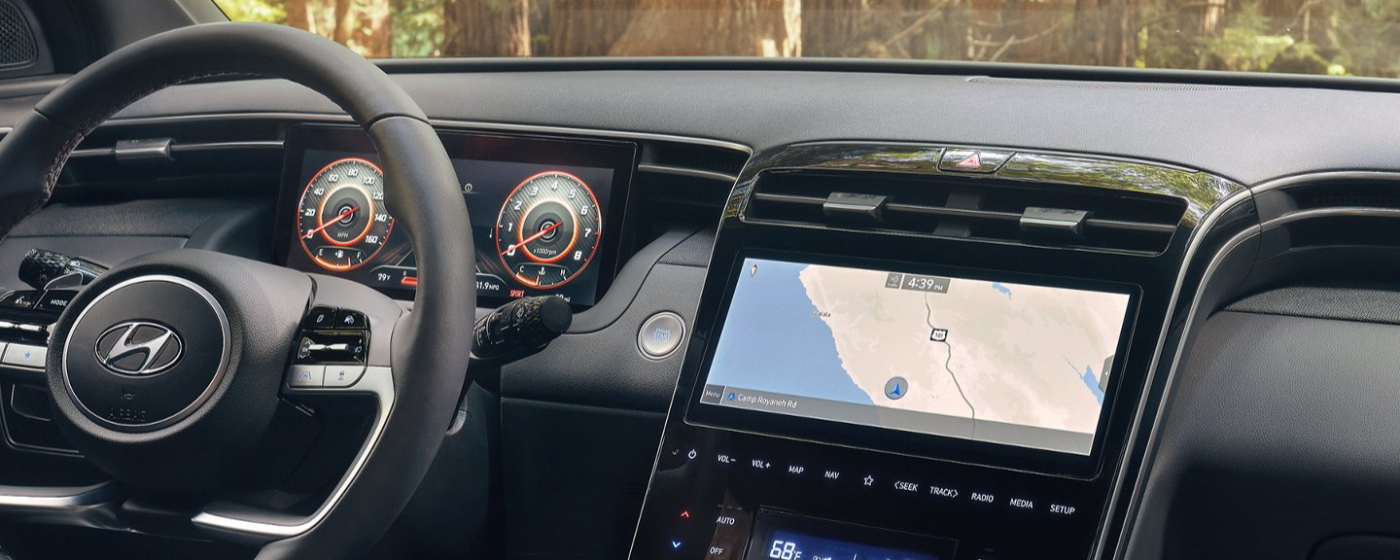
Have you ever pulled into your driveway, rain pouring down, only to realize you need to dig through your bag for a separate garage remote? It is a frustrating experience that many drivers face daily. If you are considering the new model, you are likely asking: Does the 2025 Hyundai Tucson have a garage door opener? The short answer is yes, but with some important nuances regarding trim levels and setup requirements.
In this guide, we will break down exactly which trims include this convenience feature, how the technology works, and provide a step-by-step tutorial on programming it. We aim to save you time and ensure you get the most out of your vehicle’s smart features.
Understanding the HomeLink System in the 2025 Tucson
When we talk about built-in garage door openers in modern vehicles, we are usually referring to a system called HomeLink. This is not a proprietary Hyundai invention but rather an industry-standard transceiver that allows your car to communicate with your garage door, gate, or even home lighting systems.
For the 2025 model year, Hyundai has continued to integrate HomeLink into the Tucson lineup. However, it is crucial to understand that it is not standard on every single trim level. Typically, this feature is reserved for mid-to-high-tier trims such as the SEL Convenience Package, N Line, Limited, and Hybrid Blue models. Base models like the SE may require an aftermarket solution or a dealer-installed accessory.
The system is designed for seamless integration. Instead of cluttering your visor with plastic remotes, the buttons are discreetly located on the driver’s side overhead console or integrated into the rearview mirror assembly, depending on the specific configuration of your Tucson. This design choice keeps the cabin looking clean and minimalist while providing instant access to your home entry points.
Which Trim Levels Include the Garage Door Opener?
One of the most common questions potential buyers have is whether they need to upgrade their trim to get this feature. While specifications can vary by region and dealer packages, here is a general breakdown of what you can expect for the 2025 Hyundai Tucson in the US market.
| Trim Level | HomeLink Garage Opener | Notes |
|---|---|---|
| SE (Base) | No | Often requires aftermarket add-on |
| SEL | Optional | Usually part of the Convenience Package |
| N Line | Yes | Standard on most N Line configurations |
| Limited | Yes | Standard feature |
| Hybrid Blue | Yes | Standard on higher hybrid trims |
Note: Always verify with your local dealership, as package contents can change during the model year.
If you are eyeing the base SE model, do not despair. You can often add a universal garage door opener that clips onto your sun visor. However, having it built-in offers a more premium experience and reduces the risk of losing the remote. For more detailed information on automotive standards and safety regulations regarding these devices, you can refer to Wikipedia’s page on HomeLink to understand the broader technology context.
How to Program Your 2025 Tucson’s Garage Door Opener
Having the hardware is only half the battle. The other half is programming it to work with your specific garage door motor. Many owners find this process intimidating, but it is actually quite straightforward if you follow the steps carefully.
Here is a simple, step-by-step guide to syncing your 2025 Tucson with your garage door:
- Clear Existing Codes: If the buttons have been used before, hold down the two outer HomeLink buttons for about 20 seconds until the indicator light flashes rapidly. This clears any previous memory.
- Position Your Vehicle: Park your Tucson outside your garage, within range of the receiver (usually 5–10 feet). Ensure the engine is running or the ignition is in the “On” position.
- Initiate Learning Mode: Press and hold the desired HomeLink button in your car. Do not release it yet.
- Sync with Remote: While holding the car button, bring your original handheld garage remote close to the HomeLink buttons (about 1–3 inches away). Press and hold the button on your handheld remote.
- Wait for the Flash: Keep both buttons held down. The indicator light on the HomeLink system will slowly flash and then change to a rapid flash. This indicates the code has been learned.
- Test the Connection: Release both buttons. Press the HomeLink button in your car three times. Your garage door should activate.
Pro Tip: If your garage door uses a “rolling code” security system (common in newer doors), you may need to press the “Learn” button on your garage door motor unit itself after completing the steps above. Consult your garage door manual for the exact location of this button.
Troubleshooting Common Connectivity Issues
Even with the best technology, glitches can happen. If your 2025 Tucson isn’t opening the garage, consider these common culprits:
- Battery Strength: Ensure the battery in your original handheld remote is fresh. A weak signal can prevent the car from learning the code.
- Interference: LED lights in your garage can sometimes interfere with radio frequencies. Try turning off nearby LED bulbs during programming.
- Distance: You might be too far away. Move closer to the garage door motor during the initial setup.
- Compatibility: Very old garage door openers (pre-1990s) may not be compatible with modern HomeLink systems without a compatibility bridge kit.
If you continue to face issues, Hyundai’s customer support or your local dealer’s service department can assist. They often have specialized tools to diagnose signal strength issues.
Benefits of Using Built-In HomeLink vs. Aftermarket Remotes
Why go through the trouble of programming the built-in system when you can just buy a $20 clip-on remote? There are several compelling reasons to prefer the integrated HomeLink system in your 2025 Tucson.
1. Enhanced Security
Built-in systems are harder to steal or lose than a loose remote. Furthermore, HomeLink uses encrypted signals that are difficult for thieves to intercept or replicate, offering a higher level of security for your home.
2. Aesthetic Appeal
A clip-on remote dangling from your rearview mirror or sun visor can look cluttered. The integrated buttons are sleek and maintain the high-quality interior design Hyundai is known for in the 2025 Tucson.
3. Convenience and Speed
With HomeLink, you do not need to fumble for a separate device. As you approach your driveway, a simple press of the overhead button opens your gate or garage. This is particularly useful in bad weather or when your hands are full.
4. Multi-Device Control
Most HomeLink systems in the Tucson allow you to program up to three different devices. You could control your garage door, your front gate, and even your home’s exterior lights all from one panel.
FAQ Section
Q1: Can I program multiple garage doors to my 2025 Tucson?
A: Yes, the HomeLink system typically supports up to three different devices. You can program your primary garage, a secondary garage, or even a community gate. Each button on the overhead console corresponds to a different device.
Q2: Does the 2025 Tucson Hybrid have a different garage opener system?
A: No, the technology is identical across gas and hybrid models. The difference lies only in which trim levels include the feature as standard. Both powertrains utilize the same HomeLink transceiver hardware.
Q3: What if I sell my car? Do I need to reset the garage opener?
A: Absolutely. For security reasons, you should clear the HomeLink memory before selling or trading in your Tucson. You can do this by holding the two outer buttons for 20 seconds, as described in the programming section. This ensures the new owner cannot access your garage.
Q4: Is the garage door opener covered under the warranty?
A: Generally, yes. The HomeLink system is considered part of the vehicle’s electronic components and is covered under Hyundai’s standard 5-year/60,000-mile new vehicle limited warranty. However, always check your specific warranty booklet for exclusions.
Q5: Can I use the garage opener if the car battery is dead?
A: No, the HomeLink system requires electrical power from the vehicle’s battery to transmit the signal. If your car battery is completely dead, you will need to use your handheld remote or manually open the garage.
Q6: Does the 2025 Tucson support smartphone-based garage opening instead?
A: While the Tucson features advanced connectivity via Bluelink, direct smartphone-to-garage integration usually requires a smart garage hub (like MyQ or Chamberlain) installed at your home. The car’s built-in HomeLink is a radio frequency (RF) system, not a Wi-Fi system, so it operates independently of your phone.
Conclusion
So, does the 2025 Hyundai Tucson have a garage door opener? Yes, it does, primarily through the integrated HomeLink system found in most mid-to-high-tier trims. This feature adds a layer of convenience, security, and sophistication to your driving experience, eliminating the need for cluttered visor clips and lost remotes.
Whether you are upgrading from an older model or buying your first Tucson, taking the time to program this feature correctly will pay off every time you pull into your driveway. Remember to check your specific trim level details with your dealer and keep your owner’s manual handy for troubleshooting.
If you found this guide helpful, please share it with fellow Hyundai enthusiasts on social media! Let us know in the comments if you have any tips for programming your HomeLink system.
Leave a Reply