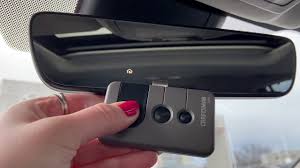
Struggling to sync your vehicle’s built-in remote? Learning how to program 2020 Toyota Camry garage door opener systems can feel confusing at first, but it is actually a quick and straightforward process. Let’s get your HomeLink system set up so you can pull into your driveway and open the door without fumbling for a separate clicker.
How To Program 2020 Toyota Camry Garage Door Opener Using HomeLink
The 2020 Toyota Camry comes equipped with the HomeLink system, an integrated radio transmitter located in your overhead console. This system replaces the need for a bulky handheld remote.
Before we begin, ensure your car is parked safely outside the garage. For safety reasons, never program the system while the garage door is closed and your vehicle is inside the path of the door.
Here is the exact step-by-step process to sync your remote:
Step 1: Turn on the Ignition Turn your vehicle’s ignition to the “ON” or “ACC” position. You do not need to start the engine. This provides power to the overhead console while preventing the car from accidentally moving.
Step 2: Clear the Previous Memory If you bought the car used, or if you are replacing an old code, clear the memory first. Locate the two outer HomeLink buttons. Press and hold both of them simultaneously for about 10 to 20 seconds.
- Watch the indicator light. It will flash slowly at first, then switch to a rapid flash. Release the buttons once it flashes rapidly. The memory is now erased.
Step 3: Prepare Your Handheld Remote Grab your original handheld garage door remote. You will need its battery to transmit the signal to the car.
Step 4: Initiate the Programming Mode Hold your handheld remote 1 to 3 inches away from the HomeLink buttons. Do not let the remote touch the console. Choose the HomeLink button you want to program (Button 1, 2, or 3).
Step 5: Sync the Frequencies Press and hold the button on your handheld remote. While keeping that button pressed, simultaneously press and hold your chosen HomeLink button.
- Keep holding both buttons. The HomeLink indicator light will start by flashing slowly.
- After about 20 seconds, it should switch to a rapid flash.
- Once it flashes rapidly, release both buttons.
Step 6: Test the Connection Press and release the newly programmed HomeLink button. If the garage door activates, congratulations! You have successfully completed the process. If it only flashes slowly or does nothing, repeat Step 5. It can take up to 90 seconds of holding the buttons for the car to recognize the signal.
What If My Garage Door Uses a Rolling Code?
If your garage door did not open after Step 6, do not panic. Most modern garage door openers manufactured after 1996 use a security feature called a Rolling Code. This means the code changes every time you use the remote to prevent hacking.
To program a rolling code system, you must synchronize the car directly with the garage door motor.
- Locate the “Learn” or “Smart” button on your actual garage door motor (usually hanging from the ceiling). It is typically located near the antenna wire and may be yellow, purple, orange, or red.
- Press and release the “Learn” button. The indicator light on the motor will illuminate or blink, giving you a 30-second window to sync the car.
- Immediately go back to your 2020 Toyota Camry.
- Press and hold the programmed HomeLink button for 4 seconds, then release it.
- The garage door should now activate. The rolling code is successfully synchronized!
For more background on the history and underlying radio frequency technology of in-car remotes, you can explore the HomeLink entry on Wikipedia.
Troubleshooting: Why Is My HomeLink Not Working?
Even with perfect instructions, technology can sometimes be stubborn. According to automotive service data, over 40 million vehicles on the road today use this integrated system, and most issues stem from simple user errors.
Here is a quick comparison table to help you decode the dashboard indicator lights and fix common problems.
HomeLink Indicator Light Guide
| Light Behavior | What It Means | Action Required |
|---|---|---|
| Solid Light | Successfully programmed. | You are good to go! Test the door. |
| Rapid Flash | Training mode or rolling code sync. | Follow the rolling code steps above. |
| Slow Flash | Clearing memory or waiting for signal. | Keep holding the buttons; do not release yet. |
| No Light | No power or button not pressed hard enough. | Check ignition is ON; press buttons firmly. |
Common Issues vs. Quick Fixes
- Issue: The remote works close to the car, but not from the end of the driveway.
- Fix: Your handheld remote likely has a weak battery. Replace the battery in your original remote and reprogram the HomeLink.
- Issue: The garage door motor “Learn” button won’t stay lit.
- Fix: You may have missed the 30-second window. Go back to the motor, press the Learn button again, and hurry back to the car.
- Issue: The car recognizes the signal, but the door only moves an inch.
- Fix: This is a limit-switch issue on the garage motor itself, not the car. You will need to adjust the travel limits on the motor unit.
Frequently Asked Questions
1. Can I program my 2020 Camry without the original handheld remote?
Generally, no. The HomeLink system needs to “learn” the specific radio frequency of your original remote. However, if your garage motor has a smart control panel inside the house with an “auxiliary” or “learn” feature, some newer models allow direct syncing without the remote.
2. How many garage doors can the 2020 Toyota Camry store?
The 2020 Camry HomeLink console features three buttons. This means you can program up to three different devices. You can use this for two garage doors and a gate, or a garage door, a gate, and even your home’s smart lighting system.
3. Do I need to start the engine to program the system?
No, you should not start the engine. Simply turn the ignition to the “ON” or “ACC” position. Starting the engine is unnecessary and can drain the battery during the programming process, which requires continuous power to the overhead console.
4. Will programming a new remote erase my old settings?
No. Because the 2020 Camry has three separate buttons, programming a new remote into Button 1 will not affect the settings saved in Buttons 2 and 3. However, if you perform the “Clear Memory” step (holding the two outer buttons), all three buttons will be erased.
5. Can I use HomeLink for a commercial or industrial garage door?
Yes, but with a caveat. Commercial doors often operate on different frequencies or require a specific repeater. If you are trying to program a heavy-duty commercial door, you may need to purchase an aftermarket frequency adapter to bridge the gap between the car and the motor.
Conclusion
Mastering how to program 2020 Toyota Camry garage door opener settings is a fantastic way to modernize your daily commute. By utilizing the built-in HomeLink system, you eliminate the hassle of lost clickers, reduce windshield clutter, and enjoy a seamless transition from the road to your home.
The process simply requires clearing the old memory, syncing the handheld remote, and addressing any rolling code requirements at the motor. Once set up, it works flawlessly every single time.
Leave a Reply