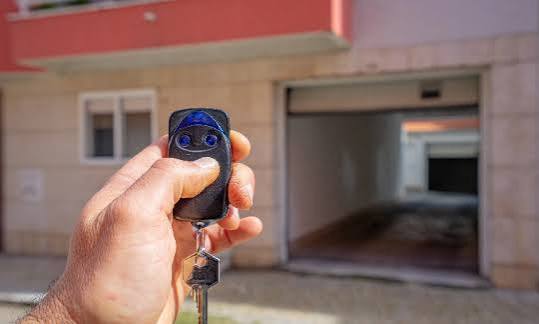
Have you ever lost your only garage door remote or bought a used home where the previous owner kept the original clickers? It is a frustrating situation that leaves you locked out of your own convenience. Many homeowners immediately ask, “Can you program a garage door opener with another remote?“ hoping for a quick cloning solution. While the answer is nuanced, understanding how modern security protocols work can save you time, money, and significant headaches.
The Short Answer: Cloning vs. Programming
To give you a direct answer: No, you generally cannot directly “clone” or copy the signal from one remote to another like you would with a TV remote.
Modern garage door openers use rolling code technology for security. This means the code changes every time you press the button. Because the code is dynamic, a second remote cannot simply “listen” to the first one and copy its current signal. Instead, both remotes must be programmed individually into the garage door opener’s main memory unit (the motor head).
However, there are exceptions. Older fixed-code systems (common before 1993) can sometimes be copied using specific universal learning remotes. But for the vast majority of homes in the US today, you are dealing with rolling codes.
Why Security Matters
The shift away from simple cloning was driven by safety. In the past, thieves could use “code grabbers” to intercept signals and replay them to open garages. Today’s encryption prevents this. According to security standards outlined by industry leaders, this evolution has drastically reduced garage-related burglaries. You can read more about the history of these security standards on Wikipedia’s page regarding Garage Door Openers.
How Rolling Code Technology Works
Understanding why you can’t just copy a remote helps you troubleshoot better. Here is a breakdown of the two main types of technology:
| Feature | Fixed Code (Older Systems) | Rolling Code (Modern Systems) |
|---|---|---|
| Era | Pre-1993 | 1993–Present |
| Security | Low (Easy to clone) | High (Encrypted) |
| Programming | Can often be cloned | Must pair with opener unit |
| Signal | Static identical code | Changes with every press |
| Compatibility | Universal remotes work easily | Brand-specific pairing required |
If your system uses rolling codes, the remote and the opener share a secret algorithm. When you press the button, the remote sends a new code. The opener recognizes it because it knows the next number in the sequence. A third-party remote trying to “copy” this will fail because it doesn’t know the algorithm or the current position in the sequence.
Step-by-Step: How to Program a New Remote Using an Existing One
While you cannot clone the signal wirelessly, you can use your existing working remote to help identify the correct buttons and procedures for adding a new one. Most manufacturers allow you to add multiple remotes to the same opener.
Here is the general process for most major brands (Chamberlain, LiftMaster, Genie, Craftsman):
Step 1: Locate the “Learn” Button
Go to your garage door motor unit (hanging from the ceiling). Look for a small button labeled “Learn,” “Smart,” or “Program.” It is usually located near the antenna wire.
- Note: The color of this button matters. It is typically Yellow, Purple, Red, or Green. Write this down, as it determines the frequency.
Step 2: Clear Old Codes (Optional but Recommended)
If you are concerned about security (e.g., you lost a remote), hold down the Learn button for 6–10 seconds until the indicator light goes out. This erases all previously paired remotes. Warning: You will need to reprogram ALL remotes after this step.
Step 3: Initiate Programming Mode
Press and release the Learn button once. The indicator light will turn on or start blinking. You typically have 30 seconds to complete the next step.
Step 4: Sync the New Remote
Take your new remote (not the old one) and press and hold the button you wish to use. Hold it until the motor unit’s lights flash or you hear two clicks. This indicates the opener has accepted the new remote’s unique code.
Step 5: Test the Connection
Stand outside the garage and press the button on the new remote. The door should activate. If it does, you have successfully added a second device to the system.
Pro Tip: If you have a keypad outside your garage, you may need to re-enter your PIN after clearing the memory, as keypads are also stored in the opener’s memory.
Troubleshooting Common Issues
Even with the right steps, things can go wrong. Here are the most common reasons why a remote won’t program, even when you follow the instructions.
1. Interference from LED Bulbs
This is a surprisingly common issue. Modern LED light bulbs in the garage door opener can emit radio frequency interference that blocks the remote signal.
- Solution: Try unscrewing the LED bulbs and using incandescent bulbs temporarily while programming. If it works, switch to “garage door rated” LED bulbs that are shielded against interference.
2. Dead Batteries
It sounds simple, but a weak battery in the new remote may not send a strong enough signal to reach the Learn mode threshold.
- Solution: Replace the battery with a fresh high-quality alkaline battery before attempting to program.
3. Wrong Frequency
Remotes operate on specific frequencies (315 MHz or 390 MHz). If you bought a universal remote, ensure it matches your opener’s frequency.
- Solution: Check the back of your old remote or the manual for the frequency. Match this exactly when buying a replacement.
4. Lock Mode Activated
Some openers have a “Lock” feature that disables remote controls for security during vacations.
- Solution: Check your wall console inside the garage. If the lock icon is lit, press and hold the lock button for 5 seconds to disable it.
Alternatives If You Cannot Program a Second Remote
If you find that your opener is too old, broken, or incompatible with new remotes, consider these modern alternatives:
- Smart Garage Hub: Devices like MyQ or Tailwind allow you to control your garage via smartphone. These often bypass the need for physical remotes entirely and can integrate with Alexa or Google Home.
- Keypad Entry: Installing a wireless keypad outside allows entry via a PIN code. This is excellent for family members who don’t want to carry a remote.
- Replace the Opener Unit: If your opener is pre-1993 (fixed code), it is highly recommended to replace the entire unit for security reasons. Modern openers are quieter, faster, and much safer.
FAQ Section
Q1: Can I use any universal remote for my garage door?
A: Not all universal remotes work with all openers. You must match the frequency (315 MHz vs. 390 MHz) and the brand compatibility. Check the packaging of the universal remote to ensure it lists your specific opener brand (e.g., LiftMaster, Genie, Craftsman).
Q2: Why does my new remote work intermittently?
A: Intermittent issues are usually caused by interference. Check for LED bulb interference, nearby radio towers, or even a weak battery. Also, ensure the antenna wire on the motor unit is hanging down freely and not tucked behind metal housing.
Q3: Can I program a remote without the original opener unit accessible?
A: No. For security reasons, you must physically access the motor unit to press the “Learn” button. This prevents strangers from programming their own remotes to your door from the street.
Q4: Is it safe to buy a used garage door remote?
A: It is generally not recommended. Used remotes may have worn-out buttons or outdated batteries. More importantly, if the previous owner did not clear the memory, there could be security risks. It is safer and often cheaper to buy a new universal remote compatible with your system.
Q5: How many remotes can I program to one opener?
A: Most modern openers can store between 8 to 15 different remote codes. Some high-end models can store even more. Check your specific model’s manual for the exact limit.
Q6: What should I do if I lost all my remotes?
A: If you have no working remotes, you can still program new ones by accessing the “Learn” button on the motor unit. You will need a ladder to reach the opener. Follow the standard programming steps: Press Learn, then press the button on the new remote within 30 seconds.
Conclusion
So, can you program a garage door opener with another remote? The answer is no—you cannot clone it wirelessly due to modern rolling code security. However, you can easily add a new remote to the system by syncing it directly with the motor unit. This process ensures your home remains secure while giving you the convenience of multiple access points.
By following the step-by-step guide above, you can troubleshoot interference, choose the right frequency, and get your new remote working in minutes. Don’t let a lost remote lock you out of your routine. Take control of your garage security today!
Found this guide helpful? Share it with your neighbors on Facebook or Twitter to help them solve their garage door woes!
Leave a Reply