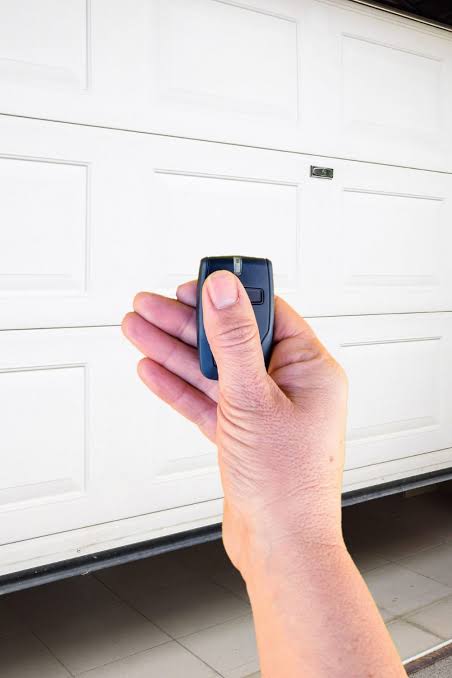
Have you ever stood in your driveway, pressing the button on your garage door opener only to realize it’s dead, broken, or simply missing? It is a frustrating scenario that leaves your car exposed and disrupts your daily routine. If you are asking yourself, “Can you get a new garage door opener remote?” the answer is a resounding yes. Whether you have lost your original remote, damaged it, or just want a spare for a family member, finding a replacement is easier and more affordable than most homeowners realize.
In this comprehensive guide, we will walk you through everything you need to know about purchasing, selecting, and programming a new garage door remote. We will cover compatibility issues, the difference between OEM and universal remotes, and step-by-step instructions to get your garage working again without calling a professional.
Why Do You Need a Replacement Remote?
Before diving into the “how,” let’s understand the “why.” Garage door remotes are not indestructible. Over time, batteries die, circuits corrode, or physical damage occurs from being dropped or left in extreme temperatures. Additionally, security concerns may prompt you to replace old remotes that use outdated encryption standards.
According to industry experts, the average lifespan of a garage door remote battery is 1–2 years, but the remote itself can last 5–10 years with proper care. However, if your remote is older than a decade, it might be using fixed-code technology, which is less secure than modern rolling-code systems. Upgrading to a new remote isn’t just about convenience; it’s also about enhancing your home’s security.
Types of Garage Door Remotes: Which One Should You Choose?
When searching for a replacement, you will generally encounter two main types: Original Equipment Manufacturer (OEM) remotes and Universal remotes. Understanding the difference is crucial for making the right purchase.
OEM Remotes
These are made by the same company that manufactured your garage door opener (e.g., LiftMaster, Chamberlain, Genie).
- Pros: Guaranteed compatibility, easy programming, high build quality.
- Cons: Usually more expensive, limited availability if the model is discontinued.
Universal Remotes
These are designed to work with multiple brands and models. Brands like Craftsman, Raynor, and third-party manufacturers produce these.
- Pros: Cost-effective, widely available at hardware stores, often include multiple buttons for controlling several doors.
- Cons: Programming can be slightly more complex, may not support all advanced features of newer openers.
| Feature | OEM Remote | Universal Remote |
|---|---|---|
| Compatibility | Specific to brand/model | Works with many brands |
| Price | Higher ($30–$60) | Lower ($15–$30) |
| Ease of Use | Plug-and-play | May require dip switches or learning codes |
| Availability | Dealer/Online | Hardware stores/Online |
How to Identify Your Garage Door Opener Model
To ensure you buy the correct remote, you must identify your opener’s brand and model number. This step is critical because not all remotes are compatible with all openers.
- Locate the Motor Unit: Look at the main motor unit hanging from your garage ceiling.
- Find the Label: There should be a sticker or plate on the back or side of the unit.
- Read the Details: Note down the brand name (e.g., LiftMaster, Genie, Craftsman) and the model number. The model number often looks like a series of letters and numbers (e.g., “8500W” or “1035”).
- Check the Frequency: Older remotes operate on different frequencies (315 MHz, 390 MHz, or 433 MHz). Newer ones use 315 MHz or 390 MHz. Matching the frequency is essential for functionality.
If you cannot find the label, check the original manual or look for branding on the existing remote. For more technical details on garage door opener standards, you can refer to Wikipedia’s article on Garage Door Openers, which provides a historical overview of the technology and safety regulations.
Step-by-Step Guide: How to Program a New Garage Door Remote
Once you have purchased your new remote, the next step is programming it. While procedures vary by brand, most modern openers use a “Learn Button” method. Here is a general step-by-step guide that applies to most major brands like LiftMaster, Chamberlain, and Genie.
Step 1: Locate the Learn Button
On your garage door motor unit, find the “Learn” or “Smart” button. It is usually located on the back panel near the antenna wire. The button color varies by brand (yellow, purple, red, or green).
Step 2: Clear Old Codes (Optional but Recommended)
If you are replacing a lost remote for security reasons, press and hold the Learn button for 6–10 seconds until the indicator light blinks or turns off. This erases all previously programmed remotes. Note: You will need to reprogram all remaining remotes after this step.
Step 3: Initiate Programming Mode
Press and release the Learn button quickly. The indicator light will turn on or blink, signaling that the opener is ready to receive a new code. You typically have 30 seconds to complete the next step.
Step 4: Program the Remote
Within 30 seconds, press and hold the button on your new remote that you wish to use. Hold it until the motor unit’s lights flash or you hear two clicks. This confirms that the code has been accepted.
Step 5: Test the Remote
Stand clear of the garage door and press the remote button. The door should activate. If it does not, repeat the process, ensuring you are within range and the batteries are fresh.
Troubleshooting Tips
- Battery Check: Ensure the new remote has fresh batteries installed correctly.
- Distance: Stand within 10–15 feet of the motor unit during programming.
- Interference: LED light bulbs in the garage can sometimes interfere with signals. Try turning them off during programming.
Frequently Asked Questions (FAQ)
1. Can I use any universal remote with my garage door opener?
Not exactly. While universal remotes are designed to work with many brands, they are not compatible with every opener. Always check the packaging or product description to ensure your specific brand and model year are listed. Most universal remotes work with openers manufactured after 1993.
2. How much does a new garage door remote cost?
The cost varies depending on the type. A basic universal remote typically costs between $15 and $30. OEM remotes from major brands like LiftMaster or Genie can range from $30 to $60. Smart remotes with Wi-Fi capabilities may cost $50 or more.
3. Can I program a new remote if I don’t have the old one?
Yes, you do not need the old remote to program a new one. As long as you have access to the motor unit in your garage to press the “Learn” button, you can program as many new remotes as you like. The system does not require the old remote to authorize the new one.
4. What should I do if my new remote doesn’t work?
First, check the batteries. If they are new, ensure you followed the programming steps correctly. Try clearing the memory and reprogramming. If it still fails, verify that the remote’s frequency matches your opener’s frequency. If issues persist, consult the manufacturer’s support page or consider contacting a professional technician.
5. Is it safe to buy a used garage door remote?
It is generally not recommended to buy used remotes due to security risks. A used remote may still be linked to the previous owner’s system, or it may have worn-out components. For security and reliability, always purchase new remotes from authorized dealers or reputable retailers.
6. Can I add a keypad or wall console instead of a remote?
Yes, many garage door openers support wireless keypads and wall consoles. These devices are programmed similarly to remotes using the “Learn” button. They are an excellent alternative if you prefer not to carry a remote or want to provide access to guests without giving them a remote.
Conclusion
So, can you get a new garage door opener remote? Absolutely. Whether you choose an OEM remote for seamless integration or a universal remote for budget-friendly convenience, replacing your garage door remote is a straightforward DIY task. By identifying your model, selecting the right type of remote, and following the simple programming steps, you can restore access to your garage in under an hour.
Don’t let a broken or lost remote leave you stranded. Take control of your home’s accessibility and security today. If you found this guide helpful, please share it with friends or family who might be struggling with their own garage door issues. Stay secure, stay connected, and keep your garage running smoothly!
Leave a Reply