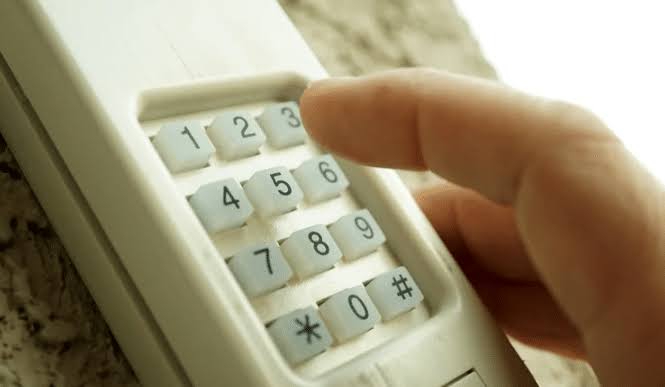
Have you ever lost your garage door remote or moved into a new home and wondered about the previous owners’ access? It is a common concern that leaves many homeowners feeling vulnerable. The good news is that can you change the code on a garage door opener is not just a question of possibility, but a straightforward process that significantly boosts your home’s security. In this guide, we will walk you through everything you need to know to take control of your garage access.
Why Changing Your Garage Door Code Is Essential for Security
Before diving into the “how,” it is crucial to understand the “why.” Many homeowners assume their garage door opener is secure by default. However, older models use fixed codes that can be intercepted by sophisticated scanning devices. Even newer rolling-code systems, while more secure, can be compromised if the previous owner still has a remote or if the code was shared with service providers who no longer work for you.
According to recent security studies, garages are one of the most common entry points for burglars because they often lack the same level of security scrutiny as front doors. By changing your code, you eliminate unauthorized access from old remotes, keypads, or potential code grabbers. It is a simple, free upgrade that provides peace of mind.
How to Identify Your Garage Door Opener Type
Not all garage door openers are created equal. The method for changing your code depends largely on the age and type of your system. Generally, there are two main categories:
- Fixed-Code Openers: Common in units manufactured before the mid-1990s. These use dip switches inside the remote and the motor unit.
- Rolling-Code (Smart) Openers: Modern systems that generate a new code every time the button is pressed. These use a “Learn” button on the motor unit.
To identify your type, look at your motor unit (the box attached to your garage ceiling). If you see a row of tiny switches (dip switches), you have an older fixed-code model. If you see a single button, often colored yellow, purple, orange, or red, labeled “Learn” or “Program,” you have a modern rolling-code system.
Step-by-Step Guide: Changing the Code on Modern Rolling-Code Openers
For the majority of homeowners today, the process involves using the “Learn” button. This method is standard across major brands like Chamberlain, LiftMaster, Genie, and Craftsman.
Step 1: Locate the Learn Button
Climb a sturdy ladder to access the motor unit. Look for the “Learn” button. It is usually located on the back or side of the unit, near the antenna wire. Note: You may need to remove the light cover to see it.
Step 2: Erase Old Codes
Press and hold the “Learn” button for approximately 6–10 seconds until the indicator light turns off. This action erases all previously programmed remotes and keypads. Warning: After this step, none of your existing remotes will work until you reprogram them.
Step 3: Reprogram Your Remotes
Within 30 seconds of releasing the “Learn” button, press and hold the button on your remote control that you wish to program. Hold it until the motor unit’s lights blink or you hear a click. This confirms the new code has been synced.
Step 4: Test the System
Stand clear of the door and press the remote button. The door should operate smoothly. Repeat Step 3 for any additional remotes or wireless keypads.
Step-by-Step Guide: Changing Dip Switches on Older Models
If you have an older opener with dip switches, the process is mechanical rather than digital.
- Open the Remote: Use a small screwdriver to open the battery compartment of your remote. You will see a row of 8–12 tiny switches.
- Match the Pattern: Look at the motor unit. There will be a similar set of dip switches. Change the pattern of the switches in the remote to match a new, unique pattern. Ensure the switches in the motor unit are set to the exact same pattern.
- Secure and Test: Close the remote, ensure the motor unit switches are identical, and test the door.
Tip: Take a photo of your new switch pattern so you can replicate it if you lose the remote.
Troubleshooting Common Issues
Even with clear instructions, things can go wrong. Here are solutions to frequent problems:
| Issue | Possible Cause | Solution |
|---|---|---|
| Remote not working after programming | Battery dead | Replace the remote battery with a fresh CR2032 or similar. |
| Light blinks but door doesn’t move | Safety sensors blocked | Check the sensors near the floor for dirt or obstruction. |
| “Learn” button unresponsive | Power issue | Unplug the unit for 30 seconds, then plug it back in to reset. |
| Keypad not syncing | Wrong sequence | Refer to the specific brand manual; some require entering a PIN first. |
If you continue to face issues, consult the manufacturer’s manual. For a deeper understanding of garage door opener technology and safety standards, you can refer to Wikipedia’s article on Garage Door Openers, which provides historical context and technical specifications.
Frequently Asked Questions (FAQ)
1. Can I change the code without the original remote?
Yes. If you have access to the motor unit, you can erase all old codes using the “Learn” button and program a new remote or keypad from scratch. If you don’t have a new remote, you will need to purchase one compatible with your brand.
2. How often should I change my garage door code?
It is recommended to change your code whenever you move into a new home, lose a remote, or suspect unauthorized access. For general maintenance, changing it once a year is a good security practice.
3. Will changing the code affect my Wi-Fi-enabled opener?
If you have a smart opener connected to an app (like MyQ), erasing codes via the “Learn” button may disconnect your remotes. You will need to re-sync your physical remotes, but your Wi-Fi connection usually remains intact. However, you may need to re-add remotes within the app interface.
4. What if I don’t have a ladder to reach the motor unit?
If you cannot safely reach the motor unit, consider hiring a professional garage door technician. They can reprogram the system quickly and safely. Never attempt to climb on unstable surfaces.
5. Can someone hack my garage door opener?
While rolling-code systems are highly secure, no system is 100% hack-proof. However, changing your code regularly and ensuring your firmware is up-to-date (for smart openers) significantly reduces the risk. Avoid sharing your PIN with untrusted individuals.
Conclusion
So, can you change the code on a garage door opener? Absolutely, and it is one of the most effective steps you can take to secure your home. Whether you have a modern rolling-code system or an older dip-switch model, the process is manageable and requires minimal tools. By taking just 15 minutes to reprogram your device, you protect your vehicle, storage, and home from unauthorized entry.
Don’t wait for a security breach to act. Grab your ladder, locate that “Learn” button, and take control of your garage security today. If you found this guide helpful, please share it with your friends and family on social media to help them secure their homes too!
Leave a Reply