Introduction
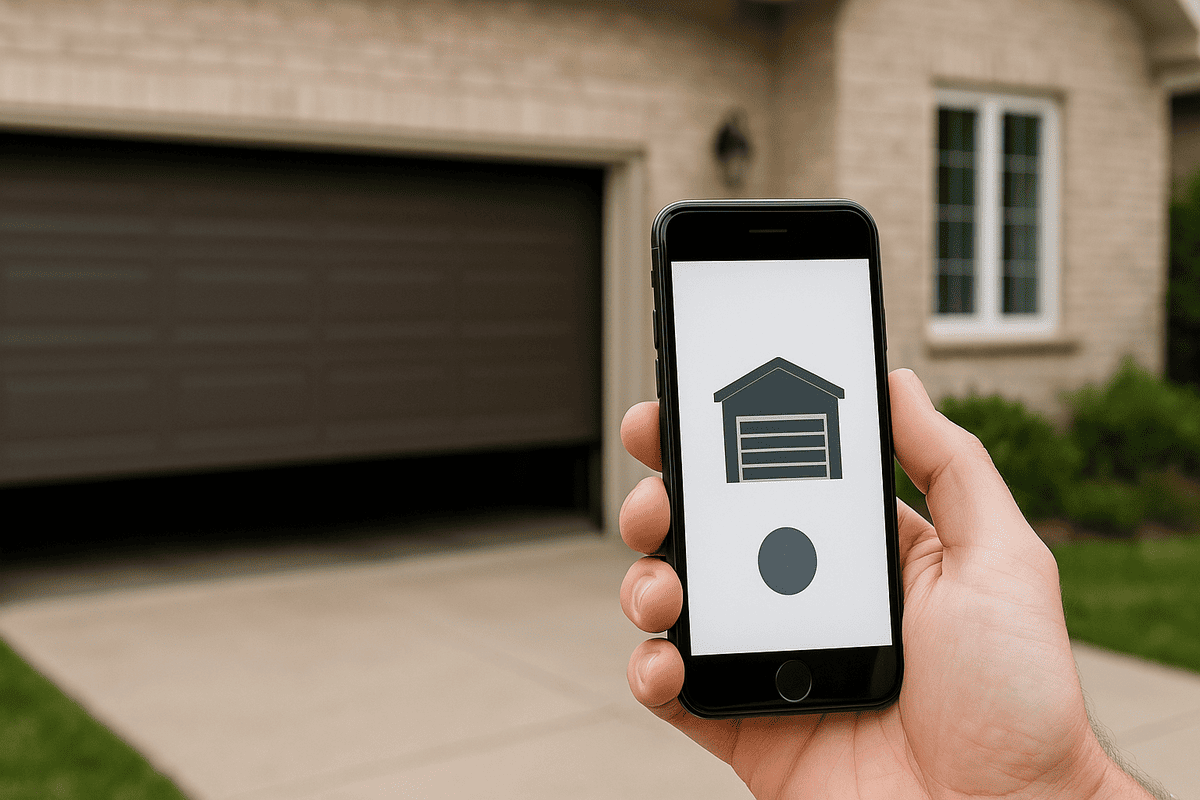
Have you ever pulled into your driveway in the pouring rain, only to realize you left your garage remote inside the house? You are not alone in this frustrating experience. Many homeowners naturally wonder, can I program my phone to open my garage door to make daily life easier, more convenient, and significantly more secure? The good news is that upgrading to a smart, phone-controlled garage system is simpler, safer, and more affordable than you might think.
Can I Program My Phone To Open My Garage Door? Here is How
The short answer is a resounding yes. Modern technology allows you to transform your smartphone into a powerful, secure garage door remote. There are generally two pathways to achieve this, depending on your current setup.
If you have a newer garage door opener, it might already have built-in Wi-Fi capabilities. Brands like Chamberlain, LiftMaster, and Genie often include smart connectivity in their mid-to-high-tier models. If your opener is older but still functional, you can easily add a retrofit smart garage hub. These small devices bridge the gap between your traditional opener and your home’s Wi-Fi network, enabling control via a dedicated phone garage door app.
According to a 2023 smart home industry report, over 45% of US homeowners plan to upgrade their garage security with smart technology, highlighting a massive shift toward mobile-controlled home access.
Step-by-Step Guide: Connecting Your Garage to Your Phone
If you are starting with an existing, non-smart garage door opener, adding a retrofit smart hub is the most cost-effective solution. Follow this detailed, step-by-step tutorial to get set up.
Step 1: Verify Compatibility
Before purchasing any device, check your garage door opener’s manufacturing date. Most smart hubs work seamlessly with openers manufactured after 1993, as these are required to have standard safety reversal sensors. Locate the “Learn” button on your motor unit (usually yellow, red, purple, or green) to confirm it is compatible with aftermarket smart controllers.
Step 2: Choose and Position Your Smart Hub
Select a reputable smart garage controller. Once unboxed, placement is critical for success. Ensure your home’s Wi-Fi router is within 30 feet of the garage door motor. The hub requires a stable 2.4 GHz Wi-Fi signal (most smart home devices do not support 5 GHz networks). Plug the hub into a standard wall outlet near the motor unit.
Step 3: Install the Magnetic Door Sensor
This sensor tells the app whether your garage is open or closed. Mount the larger sensor body on the garage door track or wall, and the smaller magnetic piece on the moving door panel. For optimal accuracy, align them so they are exactly 2 inches apart when the door is fully closed. Use the included adhesive strips or small screws for a secure fit.
Step 4: Download the App and Pair the Device
Download the manufacturer’s official app (e.g., MyQ, Meross, or Tailwind) from the Apple App Store or Google Play Store. Create a secure account, then follow the in-app prompts to put the hub into pairing mode. This usually involves holding a button on the device for 5 seconds until an LED blinks rapidly. Connect it to your 2.4 GHz Wi-Fi network, and test the connection by tapping “Close” in the app.
Built-In Smart Openers vs. Retrofit Hubs: A Comparison
Not sure whether to replace your entire opener or just add a smart hub? Use this quick comparison to decide what fits your needs and budget.
| Feature | Built-In Smart Garage Opener | Retrofit Smart Garage Hub |
|---|---|---|
| Cost | High ($300 – $600+) | Low ($30 – $100) |
| Installation | Requires professional or advanced DIY | Easy DIY (15–30 minutes) |
| Compatibility | Brand new systems only | Works with most openers made after 1993 |
| Features | Full motor control, battery backup, advanced diagnostics | Open/close control, status alerts, basic scheduling |
| Best For | Homeowners replacing a broken/old opener | Homeowners wanting a quick, budget-friendly upgrade |
Tip: If your current opener works perfectly, a retrofit hub is the most logical and economical choice.
Is It Safe to Open My Garage Door With a Smartphone?
Security is a top concern when connecting physical home access points to the internet. Fortunately, modern smart garage systems are highly secure when configured correctly.
Reputable smart garage apps use end-to-end encryption to protect your data. Furthermore, they rely on rolling code technology, a security feature that changes the access code every single time the door is activated. This prevents hackers from intercepting and replaying the signal to gain unauthorized entry.
To maximize your security, always enable Two-Factor Authentication (2FA) in your app settings. This ensures that even if someone guesses your password, they cannot access your garage without the secondary verification code sent to your phone. Avoid using public, unsecured Wi-Fi networks when operating your garage door remotely.
Top 3 Devices for Smart Garage Control
If you are ready to make the leap, here are three highly rated, reliable options trusted by US homeowners:
- Chamberlain MyQ Smart Garage Hub: The industry standard. It works with over 90% of garage door openers made after 1993. It offers seamless integration with Amazon Key, allowing secure in-garage deliveries.
- Meross Smart Garage Door Opener: A budget-friendly alternative that stands out for its broad smart home compatibility. It works natively with Apple HomeKit, Google Assistant, and Alexa without requiring a proprietary bridge.
- Tailwind Smart Garage Controller: Known for its “IQ” feature, which uses your phone’s location to automatically close the garage door when you leave and open it when you arrive, adding a layer of true automation.
Frequently Asked Questions (FAQ)
Q1: Can I use my phone as a garage door remote without Wi-Fi?
A: While most smart garage hubs require Wi-Fi for remote access from outside your home, some advanced models offer Bluetooth connectivity. This allows you to open the door when you are within a 30-foot range of the garage, even if your home internet is down. However, Wi-Fi remains the standard for true remote access.
Q2: Will a smart garage hub work with my old garage door opener?
A: Yes, in most cases. As long as your garage door opener was manufactured after 1993 and features standard safety reversal sensors (the little eyes near the floor), it is highly likely to be compatible with modern retrofit smart hubs. Always check the manufacturer’s compatibility list before purchasing.
Q3: What happens if my internet goes down?
A: Your smart hub will temporarily lose remote connectivity, but your garage door is not stranded. You can still operate it using your traditional physical remote control or the wired wall button inside the garage. Once the internet is restored, the smart hub will automatically reconnect.
Q4: Can multiple family members control the garage door from their phones?
A: Absolutely. Most smart garage apps allow you to invite unlimited family members or trusted neighbors. You can send them an invite via email or text, and you can even customize their access permissions, such as granting them access only during specific hours of the day.
Q5: How much does it cost to program my phone to open the garage?
A: The cost is very reasonable. A retrofit smart garage hub typically ranges from $30 to $100, with no monthly subscription fees for basic features. If you choose to replace the entire unit with a new built-in smart opener, expect to pay between $300 and $600, plus potential professional installation fees.
Conclusion
Upgrading your garage setup is no longer a futuristic luxury; it is a practical, accessible reality. By answering the question, “Can I program my phone to open my garage door?” with a confident yes, you unlock a world of convenience, enhanced security, and total peace of mind. Whether you choose a simple retrofit hub or a brand-new smart opener, you will never have to dig for a lost remote in the rain again.
Found this guide helpful? Share it with your friends and family on Facebook, Twitter, or Pinterest so they can easily upgrade their smart home too!
Leave a Reply