Introduction
Losing your garage door remote or having it stop working is a frustrating inconvenience that disrupts your daily routine. You might be standing in your driveway, wondering, “Can I get a new garage door opener remote?” The short answer is yes, and it is often easier and more affordable than you think. Whether you need a direct replacement from the manufacturer or a versatile universal remote, this guide will walk you through everything you need to know to regain access to your garage quickly and securely.
Identifying Your Garage Door Opener Model
Before you rush to buy a replacement, you must identify the specific model of your garage door opener. Not all remotes are compatible with all openers, and buying the wrong one can lead to wasted money and time.
Where to Find the Model Number
The model number is usually located on the motor unit hanging from your garage ceiling. Look for a sticker or label on the back or side of the unit. It typically includes:
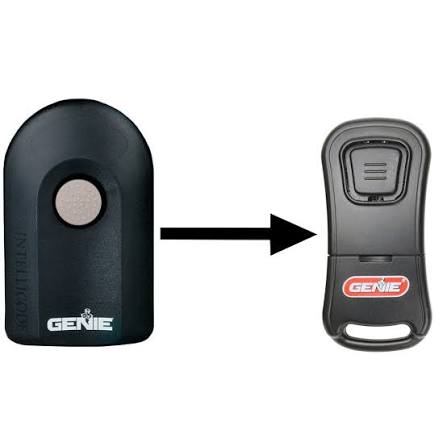
- Brand Name: (e.g., LiftMaster, Chamberlain, Genie, Craftsman)
- Model Number: A combination of letters and numbers (e.g., 8500, G3T-BX)
- Serial Number: Useful for warranty claims
If the label is faded or missing, check your original installation manual or the purchase receipt. If you cannot find any of these, take a clear photo of the motor unit and the old remote (if you have it) to show a specialist at a hardware store.
Why Compatibility Matters
Garage door openers operate on specific frequencies and security codes. Older models may use fixed codes, while newer ones use rolling code technology for enhanced security. Buying a remote that matches your opener’s frequency (usually 315 MHz, 390 MHz, or 433 MHz) and security protocol is crucial for successful programming.
Options for Replacement Remotes
Once you know your model, you have three primary options for purchasing a new remote. Each has its pros and cons depending on your budget and technical comfort level.
1. Original Equipment Manufacturer (OEM) Remotes
These are remotes made by the same company that manufactured your garage door opener. They are guaranteed to be compatible and often come with pre-programmed ease.
- Pros: Guaranteed compatibility, high build quality, easy programming.
- Cons: Typically more expensive, limited availability for very old models.
2. Universal Garage Door Remotes
Universal remotes are designed to work with a wide range of brands and models. They are an excellent choice if you have multiple openers from different brands or if your original brand is no longer in business.
- Pros: Cost-effective, versatile, widely available at big-box stores.
- Cons: Programming can be more complex, may not support advanced features like battery backup alerts.
3. Smart Garage Door Controllers
If you are looking to modernize your home, consider a smart controller. These devices connect to your Wi-Fi and allow you to open and close your garage door via a smartphone app.
- Pros: Remote access from anywhere, integration with smart home systems (Alexa, Google Home), activity logs.
- Cons: Requires Wi-Fi signal in the garage, higher initial cost, potential cybersecurity considerations.
Step-by-Step Guide to Programming Your New Remote
Programming a new remote varies by brand, but the general process is similar. Below is a standard procedure for most modern openers using rolling code technology. Always refer to your specific manual for exact instructions.
Preparation
- Ensure the garage door is closed.
- Have a ladder ready to reach the motor unit.
- Insert fresh batteries into the new remote.
Programming Steps
- Locate the “Learn” Button: On the motor unit, find the “Learn” or “Smart” button. It is usually colored yellow, purple, orange, or red and located near the antenna wire.
- Press the Learn Button: Press and release the button. An indicator light will turn on or blink, signaling that the opener is in programming mode. You typically have 30 seconds to complete the next step.
- Program the Remote: Within 30 seconds, press and hold the button on your new remote that you wish to use. Hold it until the opener’s lights flash or you hear two clicks. This confirms the code has been accepted.
- Test the Remote: Press the button again to test if the garage door operates. If it does, you are done. If not, repeat the process, ensuring you are within range of the motor unit.
Note: For older openers with DIP switches, you will need to match the switch positions on the remote to those on the motor unit manually.
Troubleshooting Common Issues
Even with the right remote, issues can arise. Here are common problems and solutions.
| Issue | Possible Cause | Solution |
|---|---|---|
| Remote doesn’t work | Dead batteries | Replace batteries with fresh alkaline ones. |
| Intermittent operation | Weak signal or interference | Move closer to the opener; check for LED light bulb interference. |
| Won’t program | Wrong frequency or mode | Verify compatibility; ensure you pressed the “Learn” button correctly. |
| Range is short | Antenna issue | Check if the antenna wire on the motor unit is hanging down and unobstructed. |
The LED Light Bulb Interference
A lesser-known issue is interference from LED light bulbs in the garage door opener. Some LEDs emit radio frequency noise that blocks the remote signal. If your remote works only when you are very close to the door, try replacing the light bulbs with incandescent ones or certified LED bulbs designed for garage openers.
When to Call a Professional
While replacing a remote is a DIY-friendly task, there are situations where professional help is advisable:
- Complex Systems: If you have a commercial-grade opener or a multi-door system with integrated security.
- Wiring Issues: If the motor unit itself seems faulty or unresponsive.
- Safety Concerns: If you are uncomfortable working on a ladder or dealing with electrical components.
According to Wikipedia’s entry on garage door openers, modern openers include safety features like auto-reverse mechanisms. Ensuring these features remain functional after any modification is critical for household safety.
FAQ Section
Q1: Can I program a new remote without the old one?
A: Yes, you do not need the old remote to program a new one. As long as you have access to the “Learn” button on the motor unit, you can program any compatible remote. However, if you lost all remotes, you may want to reset the system for security reasons.
Q2: How much does a replacement garage door remote cost?
A: Prices vary based on type and brand. OEM remotes typically cost between $30 and $50. Universal remotes are cheaper, ranging from $15 to $30. Smart controllers can cost $50 to $100 or more.
Q3: Will a universal remote work with my old garage door opener?
A: Most universal remotes are compatible with openers manufactured after 1993. If your opener is very old (pre-1993), it may use DIP switches instead of rolling codes. Check the packaging of the universal remote for compatibility lists.
Q4: Can I copy my existing remote to a new one?
A: Some advanced universal remotes offer a “copy” or “clone” feature that allows you to transfer the code from an existing working remote to a new one. This is useful if you cannot access the motor unit easily. Look for remotes labeled as “cloneable” or “learning remotes.”
Q5: Is it safe to buy a used garage door remote?
A: It is generally not recommended. Used remotes may have worn-out buttons, weak batteries, or unknown security histories. Additionally, programming a used remote may require resetting the entire system, which invalidates all other existing remotes. Buying new ensures reliability and security.
Q6: How many remotes can I program to one opener?
A: Most modern garage door openers can support between 5 to 8 remotes. Check your specific model’s manual for the exact limit. If you reach the limit, you may need to erase old codes before adding new ones.
Conclusion
So, can I get a new garage door opener remote? The answer is a resounding yes. Whether you choose an OEM replacement for seamless integration, a universal remote for budget-friendly flexibility, or a smart controller for modern convenience, solutions are readily available. By identifying your model, choosing the right type of remote, and following simple programming steps, you can restore access to your garage in under an hour.
Don’t let a lost or broken remote disrupt your day. Take action today, and enjoy the peace of mind that comes with secure, reliable access to your home. If you found this guide helpful, please share it with friends and family who might be facing the same issue!
Leave a Reply