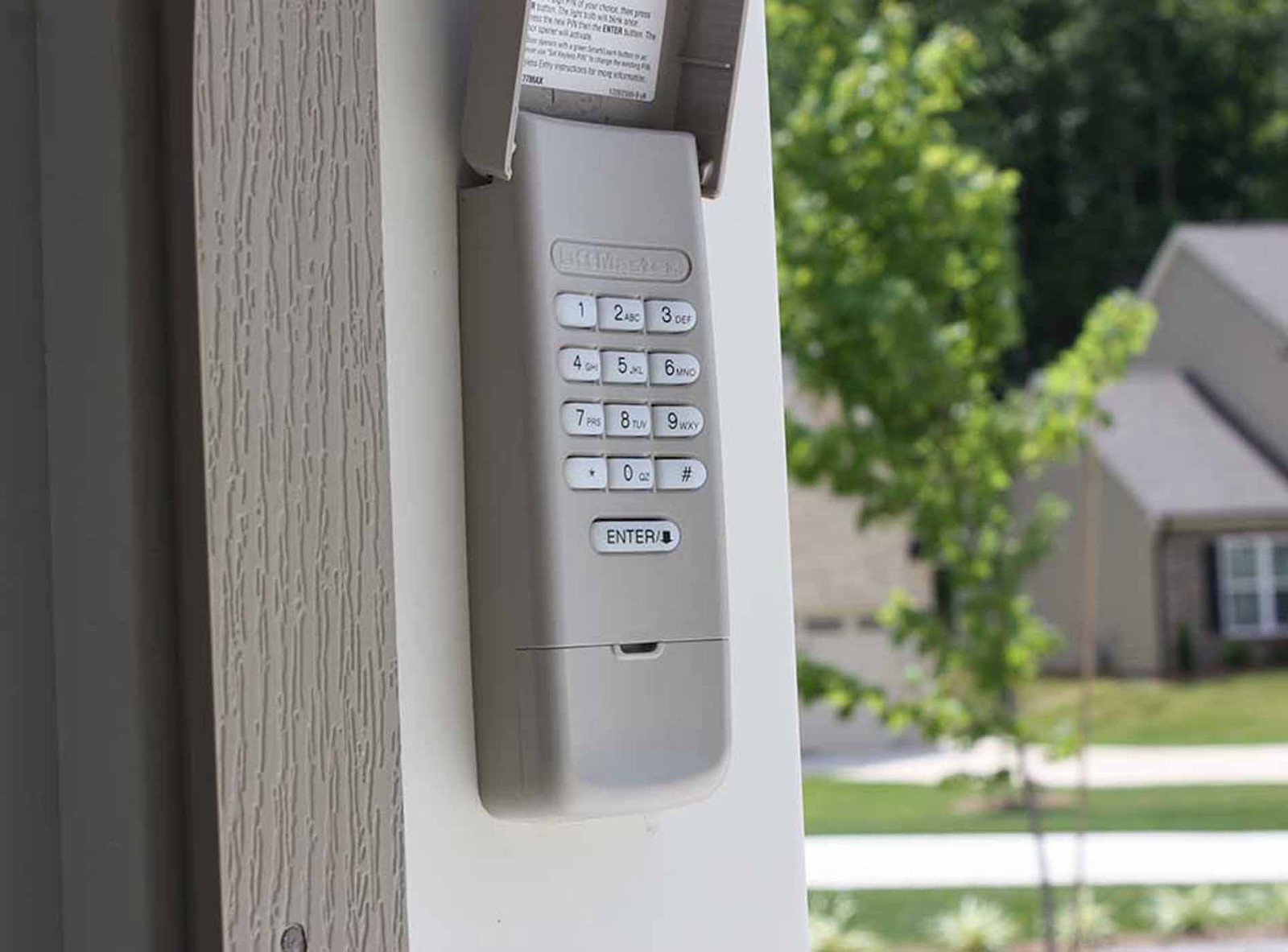
Most homeowners have experienced the frustration of fumbling for keys or remote controls while carrying groceries or dealing with rain. It is a common scenario that leads many to ask, can I add a keypad to my garage door opener? The short answer is yes, and it is one of the most convenient and secure upgrades you can make to your home.
Adding a keypad eliminates the need for physical keys and provides a reliable backup if your remote control battery dies. In this guide, we will walk you through everything you need to know about compatibility, installation, and programming your new device.
Understanding Compatibility: Will It Work With Your Opener?
Before purchasing any hardware, you must determine if your current garage door opener supports an external keypad. Most modern openers manufactured after 1993 are compatible with universal keypads, but older models may require specific brand-matched accessories.
The primary factor is the frequency and protocol used by your opener. Common frequencies include 315 MHz, 390 MHz, and 433 MHz. If you buy a keypad with the wrong frequency, it simply will not communicate with your motor unit.
How to Check Your Model Number
Locate the model number on the back or side of your garage door opener motor unit. It is usually printed on a sticker along with the serial number. Once you have this number:
- Visit the manufacturer’s website (e.g., LiftMaster, Chamberlain, Genie).
- Search for “accessories” or “compatibility” using your model number.
- Look for listed keypad part numbers.
If your opener is very old (pre-1993), it might use dip switches instead of rolling code technology. In this case, you may need to replace the entire opener for security reasons, as older systems are vulnerable to code grabbing. For more information on garage door opener safety standards, you can refer to Wikipedia’s article on garage door openers.
Types of Garage Door Keypads Available
Not all keypads are created equal. Choosing the right type depends on your budget, desired features, and technical comfort level.
1. Wired Keypads
These connect directly to the opener motor via low-voltage wires. They are highly reliable because they do not depend on batteries. However, installation requires running wires from the motor to the exterior wall, which can be labor-intensive.
2. Wireless Battery-Operated Keypads
These are the most popular choice for DIY enthusiasts. They mount easily to the exterior wall and communicate via radio frequency. The main downside is battery maintenance; you will need to replace the batteries every 1–2 years.
3. Smart Wi-Fi Keypads
These advanced models connect to your home Wi-Fi network. They allow you to generate temporary codes for guests, receive notifications when the door is used, and integrate with smart home ecosystems like Amazon Alexa or Google Home.
| Feature | Wired Keypad | Wireless Keypad | Smart Keypad |
|---|---|---|---|
| Installation Difficulty | High | Low | Medium |
| Power Source | Hardwired | Batteries | Batteries/Wi-Fi |
| Remote Access | No | No | Yes |
| Cost | $20–$40 | $30–$60 | $80–$150 |
Step-by-Step Installation Guide
Installing a wireless keypad is a straightforward process that typically takes less than 30 minutes. You will need a ladder, a screwdriver, and a drill with appropriate bits.
Step 1: Choose the Location
Select a spot on the exterior wall near the garage door. Ideally, place it at a height of 4–5 feet for easy access. Ensure the location is sheltered from direct rain and snow to prolong the life of the electronics.
Step 2: Prepare the Mounting Surface
Hold the keypad base against the wall and mark the screw holes. If you are mounting on brick or stucco, use a masonry bit to drill pilot holes. Insert wall anchors if necessary to ensure a secure fit.
Step 3: Mount the Keypad
Attach the base plate to the wall using the provided screws. Do not overtighten, as this may crack the plastic housing. Snap the keypad unit onto the base plate according to the manufacturer’s instructions.
Step 4: Program the Keypad
This is the most critical step. Each brand has a slightly different procedure, but the general process involves:
- Locating the “Learn” button on your garage door opener motor unit. It is usually colored yellow, purple, or red.
- Pressing the “Learn” button once. An indicator light will turn on or blink.
- Within 30 seconds, entering your desired PIN on the keypad and pressing the “Enter” or “Send” button.
- Testing the connection by entering the PIN again to see if the door activates.
Note: Always consult your specific manual for exact button sequences, as they vary significantly between brands.
Security Best Practices for Keyless Entry
While keypads offer convenience, they also introduce potential security vulnerabilities if not managed correctly. Follow these best practices to keep your home safe.
Change Default Codes Immediately Never use the default factory code (often 1234 or 0000). Create a unique 4-to-6-digit PIN that is not easily guessable. Avoid using birthdays, anniversaries, or sequential numbers.
Use Temporary Codes for Guests If you have a smart keypad, utilize the feature that allows temporary codes. These codes can be set to expire after a single use or after a specific date, ensuring that contractors or house sitters do not retain permanent access.
Regularly Update Your PIN It is good practice to change your master PIN every 6–12 months. This minimizes the risk of unauthorized access if a previous code was compromised or shared inadvertently.
Monitor Battery Levels A dead battery can lock you out if you do not have a backup remote. Check your keypad batteries twice a year, preferably when you change clocks for daylight saving time.
Troubleshooting Common Issues
Even with careful installation, you may encounter issues. Here are solutions to the most frequent problems.
Keypad Not Responding
First, check the batteries. Even if they are new, they may be defective. Replace them with high-quality alkaline batteries. If the issue persists, ensure you are within range of the opener. Metal siding or thick insulation can sometimes interfere with the signal.
Intermittent Connection
If the keypad works only occasionally, there may be radio frequency interference from nearby devices. Try reprogramming the keypad to a different channel if your model supports it. Also, check for loose wires in wired installations.
Code Not Accepted
Ensure you are pressing the “Enter” button after typing the PIN. Some models require a specific hold time on the buttons. If the problem continues, reset the keypad to factory settings and reprogram it from scratch.
FAQ Section
Can I add a keypad to any garage door opener?
Most openers manufactured after 1993 are compatible with universal keypads. However, you must match the frequency (MHz) and brand protocol. Older openers with dip switches may not support modern rolling-code keypads.
Do I need an electrician to install a keypad?
No, most wireless keypads are designed for DIY installation. They require no electrical wiring and mount easily with screws. Wired keypads may require basic electrical knowledge but generally do not need a licensed electrician.
How many users can share a keypad code?
Technically, unlimited users can share the same code. However, for security, it is better to assign unique codes if your keypad supports multiple user profiles. This allows you to track who accessed the garage and when.
What happens if the power goes out?
Garage door openers have a manual release mechanism that allows you to open the door manually during a power outage. The keypad itself runs on batteries, so it will still send a signal, but the motor will not operate without electricity.
Are smart keypads secure from hacking?
Reputable brands use encryption protocols like AES-128 to protect signals. While no system is 100% hack-proof, smart keypads are significantly more secure than older fixed-code systems. Always keep your firmware updated.
Can I use a keypad if I have two garage doors?
Yes, but you may need separate keypads for each door unless you have a multi-door opener system. Some advanced smart hubs allow one keypad to control multiple doors, but this requires specific compatibility.
Conclusion
So, can I add a keypad to my garage door opener? Absolutely. It is a cost-effective upgrade that enhances both convenience and security. By choosing the right type of keypad and following proper installation steps, you can enjoy keyless entry within minutes.
Remember to prioritize security by changing default codes and maintaining your device. If you found this guide helpful, please share it with friends and family who might be considering the same upgrade. Secure your home with the simple touch of a button.
Leave a Reply