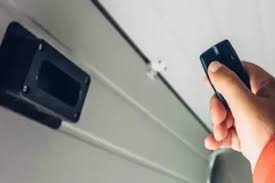
Losing a small device can cause disproportionate stress, especially when that device controls access to your home and vehicles. If you are panicking and wondering what to do if you lose your garage door opener, take a deep breath; you are not locked out forever, and your home is likely still secure. This guide will walk you through the immediate steps to regain access, reprogram new remotes, and ensure your property remains safe from unauthorized entry.
Immediate Steps: Secure Your Home First
Before you start searching under couch cushions or calling a locksmith, your primary concern should be security. A lost garage door opener is essentially a lost key to your home. While modern openers use rolling code technology to prevent simple signal interception, a physical remote in the wrong hands is still a risk.
1. Assess the Risk Level
Not all lost remotes pose the same threat. Ask yourself:
- Where was it lost? If it was lost inside your house or car, the risk is minimal. If it was lost in a public place (gym, park, store), the risk is higher.
- Is your address visible? Many people attach their home address to their remotes. If yours does, the finder knows exactly which house to target.
2. Disconnect the Opener (If Necessary)
If you believe the remote was stolen or lost in a high-risk area, you can temporarily disconnect the garage door opener from power. This prevents anyone from using the lost remote to open the door until you have reset the system. However, this is inconvenient, so most homeowners prefer the next step: clearing the memory.
How to Clear Your Garage Door Opener’s Memory
The most effective way to neutralize a lost remote is to erase its code from the opener’s receiver. This process varies by brand, but the general principle is the same: you must reset the “learn” button on the motor unit.
Step-by-Step Reset Process
- Locate the Motor Unit: Climb the ladder to your garage ceiling and find the main motor box.
- Find the “Learn” Button: Look for a small button, usually colored yellow, red, purple, or green. It may be labeled “Learn,” “Smart,” or “Program.”
- Press and Hold: Press and hold the “Learn” button for approximately 6–10 seconds. The indicator light next to it will blink or turn off.
- Confirm Reset: Once the light goes out, all previously programmed remotes and keypads are erased. The lost remote is now useless.
Pro Tip: Write down the model number of your opener before starting. You will need this to buy compatible replacements. Common brands include Chamberlain, LiftMaster, Genie, and Craftsman.
Reprogramming New Remotes and Keypads
Once the old codes are cleared, you need to reprogram your existing spare remotes and any new ones you purchase. If you don’t have a spare, you will need to buy a universal remote or a brand-specific replacement.
Choosing the Right Replacement
| Remote Type | Pros | Cons | Best For |
|---|---|---|---|
| Brand-Specific | Guaranteed compatibility, easy setup | More expensive, harder to find for older models | Owners of newer systems (post-2010) |
| Universal Remote | Affordable, widely available | May require dip-switch setting, complex setup | Older openers or budget-conscious users |
| Smart Hub/Add-on | Control via phone, no physical remote needed | Requires Wi-Fi, technical setup | Tech-savvy users wanting convenience |
Programming a New Remote
Most modern openers use a simple “Learn” button process:
- Press the “Learn” button on the motor unit briefly (do not hold). The LED will light up.
- Within 30 seconds, press and hold the button on your new remote that you want to use.
- Release the button when the motor unit’s lights blink or you hear a click.
- Test the remote immediately.
If you have multiple remotes, repeat this process for each one. Do not forget to reprogram any wireless keypads outside your garage as well.
Alternative Access Methods While You Wait
If you cannot reprogram a remote immediately, or if you are waiting for a delivery, you still have options to access your garage.
Use the Wall-Mounted Console
Inside your garage, there is typically a wall-mounted control panel wired directly to the opener. This button does not use radio frequencies and cannot be lost. You can enter your garage through the side door or house entry, then use this button to open the main door.
Manual Release Cord
In case of power outage or total system failure, every garage door has a manual release cord (usually with a red handle). Pulling this cord disengages the door from the opener track, allowing you to lift it manually. Warning: Only use this when the door is closed. Lifting a heavy door manually can be dangerous and may damage the springs if not done correctly.
Smartphone Control
If you previously installed a smart garage hub (like MyQ, Tailwind, or RatGDO), you can open your door via an app. If you haven’t set this up, consider it as part of your recovery plan. It eliminates the risk of losing physical remotes entirely.
When to Call a Professional
While DIY solutions work for most scenarios, some situations require expert assistance.
- Older Openers: If your opener is more than 15 years old, finding compatible remotes may be difficult. A professional can suggest a full system upgrade.
- Security Concerns: If you suspect malicious intent behind the loss, a professional can install additional security features like battery backups or encrypted smart controllers.
- Mechanical Issues: If the door doesn’t respond even after reprogramming, the issue might be with the sensors or motors, not the remote.
According to industry standards, garage door springs are under extreme tension and should never be adjusted by homeowners. If your door is off-track or making unusual noises during this process, stop immediately and call a certified technician.
Preventing Future Losses
Once you have regained control, take steps to ensure this doesn’t happen again.
- Use a Keychain Clip: Attach your remote to your keys or a dedicated lanyard.
- Go Digital: Transition to smartphone-based controls or biometric entry systems where possible.
- Label Discreetly: If you must label your remote, use a code only you understand, rather than your home address.
- Keep a Spare: Store a spare remote in a secure location inside your home, not in your car.
Frequently Asked Questions (FAQ)
Q1: Can someone hack my garage door if I lose the remote?
A: Modern garage door openers use rolling code technology, which changes the access code every time the button is pressed. This makes it extremely difficult for hackers to intercept and reuse the signal. However, a physical remote in the hands of a thief who knows your address is a direct security risk, which is why resetting the memory is crucial.
Q2: How much does it cost to replace a garage door remote?
A: A basic universal remote typically costs between $15 and $30. Brand-specific remotes range from $30 to $50. If you hire a professional to program it for you, expect to pay an additional service fee of $50–$100.
Q3: Will resetting the opener affect my Wi-Fi or smart home integration?
A: Yes, if you clear the memory of the opener, you will likely need to reconnect any smart hubs (like MyQ or Alexa integrations). Have your Wi-Fi password and smart home app credentials ready when you perform the reset.
Q4: Can I use a universal remote for any garage door opener?
A: Most universal remotes work with major brands manufactured after 1993. However, some proprietary systems (like certain older Stanley or Wayne Dalton models) may not be compatible. Always check the compatibility list on the universal remote’s packaging before purchasing.
Q5: What if I don’t have a spare remote to reprogram?
A: You can purchase a new remote online or at a hardware store. In the meantime, use the wall-mounted console inside the garage or the manual release cord for emergency access. Some newer models also allow temporary access via a keypad if you have one installed.
Conclusion
Losing your garage door opener is a frustrating experience, but it is manageable with the right approach. By following the steps above—securing your home, clearing the opener’s memory, and reprogramming new devices—you can restore both access and peace of mind. Remember, the key is acting quickly to invalidate the lost remote and investing in smarter, more secure access methods for the future.
Did you find this guide helpful? Share it with your friends and family on social media to help them prepare for this common household mishap. Stay safe and secure!
Leave a Reply