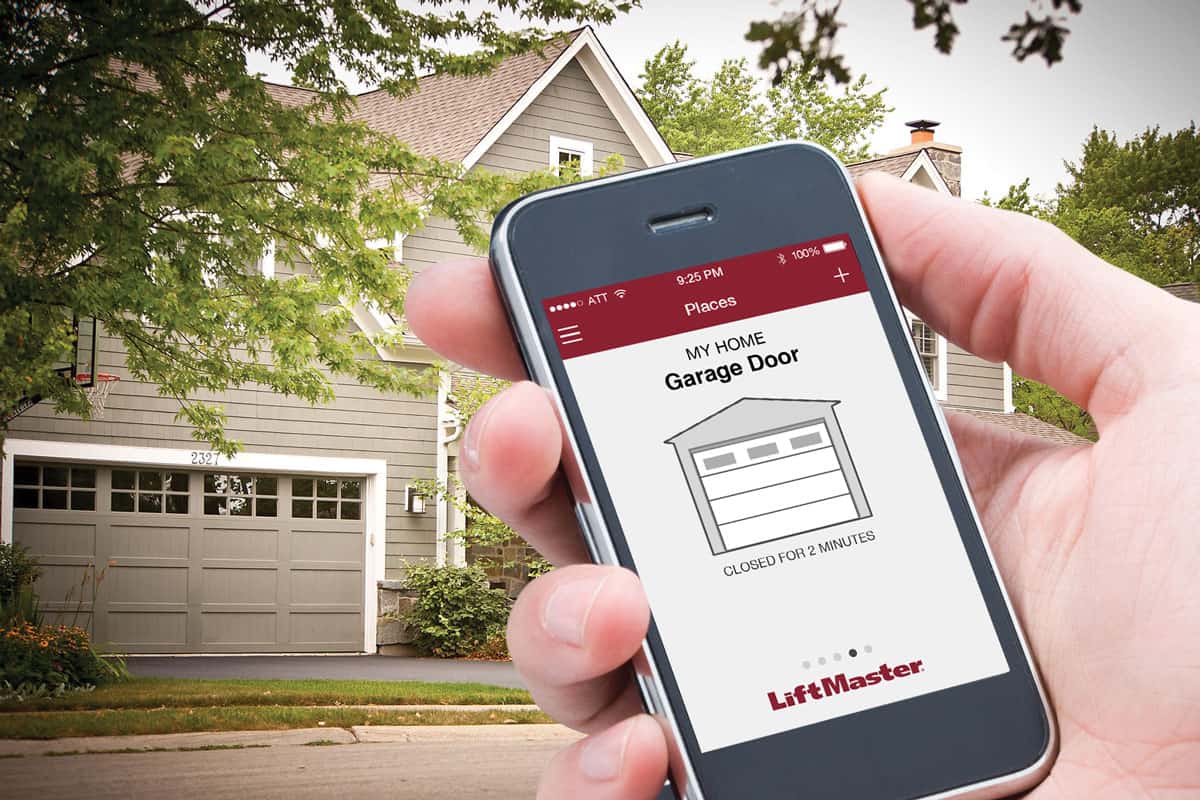
Have you ever driven away from home and suddenly panicked, wondering if you left the garage door wide open? You are certainly not alone in this stressful experience. Many homeowners actively search for the answer to the question, “Is There An App For Liftmaster Garage Door Opener?” to solve this exact problem and secure their properties. Fortunately, modern smart technology provides a seamless solution right from your smartphone.
Is There An App For Liftmaster Garage Door Opener?
Yes, there absolutely is! The official and most reliable application is the myQ app, developed by Chamberlain Group. Chamberlain is the parent company of Liftmaster and an undisputed industry leader in residential access control.
According to a recent smart home adoption report, over 63 million households in the US now use connected devices. Smart garage controllers are among the top security upgrades for these homes. By using this app, you can open, close, and monitor your garage door from anywhere in the world, giving you ultimate peace of mind.
Which Apps Actually Work With Liftmaster Openers?
While the official app is the best starting point, you might wonder about third-party options. Many users want their garage to integrate with their existing smart ecosystems, like Apple HomeKit or Samsung SmartThings. Here is a quick comparison to help you choose the right path.
| App Name | Compatibility | Best For | Cost |
|---|---|---|---|
| myQ App | Native Liftmaster/Chamberlain | Direct control, official support | Free |
| Tapo App | Requires Tapo Smart Hub | Multi-brand smart homes | Free + Hub |
| Meross App | Requires Meross Smart Hub | Advanced voice integration | Free + Hub |
For beginners, sticking to the official myQ app is highly recommended. It requires no extra hardware (if your opener is compatible) and offers native customer support. Third-party apps are great, but they usually require you to buy an additional smart hub to bridge the connection.
How to Check if Your Liftmaster is App-Compatible
Before downloading anything, you need to know if your current hardware supports Wi-Fi. Not all Liftmaster models are “smart” out of the box. Here is how you can check your specific unit:
- Locate the Learn Button: Look at the back or side of your garage door motor.
- Check the Button Color: If the “Learn” button is yellow, purple, orange, or red, your opener is likely compatible.
- Check the Manufacture Date: If your unit was built after 2011, it has a much higher chance of being natively compatible.
- Look for Wi-Fi Symbols: Some newer models have a small Wi-Fi icon printed directly on the motor housing.
If your learn button is green, your opener is likely too old to connect directly to the app. But do not worry, there is still a solution!
Step-by-Step Guide: How to Connect Your Liftmaster to the App
If your unit is compatible, setting it up is incredibly straightforward. Follow these exact steps to get connected without any technical headaches:
- Download the App: Open your smartphone’s app store and search for “myQ”. Download the official application.
- Create Your Account: Open the app and tap “Sign Up”. Use a valid email address and create a strong password.
- Add a New Device: Tap the “+” icon in the top right corner and select “Garage Door Opener”.
- Enter the Serial Number: Find the serial number on the back of your motor’s header board and type it in carefully.
- Press the Learn Button: The app will prompt you to press the colored “Learn” button on your motor. Press it once, and the indicator light will blink.
- Activate the Door Control: Within 30 seconds, press and hold the wall button inside your garage for about 3 seconds until the motor clicks.
- Name Your Device: Give your garage door a name (e.g., “Main Garage”) and save the settings.
What If My Liftmaster is Too Old for the App?
If your Liftmaster was built before 2011 or lacks a compatible learn button, you can easily upgrade your system without buying a whole new motor. You can purchase the myQ Smart Garage Hub.
This device acts as a bridge, connecting your old motor to your home’s internet network. It is a highly effective workaround for older homes and costs a fraction of a new opener.
Pros and Cons of Using a Smart Hub:
- Pros:
- Cost-Effective: Much cheaper than replacing the entire opener system.
- Universal Compatibility: Works with almost any brand of garage door made after 1993.
- Easy Installation: Requires only basic tools and takes about 15 minutes.
- Cons:
- Extra Hardware: You have to mount an additional device on your garage ceiling.
- Wi-Fi Dependent: If your garage has a terrible Wi-Fi signal, the hub might struggle.
Key Benefits of Using a Smart Garage App
Why should you bother connecting your garage to the internet? The advantages go far beyond just avoiding that “did I close it?” panic.
- Enhanced Security: You receive instant push notifications every time the door opens or closes. This alerts you immediately if someone tries to enter your property unexpectedly.
- Smart Home Integration: You can connect your garage to your broader smart home ecosystem. This means you can use voice commands via Amazon Alexa or Google Assistant.
- Guest Access: You can grant temporary, scheduled access to dog walkers or delivery drivers without hiding a physical key under the mat.
- History Logs: The app keeps a detailed log of who opened the door and exactly what time it happened.
- Increased Home Value: Homes equipped with integrated smart security features are increasingly attractive to modern buyers, potentially boosting your property’s resale value.
Frequently Asked Questions
1. Is the myQ app completely free to use? Yes, the basic features of the myQ app are 100% free. You can open, close, and monitor your garage door without paying a monthly subscription. However, they do offer an optional premium partnership with Amazon Key for in-garage deliveries, which may have associated costs.
2. Can I use voice commands with the Liftmaster app? Absolutely. Once your garage door is connected to the myQ app, you can link your myQ account to Amazon Alexa or Google Home. After linking, you can simply say, “Alexa, close the main garage door.” For security, you will need to set up a 4-digit voice PIN to prevent unauthorized voice access.
3. Why does my app say “Communication Error”? This usually happens when the motor loses its connection to your home’s Wi-Fi network. First, check if your garage has a strong Wi-Fi signal. If it does, try restarting your router. If the issue persists, press and hold the Wi-Fi button on your motor for 6 seconds to reset the connection, then re-pair it in the app.
4. Do I need an internet connection in my garage? Yes, your garage door opener needs a stable 2.4 GHz Wi-Fi connection to communicate with the app. If your router is too far away and the signal is weak, consider buying a Wi-Fi extender specifically designed for garages to ensure a reliable connection.
5. Can multiple family members use the app at the same time? Yes, the myQ app allows you to invite other users to your account. You can send an email invitation to your family members, allowing them to download the app and control the garage door using their own smartphones. You can also set different permission levels for each user.
Conclusion
To answer the ultimate question: Is There An App For Liftmaster Garage Door Opener? The answer is a resounding yes. Whether your unit is brand new or a decade old, smart technology offers a secure, convenient, and highly effective way to control your home’s entry points.
By using the myQ app or a smart hub, you eliminate the stress of an open garage and integrate your home into the modern smart ecosystem. It is a simple upgrade that provides massive returns in convenience and security.
If you found this guide helpful, please share this article on your social media to help your friends and family secure their homes too! Have you tried the myQ app yet? Let us know your experience in the comments below. </think>
Meta Description: Wondering, Is There An App For Liftmaster Garage Door Opener? Yes! Discover the best apps, setup steps, and smart features to control your garage today.
Tags: Liftmaster App, myQ App, Smart Garage Door, Garage Door Opener App, Liftmaster Compatibility
Is There An App For Liftmaster Garage Door Opener? Yes
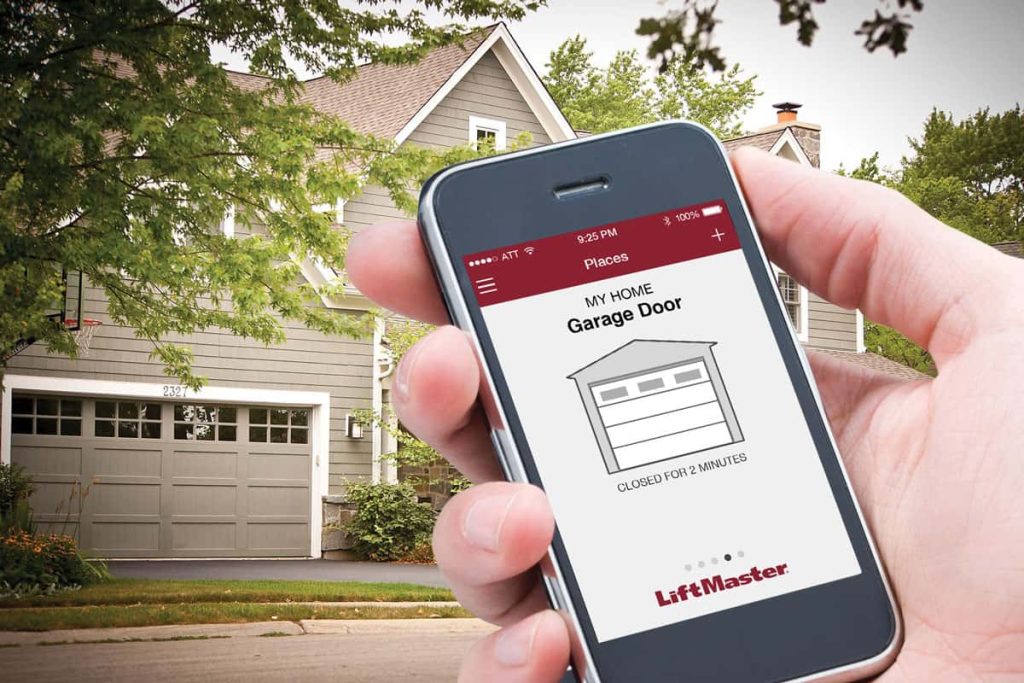
Have you ever driven away from home and suddenly panicked, wondering if you left the garage door wide open? You are certainly not alone in this stressful experience. Many homeowners actively search for the answer to the question, “Is There An App For Liftmaster Garage Door Opener?” to solve this exact problem and secure their properties. Fortunately, modern smart technology provides a seamless solution right from your smartphone.
Is There An App For Liftmaster Garage Door Opener?
Yes, there absolutely is! The official and most reliable application is the myQ app, developed by Chamberlain Group. Chamberlain is the parent company of Liftmaster and an undisputed industry leader in residential access control.
According to a recent smart home adoption report, over 63 million households in the US now use connected devices. Smart garage controllers are among the top security upgrades for these homes. By using this app, you can open, close, and monitor your garage door from anywhere in the world, giving you ultimate peace of mind.
Which Apps Actually Work With Liftmaster Openers?
While the official app is the best starting point, you might wonder about third-party options. Many users want their garage to integrate with their existing smart ecosystems, like Apple HomeKit or Samsung SmartThings. Here is a quick comparison to help you choose the right path.
| App Name | Compatibility | Best For | Cost |
|---|---|---|---|
| myQ App | Native Liftmaster/Chamberlain | Direct control, official support | Free |
| Tapo App | Requires Tapo Smart Hub | Multi-brand smart homes | Free + Hub |
| Meross App | Requires Meross Smart Hub | Advanced voice integration | Free + Hub |
For beginners, sticking to the official myQ app is highly recommended. It requires no extra hardware (if your opener is compatible) and offers native customer support. Third-party apps are great, but they usually require you to buy an additional smart hub to bridge the connection.
How to Check if Your Liftmaster is App-Compatible
Before downloading anything, you need to know if your current hardware supports Wi-Fi. Not all Liftmaster models are “smart” out of the box. Here is how you can check your specific unit:
- Locate the Learn Button: Look at the back or side of your garage door motor.
- Check the Button Color: If the “Learn” button is yellow, purple, orange, or red, your opener is likely compatible.
- Check the Manufacture Date: If your unit was built after 2011, it has a much higher chance of being natively compatible.
- Look for Wi-Fi Symbols: Some newer models have a small Wi-Fi icon printed directly on the motor housing.
If your learn button is green, your opener is likely too old to connect directly to the app. But do not worry, there is still a solution!
Step-by-Step Guide: How to Connect Your Liftmaster to the App
If your unit is compatible, setting it up is incredibly straightforward. Follow these exact steps to get connected without any technical headaches:
- Download the App: Open your smartphone’s app store and search for “myQ”. Download the official application.
- Create Your Account: Open the app and tap “Sign Up”. Use a valid email address and create a strong password.
- Add a New Device: Tap the “+” icon in the top right corner and select “Garage Door Opener”.
- Enter the Serial Number: Find the serial number on the back of your motor’s header board and type it in carefully.
- Press the Learn Button: The app will prompt you to press the colored “Learn” button on your motor. Press it once, and the indicator light will blink.
- Activate the Door Control: Within 30 seconds, press and hold the wall button inside your garage for about 3 seconds until the motor clicks.
- Name Your Device: Give your garage door a name (e.g., “Main Garage”) and save the settings.
What If My Liftmaster is Too Old for the App?
If your Liftmaster was built before 2011 or lacks a compatible learn button, you can easily upgrade your system without buying a whole new motor. You can purchase the myQ Smart Garage Hub.
This device acts as a bridge, connecting your old motor to your home’s internet network. It is a highly effective workaround for older homes and costs a fraction of a new opener.
Pros and Cons of Using a Smart Hub:
- Pros:
- Cost-Effective: Much cheaper than replacing the entire opener system.
- Universal Compatibility: Works with almost any brand of garage door made after 1993.
- Easy Installation: Requires only basic tools and takes about 15 minutes.
- Cons:
- Extra Hardware: You have to mount an additional device on your garage ceiling.
- Wi-Fi Dependent: If your garage has a terrible Wi-Fi signal, the hub might struggle.
Key Benefits of Using a Smart Garage App
Why should you bother connecting your garage to the internet? The advantages go far beyond just avoiding that “did I close it?” panic.
- Enhanced Security: You receive instant push notifications every time the door opens or closes. This alerts you immediately if someone tries to enter your property unexpectedly.
- Smart Home Integration: You can connect your garage to your broader smart home ecosystem. This means you can use voice commands via Amazon Alexa or Google Assistant.
- Guest Access: You can grant temporary, scheduled access to dog walkers or delivery drivers without hiding a physical key under the mat.
- History Logs: The app keeps a detailed log of who opened the door and exactly what time it happened.
- Increased Home Value: Homes equipped with integrated smart security features are increasingly attractive to modern buyers, potentially boosting your property’s resale value.
Frequently Asked Questions
1. Is the myQ app completely free to use? Yes, the basic features of the myQ app are 100% free. You can open, close, and monitor your garage door without paying a monthly subscription. However, they do offer an optional premium partnership with Amazon Key for in-garage deliveries, which may have associated costs.
2. Can I use voice commands with the Liftmaster app? Absolutely. Once your garage door is connected to the myQ app, you can link your myQ account to Amazon Alexa or Google Home. After linking, you can simply say, “Alexa, close the main garage door.” For security, you will need to set up a 4-digit voice PIN to prevent unauthorized voice access.
3. Why does my app say “Communication Error”? This usually happens when the motor loses its connection to your home’s Wi-Fi network. First, check if your garage has a strong Wi-Fi signal. If it does, try restarting your router. If the issue persists, press and hold the Wi-Fi button on your motor for 6 seconds to reset the connection, then re-pair it in the app.
4. Do I need an internet connection in my garage? Yes, your garage door opener needs a stable 2.4 GHz Wi-Fi connection to communicate with the app. If your router is too far away and the signal is weak, consider buying a Wi-Fi extender specifically designed for garages to ensure a reliable connection.
5. Can multiple family members use the app at the same time? Yes, the myQ app allows you to invite other users to your account. You can send an email invitation to your family members, allowing them to download the app and control the garage door using their own smartphones. You can also set different permission levels for each user.
Conclusion
To answer the ultimate question: Is There An App For Liftmaster Garage Door Opener? The answer is a resounding yes. Whether your unit is brand new or a decade old, smart technology offers a secure, convenient, and highly effective way to control your home’s entry points.
By using the myQ app or a smart hub, you eliminate the stress of an open garage and integrate your home into the modern smart ecosystem. It is a simple upgrade that provides massive returns in convenience and security.
If you found this guide helpful, please share this article on your social media to help your friends and family secure their homes too! Have you tried the myQ app yet? Let us know your experience in the comments below.
Leave a Reply