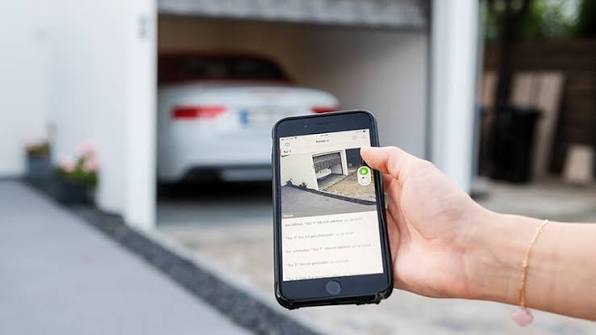
Have you ever pulled into your driveway only to realize you left your garage door remote on the kitchen counter? Or perhaps you’re halfway to work and panic sets in as you wonder if you closed the garage before leaving. You are not alone in this modern dilemma. Many homeowners today are asking, is there a phone app to open garage door that is reliable, secure, and easy to use? The short answer is yes, and the technology has evolved significantly to make your life safer and more convenient.
In this comprehensive guide, we will explore everything you need to know about transforming your traditional garage into a smart entry point. From understanding how these apps work to choosing the right hardware for your specific opener model, we have got you covered. Let’s dive into the world of smart home integration and take control of your garage from the palm of your hand.
How Do Smartphone Garage Door Apps Actually Work?
Before you rush to download an app, it is crucial to understand the mechanics behind the magic. A smartphone cannot directly communicate with your garage door motor because your phone uses Wi-Fi or cellular data, while most garage openers use radio frequencies (RF). To bridge this gap, you need a smart garage door controller or a hub.
This small device connects to your home’s Wi-Fi network and interfaces with your existing garage door opener. When you tap “Open” on your phone, the signal travels from your device to the cloud, down to your home router, into the smart controller, and finally triggers the garage door motor. This process usually takes just a few seconds.
According to industry standards, most modern systems use encryption protocols like AES-128 bit encryption to ensure that hackers cannot intercept your signal. This layered security approach is vital because your garage often provides direct access to your home.
Top Rated Apps and Hardware for US Homeowners
Not all garage door openers are created equal, and neither are their accompanying apps. Depending on whether you have a brand-new opener or an older model, your options will vary. Here is a breakdown of the most popular and reliable solutions available in the US market.
1. MyQ by Chamberlain/LiftMaster
If you own a Chamberlain or LiftMaster opener manufactured after 2011, chances are you can use the MyQ ecosystem. This is arguably the most widely used platform in the United States.
- Pros: Wide compatibility, integrates with Amazon Key for in-garage delivery, works with Alexa and Google Assistant.
- Cons: Some advanced features require a subscription; occasional connectivity issues reported by users.
2. Tailwind Smart Garage Controller
For those with older openers or who prefer a universal solution, Tailwind is a fantastic choice. It does not rely on a proprietary hub but instead uses a sensor attached to the door and a controller plugged into an outlet.
- Pros: No monthly fees, works with almost any brand, excellent customer support.
- Cons: Requires a nearby power outlet; installation is slightly more involved than plug-and-play hubs.
3. Meross Smart Garage Door Opener
Meross has gained popularity for its affordability and ease of use. It is a great budget-friendly option that still offers robust features.
- Pros: Very affordable, simple app interface, no hub required for some models.
- Cons: Limited integration with some high-end smart home ecosystems compared to MyQ.
| Feature | MyQ (Chamberlain) | Tailwind | Meross |
|---|---|---|---|
| Compatibility | Chamberlain/LiftMaster | Universal | Universal |
| Monthly Fee | Optional (for video) | None | None |
| Voice Control | Yes (Alexa/Google) | Yes (Alexa/Google) | Yes (Alexa/Google) |
| Installation | Easy (Plug-in) | Moderate (Wiring) | Easy (Plug-in) |
Step-by-Step Guide: Setting Up Your Smart Garage App
Installing a smart garage system might sound intimidating, but most modern devices are designed for DIY installation. Here is a general step-by-step process that applies to most hub-based systems like MyQ or Meross.
- Check Compatibility: Before buying anything, locate the model number of your current garage door opener. It is usually found on the back or side of the motor unit. Visit the manufacturer’s website to confirm if your model is supported.
- Install the Hub: Plug the smart hub into a power outlet near your garage door opener. Ensure it is within range of your home Wi-Fi router. If your Wi-Fi signal is weak in the garage, consider installing a Wi-Fi extender.
- Mount the Sensor: Most kits come with a door status sensor. Use the provided adhesive or screws to mount this sensor on the inside of your garage door track. This sensor tells the app whether the door is open or closed.
- Download the App: Go to the Apple App Store or Google Play Store and download the corresponding app (e.g., MyQ, Tailwind, or Meross). Create an account using a strong, unique password.
- Pair the Device: Follow the in-app instructions to connect the hub to your Wi-Fi network. This usually involves pressing a “Learn” button on the hub and entering your Wi-Fi credentials.
- Test the System: Stand inside your garage and use the app to open and close the door. Verify that the status updates correctly in the app. For more technical details on wireless communication standards, you can refer to Wikipedia’s page on Home Automation.
Security Concerns: Is It Safe to Use an App?
Security is the primary concern for most homeowners when considering smart garage technology. After all, an open garage is an open invitation to burglars. However, reputable brands invest heavily in cybersecurity.
Key Security Features to Look For:
- Two-Factor Authentication (2FA): Always enable 2FA in your app settings. This requires a second form of verification (like a text code) when logging in from a new device.
- Activity Logs: Choose an app that keeps a history of who opened the door and when. This allows you to monitor usage and detect any unauthorized access.
- Auto-Close Functionality: Set your app to automatically close the garage door after a certain period (e.g., 30 minutes) if it was left open accidentally.
While no system is 100% hack-proof, using a well-known brand with regular software updates significantly reduces your risk. Avoid cheap, no-name generic apps that do not provide transparency about their security protocols.
Integrating with Your Smart Home Ecosystem
One of the biggest advantages of using a phone app to open your garage door is integration. Imagine saying, “Alexa, close the garage,” while you are cooking dinner, or having your lights turn on automatically when the garage door opens at night.
Most top-tier apps integrate seamlessly with:
- Amazon Alexa: Create routines such as “Good Morning” to open the garage and turn on the coffee maker.
- Google Home: Use voice commands to check the status of your door.
- Apple HomeKit: Note that not all brands support HomeKit natively. You may need a bridge device like HomeBridge if you are an iOS user wanting deep integration.
These integrations transform your garage from a standalone utility into a cohesive part of your smart home strategy.
Frequently Asked Questions (FAQ)
1. Can I open my garage door with my phone if I don’t have Wi-Fi?
Generally, no. Most smart garage apps require an internet connection to send the command from your phone to the hub. However, some systems offer Bluetooth proximity unlocking, which allows you to open the door when your phone is near the garage, even without Wi-Fi. Check your specific device’s features to see if this is supported.
2. Will a smart garage app work with my old garage door opener?
Yes, in most cases. Universal controllers like Tailwind or Remolux are designed to work with older openers that do not have built-in Wi-Fi. As long as your opener has standard push-button terminals (usually two wires), you can likely retrofit it with a smart controller.
3. Are there monthly fees for using garage door apps?
It depends on the brand. Basic functionality like opening and closing the door is usually free. However, brands like MyQ may charge a subscription fee for premium features such as video recording from a connected camera or advanced delivery integrations. Always read the fine print before purchasing.
4. What happens if my power goes out?
If your home loses power, your Wi-Fi router and the smart hub will stop working, meaning you cannot use the app. However, most garage door openers have a manual release cord that allows you to open the door physically. Once power is restored, the system will reconnect automatically.
5. Can multiple family members use the same app?
Yes, most apps allow you to invite multiple users. You can grant full access to family members or limited access to guests or service providers. This is managed through the app’s user management settings, ensuring you always know who has access.
Conclusion
So, is there a phone app to open garage door? Absolutely, and it is one of the most impactful upgrades you can make to your home. Whether you choose the ecosystem-rich MyQ, the universal Tailwind, or the budget-friendly Meross, you gain peace of mind, convenience, and enhanced security.
By following the setup steps and prioritizing security features like 2FA, you can enjoy the benefits of smart home technology without compromising safety. Don’t let another rainy day catch you searching for a lost remote. Take control of your home today.
If you found this guide helpful, please share it with your friends and family on social media. Helping others discover the convenience of smart garage solutions is just a click away!
Leave a Reply