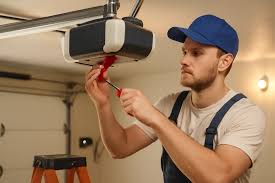
Have you ever stared at your malfunctioning garage door opener, wondering if a simple power cycle could solve the problem? You are not alone. Many homeowners ask, “If I unplug my garage door opener will it reset?” hoping for a quick fix without calling a technician. The short answer is: it depends on what kind of “reset” you need. While unplugging can clear minor electronic glitches, it does not always restore factory settings or reprogram remote controls. Let’s dive into the details so you can troubleshoot with confidence.
What Happens When You Unplug Your Garage Door Opener?
Unplugging your garage door opener cuts off its primary power source. This action forces the internal computer board to shut down completely. When you plug it back in, the system boots up again, similar to restarting a computer or smartphone.
For many modern openers, this power cycle can resolve temporary issues such as:
- Frozen control boards
- Minor software glitches
- Sensor communication errors
However, it is crucial to understand that unplugging is not the same as a factory reset. A factory reset erases all programmed remotes, keypads, and custom settings. Unplugging typically retains these memories because they are stored in non-volatile memory chips that do not require constant power.
Expert Insight: According to industry standards, most garage door openers use EEPROM (Electrically Erasable Programmable Read-Only Memory) to store codes. This means your remote pairs remain intact even after a power loss. For more technical details on how these systems work, you can refer to Wikipedia’s entry on Garage Door Openers.
Does Unplugging Fix All Garage Door Problems?
No, unplugging your opener will not fix every issue. It is essential to distinguish between electronic glitches and mechanical failures.
When Unplugging Helps
- The opener is unresponsive: If the motor hums but doesn’t move, or if the lights flicker oddly, a power cycle might help.
- Sensor errors: Sometimes, the safety eyes get confused by sunlight or debris. A reset can recalibrate them.
- Wi-Fi connectivity issues: For smart openers, unplugging can force a reconnection to your home network.
When Unplugging Won’t Help
- Broken springs or cables: These are mechanical parts that require physical repair.
- Misaligned tracks: If the door is stuck physically, power cycling won’t move it.
- Dead remote batteries: No amount of resetting will fix a dead battery in your handheld remote.
| Issue Type | Can Unplugging Fix It? | Recommended Action |
|---|---|---|
| Software Glitch | Yes | Unplug for 30 seconds, then replug. |
| Wi-Fi Disconnection | Often | Unplug, wait, replug, and check app. |
| Broken Spring | No | Call a professional technician. |
| Dead Remote Battery | No | Replace the battery. |
| Misaligned Sensors | Sometimes | Clean lenses and realign manually. |
How to Properly Reset Your Garage Door Opener by Unplugging
If you decide to try a power cycle, follow these steps carefully to ensure safety and effectiveness.
- Locate the Power Source: Most openers are plugged into an outlet on the ceiling or wall near the motor unit. Some may be hardwired, in which case you will need to turn off the circuit breaker.
- Unplug the Unit: Gently pull the plug from the outlet. If it is hardwired, switch off the corresponding breaker in your electrical panel.
- Wait for 30–60 Seconds: This waiting period is critical. It allows any residual electricity in the capacitors to dissipate fully. Do not skip this step.
- Plug It Back In: Reconnect the power. You should hear a beep or see lights flash, indicating the unit is rebooting.
- Test the Opener: Use your wall button first. If it works, try your remote control.
Safety Note: Always keep your hands and feet clear of the door during testing. If the door behaves erratically, stop immediately and consult a professional.
Will Unplugging Erase My Remote Codes?
This is one of the most common concerns. In most cases, no. As mentioned earlier, modern openers store remote codes in non-volatile memory. This means they survive power outages and unplugging.
However, there are exceptions:
- Older Models: Some very old openers (pre-2000) might lose memory if power is cut for an extended period.
- Battery Backup Units: If your opener has a battery backup, unplugging it might not fully reset the system because the battery keeps the memory alive. To truly reset these, you may need to disconnect the battery as well.
If you find that your remotes no longer work after unplugging, you will need to reprogram them. Consult your owner’s manual for the specific “Learn Button” procedure for your brand (e.g., LiftMaster, Chamberlain, Genie).
Troubleshooting Smart Garage Door Openers
With the rise of IoT (Internet of Things), many homeowners now have Wi-Fi-enabled openers. If you are asking, “If I unplug my garage door opener will it reset?” in the context of a smart device, the answer is slightly different.
Unplugging a smart opener can help with:
- Reconnecting to Wi-Fi: If the app shows “Offline,” a power cycle can force a fresh handshake with your router.
- Clearing App Errors: Sometimes the local server on the opener gets stuck. A reboot clears this cache.
Steps for Smart Openers:
- Unplug the opener.
- Wait 60 seconds.
- Plug it back in.
- Open your smartphone app (e.g., MyQ, Aladdin Connect).
- Wait for the device to come online. This may take 2–5 minutes.
If it still doesn’t connect, you may need to perform a factory reset via the app or the physical “Learn” button, which will erase all settings and require full reconfiguration.
When Should You Perform a Factory Reset Instead?
A factory reset is more drastic than simply unplugging. You should consider a factory reset if:
- You are moving into a new home and want to erase previous owners’ codes.
- Your remote controls are completely unresponsive, and reprogramming fails.
- The opener is behaving erratically despite multiple power cycles.
Warning: A factory reset will delete all paired remotes, keypads, and Wi-Fi settings. You will need to reprogram everything from scratch.
FAQ Section
1. How long should I leave my garage door opener unplugged?
You should leave it unplugged for at least 30 to 60 seconds. This ensures that all residual power is drained from the internal capacitors, allowing for a complete reboot of the system.
2. Will unplugging my garage door opener reset the travel limits?
Generally, no. Travel limits (the settings that tell the door how far to open and close) are stored in non-volatile memory. However, if your opener has a battery backup, the limits might remain active even when unplugged. If the door stops halfway after a power cycle, you may need to manually adjust the limit screws or reprogram the travel settings.
3. My garage door opener has a battery backup. Does unplugging it reset it?
Not necessarily. The battery backup keeps the memory alive. To fully reset an opener with a battery backup, you may need to disconnect the battery in addition to unplugging the unit. Check your manual for specific instructions on disabling the backup power.
4. Can unplugging fix a garage door that won’t close?
If the door won’t close due to a sensor error or a software glitch, unplugging might help. However, if the safety sensors are misaligned or blocked, you must physically clean and realign them. Unplugging will not fix broken sensors or obstructed beams.
5. Is it safe to unplug my garage door opener frequently?
Yes, it is safe to unplug your opener occasionally for troubleshooting. However, frequent unplugging is not recommended as it can wear out the power cord or outlet over time. If you find yourself needing to reset it often, there may be an underlying electrical or mechanical issue that requires professional attention.
6. What if my garage door opener is hardwired and not plugged in?
If your opener is hardwired, you cannot simply unplug it. Instead, locate your home’s circuit breaker panel and turn off the breaker labeled “Garage” or “Garage Door Opener.” Wait 60 seconds, then turn it back on. This achieves the same result as unplugging.
Conclusion
So, if I unplug my garage door opener will it reset? The answer is yes, but only in the sense of a power cycle. It can clear minor glitches and reconnect smart features, but it will not erase your remote codes or perform a full factory reset unless combined with other steps.
By understanding the difference between a simple reboot and a factory reset, you can save time and money on unnecessary service calls. Remember to always prioritize safety, wait the full 60 seconds during a power cycle, and consult your manual for model-specific instructions.
Leave a Reply