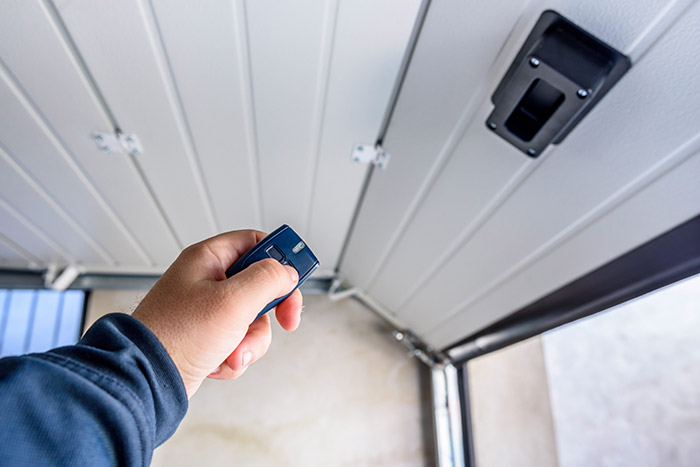
Have you ever stood in your driveway, rain pouring down, groceries in hand, only to realize your pocket is empty? It is a sinking feeling that millions of homeowners face every year. If you are thinking, “I lost my garage door remote what can I do,” take a deep breath. You are not locked out forever, and you do not necessarily need to call an expensive technician immediately.
Losing a garage door remote is inconvenient, but it is rarely a disaster. Modern garage door systems are designed with multiple backup access methods. Whether you have an older mechanical system or a modern smart opener, there are several reliable ways to get your car inside and secure your home again. This guide will walk you through practical, step-by-step solutions to regain access safely and efficiently.
Check for Alternative Entry Methods First
Before you attempt any technical resets or repairs, look around your property for existing backup entry points. Many homeowners forget that their garage door system likely has more than one way to open.
Use the Wall-Mounted Control Panel
Inside your garage, there is almost always a wall-mounted control button. This is hardwired directly into the opener motor.
- If you can enter the garage: Simply press the button. The door will open or close.
- If you are locked out: Check if you have a side door or a back door leading into the garage. If your home’s main entrance is accessible, go inside, enter the garage through the interior door, and use the wall button.
Utilize the Keypad (If Installed)
Many modern openers come with an external wireless keypad mounted near the garage door frame.
- Enter your pre-set PIN code.
- Press the “Enter” or arrow button.
- The door should activate immediately.
If you have forgotten the keypad code, do not guess repeatedly. Most systems lock out after three failed attempts for security reasons. Instead, proceed to the resetting steps below.
How to Open Your Garage Door Manually
If electronic methods fail, or if the power is out, you can operate the door manually. This method works for most sectional garage doors but requires caution.
Step-by-Step Manual Release Guide
- Locate the Emergency Release Cord: Look for a red rope hanging from the trolley carriage on the rail. It usually has a plastic handle.
- Pull the Cord Down: Firmly pull the cord downward. You will hear a click as the trolley disengages from the opener chain or belt.
- Lift the Door: With the door disconnected from the motor, lift it by hand. Be careful—garage doors are heavy. Lift smoothly until it is fully open.
- Secure the Door: Once open, the door will stay up due to the tension springs. However, do not leave it unattended. Without the opener engaged, the door can fall if bumped.
Safety Warning: Never pull the emergency release cord while the door is moving. Always ensure the door is stationary before disengaging the motor. If your door feels excessively heavy or stuck, do not force it. Call a professional, as the springs may be damaged.
For more detailed safety standards regarding garage door mechanisms, you can refer to general safety guidelines on Wikipedia.
Reprogramming a New or Spare Remote
If you have a spare remote in your drawer, or if you purchase a universal replacement, you must sync it with your opener. This process varies by brand, but the logic remains similar.
General Reprogramming Steps
- Locate the “Learn” Button: On your garage door opener motor unit (hanging from the ceiling), find the “Learn” or “Smart” button. It is usually colored yellow, purple, orange, or green.
- Press the Learn Button: Press and release it. An indicator light will turn on or blink, signaling that the unit is in programming mode. You typically have 30 seconds to complete the next step.
- Press the Remote Button: Within 30 seconds, press and hold the button on your new remote that you want to use. Hold it until the opener’s lights flash or you hear two clicks.
- Test the Remote: Press the button again to ensure the door operates.
Brand-Specific Tips
- Chamberlain/LiftMaster: Often use a yellow or purple learn button. Ensure you clear old codes if you suspect security issues.
- Genie: Usually features a red or purple button. Some models require you to press the remote button twice.
- Craftsman: Similar to Chamberlain, but older models may use DIP switches instead of a learn button.
If your opener uses DIP switches (small toggle switches inside the remote and motor), you must match the switch positions exactly. Count the switches (usually 8–12) and replicate the pattern from the old remote to the new one.
Using Smartphone Apps and Smart Home Integration
In the digital age, your smartphone can serve as a powerful backup remote. If you previously set up smart integration, you are already covered. If not, this is an excellent time to upgrade.
Benefits of Smart Garage Controllers
- Remote Access: Open or close your door from anywhere in the world.
- Activity Logs: See exactly when the door was opened or closed.
- No Physical Remote Needed: Eliminates the risk of losing a physical device.
Popular Smart Solutions
| Device | Compatibility | Key Feature |
|---|---|---|
| MyQ (Chamberlain) | Most Chamberlain/LiftMaster/Craftsman | Direct app control, voice assistant integration |
| Tailwind | Universal (fits most openers) | Auto-close feature, geofencing |
| Meross Smart Garage | Universal | Affordable, works with Alexa/Google Home |
If you do not have a smart opener, you can buy a smart garage hub for $30–$50. These devices attach to your existing opener and connect to your Wi-Fi, allowing you to control the door via an app. This is a cost-effective solution that prevents future “lost remote” panic.
When to Call a Professional Technician
While DIY solutions work for most scenarios, some situations require expert assistance. Attempting complex repairs without knowledge can be dangerous due to high-tension springs.
Call a professional if:
- The manual release cord is broken or missing.
- The door makes loud grinding noises when operating manually.
- The opener motor runs, but the door does not move (indicating a stripped gear).
- You cannot locate the “Learn” button or the model number is illegible.
- You suspect someone stole your remote and you need to clear all memory codes for security.
Professional technicians can also re-key your keypad and provide new remotes programmed specifically to your unit’s rolling code technology, ensuring maximum security.
FAQ Section
1. Can I use any universal remote for my garage door?
Not all universals work with all openers. Most modern remotes work with major brands like Chamberlain, LiftMaster, Genie, and Craftsman. However, older proprietary systems (like some Stanley or Wayne Dalton models) may require specific branded replacements. Always check the compatibility list on the remote’s packaging.
2. How do I clear old remotes from my garage opener?
To clear all paired remotes (useful if you lost one and worry about theft), press and hold the “Learn” button on the motor unit for about 6–10 seconds until the indicator light turns off. This erases all stored codes. You will then need to reprogram every remote and keypad you wish to use.
3. What if I don’t have a spare remote and can’t buy one immediately?
Use the wall-mounted button inside the garage. If you are locked out, use the manual emergency release cord to lift the door. As a temporary measure, you can install a smart garage hub that connects to your phone, eliminating the need for a physical remote entirely.
4. Is it safe to leave my garage door open manually?
No. When disengaged via the emergency release, the door is not held by the motor’s braking mechanism. It relies solely on the balance of the springs. A strong wind or accidental bump could cause it to slam shut. Only leave it open manually if you are present to monitor it, or close it manually as soon as possible.
5. How much does a replacement garage door remote cost?
A basic universal remote costs between $15 and $30. Branded replacements from the original manufacturer typically range from $30 to $50. Smart garage hubs start around $30, offering a more versatile long-term solution.
Conclusion
Losing your garage door remote is a hassle, but it is far from hopeless. By understanding your options—from using the wall panel and manual release to reprogramming a new remote or upgrading to a smart app—you can regain access quickly and securely. Remember, the key is to stay calm and methodical.
Don’t let a small plastic device dictate your day. Take this opportunity to evaluate your garage security. Consider investing in a smart controller or keeping a spare remote in a secure location outside the garage.
Found this guide helpful? Share it with friends and family on social media so they know what to do if they ever lose their remote too! Stay secure and drive safe.
Leave a Reply