Introduction
There is nothing quite as frustrating as pulling into your driveway after a long day, only to realize you cannot get your vehicle’s built-in remote to communicate with your garage. If you are searching for how to set up garage door opener Jeep Grand Cherokee systems, you are likely dealing with the nuances of the HomeLink transceiver system found in most modern Jeeps. This process can feel intimidating due to varying model years and safety protocols, but rest assured that programming your opener is a manageable task when broken down correctly. We understand the annoyance of fumbling for a separate clicker, and this comprehensive guide is designed to walk you through the setup with confidence, safety, and precision.
Understanding HomeLink Technology in Your Jeep
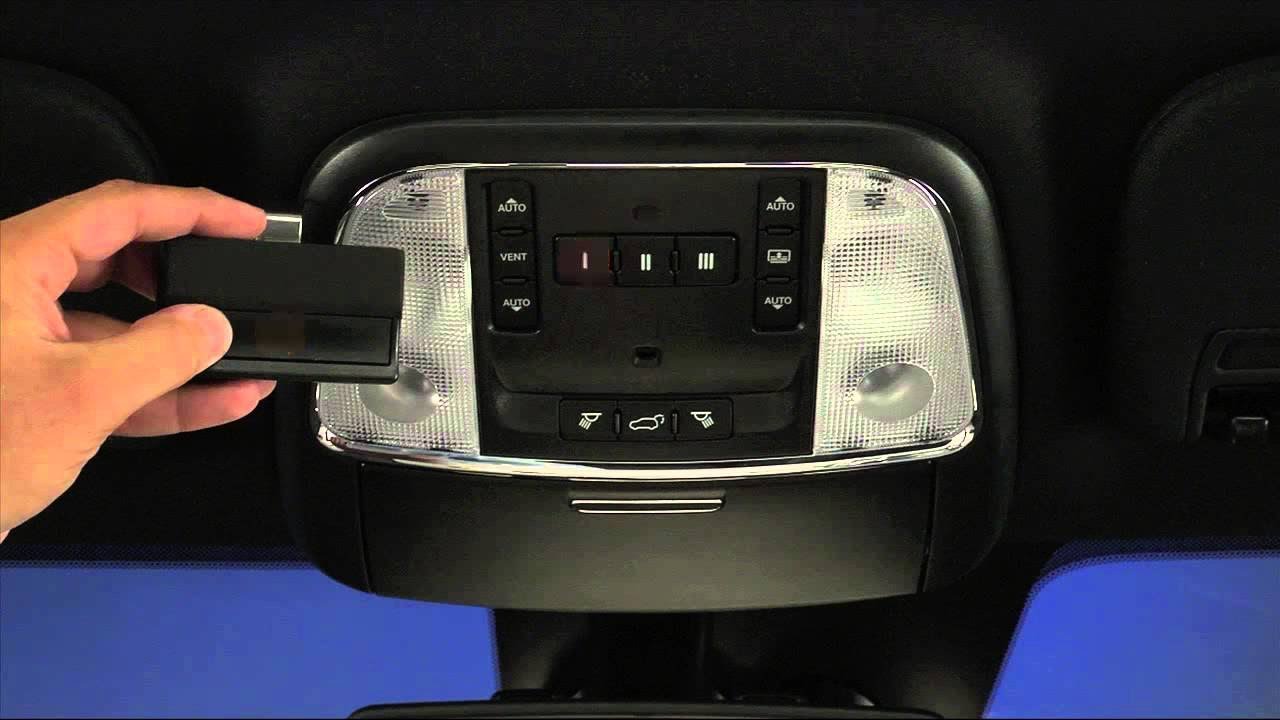
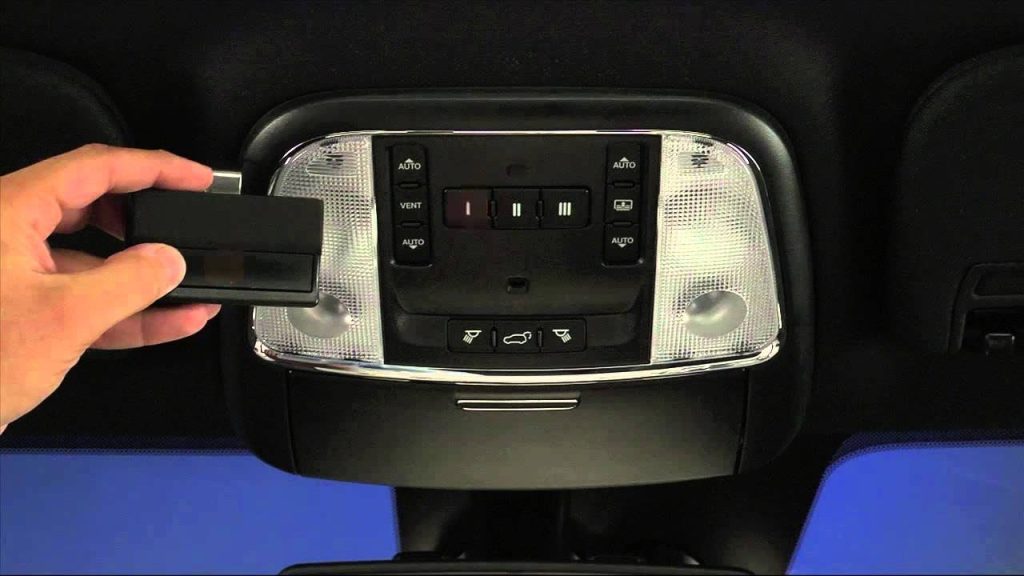
Before diving into buttons and lights, it is vital to understand what you are actually programming. The Jeep Grand Cherokee utilizes HomeLink, a radio frequency (RF) transceiver integrated directly into the vehicle’s overhead console or rearview mirror. Unlike traditional remotes that use a rolling code generated by a battery-powered transmitter, HomeLink acts as a universal bridge between your car and your home automation devices.
According to automotive electronics standards, HomeLink operates on frequencies ranging from 288 to 390 MHz. However, newer Jeep models (2017 and later) often include dual-band support to accommodate modern security protocols. Understanding this distinction is crucial because the programming steps differ slightly between older “fixed-code” openers and newer “rolling-code” security systems.
Fixed-Code vs. Rolling-Code Openers
| Feature | Fixed-Code (Older) | Rolling-Code (Newer/Secure) |
|---|---|---|
| Manufacture Date | Typically pre-1996 | Post-1996 |
| Security Level | Low (Static Signal) | High (Changing Signal) |
| Programming Steps | 2 Steps (Car Only) | 3 Steps (Car + Motor Unit) |
| Indicator Light | Solid/Rapid Flash | Slow then Rapid Flash |
| Common Brands | Stanley, Linear | Chamberlain, LiftMaster, Genie |
Note: Always verify your garage door opener type before starting. Misidentifying this is the #1 cause of programming failure.
Pre-Programming Safety Checklist
Safety must be your priority. Programming requires the garage door to move, which poses entrapment risks.
- Clear the Area: Ensure no people, pets, or objects are in the path of the door.
- Check Batteries: Replace the batteries in your original handheld remote before starting. A weak signal during the “learn” phase causes sync failures.
- Locate the Learn Button: Find the colored button on your garage motor unit (usually yellow, purple, red, or orange). You will need a stepladder.
- Ignition Status: For most Jeep Grand Cherokees, the ignition must be in the ON/RUN position (engine running or accessory mode) for HomeLink to accept programming.
- Erase Old Codes: If this is a used vehicle, hold the two outer HomeLink buttons for 20 seconds until the indicator flashes rapidly. This clears previous owner data.
Step-by-Step: How To Set Up Garage Door Opener Jeep Grand Cherokee
Follow these precise instructions. Do not rush; timing matters significantly in RF synchronization.
Step 1: Initiate Training Mode in the Jeep
Sit in the driver’s seat with the ignition ON. Press and hold the desired HomeLink button (e.g., Button 1) and your original handheld remote simultaneously. Hold them 1–3 inches apart near the HomeLink module in the overhead console.
- Watch the Indicator: The HomeLink light will flash slowly at first. Keep holding both buttons.
- Wait for Rapid Flash: After 10–30 seconds, the light will change to a rapid flash. This indicates the Jeep has learned the frequency. Release both buttons.
Expert Tip: If the light never turns rapid after 60 seconds, your opener may be incompatible or your handheld remote battery is dead.
Step 2: Program the Garage Door Motor (Rolling-Code Only)
If your opener uses rolling-code technology (most post-1996 units), Step 1 alone will not open the door. You must complete the handshake.
- Exit the vehicle and go to the garage motor unit.
- Press and release the “Learn” or “Smart” button on the motor. The indicator light on the motor will illuminate or blink (you typically have 30 seconds to complete the next step).
- Return to your Jeep immediately.
- Press and hold the programmed HomeLink button for 2 seconds, then release. Repeat this press-hold-release cycle up to three times.
- Test the system by pressing the HomeLink button once. The door should activate.
Step 3: Verify and Fine-Tune
Test the range from various distances (10 feet, 20 feet, 50 feet). If the range is poor, reposition the HomeLink angle or check for LED bulb interference in the garage. Some aftermarket LED bulbs emit RF noise that blocks HomeLink signals; switching to RF-shielded bulbs can resolve this instantly.
Troubleshooting Common Programming Failures
Even professionals encounter hiccups. Here are data-backed solutions for persistent issues:
- Light Flashes But Door Won’t Move: You likely skipped Step 2 (motor learn button). Repeat the rolling-code handshake.
- No Light Response at All: Check the Jeep’s fuse panel (refer to owner’s manual for HomeLink fuse location). Also, confirm the ignition is truly in RUN mode; some trims disable HomeLink in ACC-only.
- Works Intermittently: This is often caused by frequency overlap with nearby devices. Try reprogramming using a different HomeLink button, or reset the garage motor entirely.
- Incompatible Opener: Some European or proprietary openers require a compatibility bridge. Consult your Jeep dealer or the opener manufacturer’s compatibility chart.
Frequently Asked Questions (FAQ)
Can I program my Jeep Grand Cherokee HomeLink without an original remote?
Generally, no. HomeLink clones the signal from an existing transmitter. However, if your garage motor has a direct “HomeLink Learn” feature (rare, found in some smart openers), you may bypass the handheld remote. Otherwise, purchase a compatible OEM replacement remote first.
Why does my HomeLink work for the garage but not my gate?
Gates often use different frequencies or encryption protocols than residential garage doors. Ensure your Jeep’s HomeLink version supports the specific frequency your gate operator uses. Older single-band HomeLink systems may not support dual-frequency gate operators.
Does disconnecting the car battery erase HomeLink memory?
No. HomeLink memory is stored in non-volatile flash memory within the transceiver module. Disconnecting the battery will not delete your programmed codes, though it may reset other Uconnect settings.
How many devices can my Jeep Grand Cherokee store?
Most Jeep Grand Cherokee HomeLink systems support up to three distinct devices. This allows you to program two garage doors and one gate, or three separate household entry points. Each button corresponds to one device.
Is HomeLink secure against hacking?
Yes, when paired with rolling-code openers. Rolling-code technology generates a new access code for every transmission, making replay attacks virtually impossible. Fixed-code systems are less secure; upgrading your garage motor is recommended if you currently use fixed-code technology.
Will HomeLink work with smart garage openers like MyQ?
Absolutely. Smart openers like Chamberlain MyQ are fully compatible with HomeLink. In fact, many smart openers provide enhanced feedback through the Jeep’s Uconnect display, showing door status directly on your infotainment screen.
Conclusion
Mastering how to set up garage door opener Jeep Grand Cherokee functionality transforms your daily routine from frustrating to seamless. By understanding the difference between fixed and rolling codes, following the precise three-step programming sequence, and observing critical safety protocols, you ensure reliable operation for years to come. Remember, patience during the learning phase prevents the majority of common failures.
Now that your HomeLink is configured, take a moment to test it thoroughly and enjoy the convenience of keyless home entry. Found this guide helpful? Share it on Facebook, X (Twitter), or Reddit to help fellow Jeep owners conquer their garage door setup! Safe driving and happy programming!
Leave a Reply