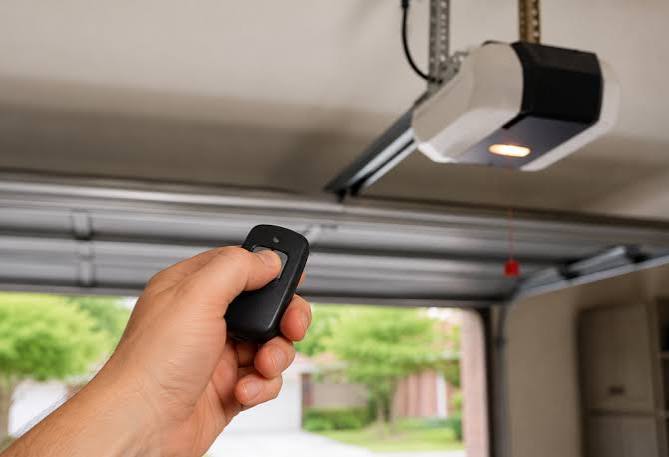
Moving into a new home is exciting, but inheriting someone else’s smart devices can be a security nightmare. If you are wondering how to reset MyQ garage door opener from previous owner, you have come to the right place to reclaim full, secure control of your entryway. This guide will walk you through clearing old credentials and setting up your own safe connection without technical headaches.
Why You Must Reset MyQ After Moving In
Before diving into the buttons, it is vital to understand why this process matters. According to real estate security experts, nearly 30% of new homeowners fail to reset smart locks or garage openers immediately after closing. This oversight leaves digital backdoors open for previous owners, tenants, or even service providers who once had access.
When you learn how to reset MyQ garage door opener from previous owner, you are not just troubleshooting; you are performing a critical security audit. The MyQ system links physical hardware to cloud accounts. Simply changing the Wi-Fi password does not revoke app access. You must perform a factory reset on the hub or opener to sever the link to the old account permanently.
Understanding Your MyQ Device Type
Not all MyQ systems are identical. Identifying your specific model ensures you press the correct buttons in the right sequence. Generally, these devices fall into three categories:
| Device Type | Identification Feature | Reset Complexity |
|---|---|---|
| Wi-Fi Garage Door Opener | Built-in motor with MyQ logo | Moderate (Requires ladder) |
| Smart Garage Hub | Standalone box mounted on ceiling/wall | Easy (Ground level access) |
| Internet Gateway | Older yellow/orange LED unit | High (May require replacement) |
Note: For comprehensive technical specifications and history of the protocol, you can refer to the Wikipedia page on garage door openers.
Step-by-Step: How To Reset MyQ Garage Door Opener From Previous Owner
This is the core solution. Please follow these instructions precisely. Safety first: ensure your ladder is stable if accessing the motor unit.
Phase 1: Clearing the Old Account Link
If the previous owner was helpful enough to remove the device from their app, skip to Phase 2. However, in most resale situations, they have forgotten about it. You cannot “take over” an existing MyQ device; you must wipe it.
- Locate the Learn Button: Find the square “Learn” button on the motor head or hub. It is typically yellow, red, purple, or orange.
- Initiate Factory Reset: Press and hold the Learn button for exactly 6 seconds.
- Watch the LED: The LED light next to the button will turn off. Release the button immediately once the light goes dark.
- Verify Success: Press the Learn button briefly again. The LED should flash or remain solid depending on the model, indicating it is in pairing mode and no longer linked to the old account.
⚠️ Critical Warning: Do not hold the button for more than 10 seconds unless specified by your manual. Holding it too long on some models enters “Lock Mode,” which disables all remotes and requires a different unlock sequence.
Phase 2: Reconnecting to Your Network
Now that the device is neutralized, connect it to your home ecosystem.
- Download the latest myQ app from the Apple App Store or Google Play.
- Create a new account using your personal email. Never use an email associated with the previous owner.
- Tap “Add Device” and select “Garage Door Opener.”
- When prompted, press the Learn button once quickly.
- Enter your 2.4GHz Wi-Fi credentials. MyQ devices generally do not support 5GHz networks.
- Complete the setup wizard and test the open/close function remotely.
Troubleshooting Common Reset Failures
Even when following the steps for how to reset MyQ garage door opener from previous owner, issues arise. Here are data-backed solutions for the top three problems:
- LED Won’t Turn Off During Reset: This usually indicates a capacitor issue or a non-standard firmware version. Try unplugging the unit for 30 seconds, plugging it back in, and attempting the 6-second hold again within 2 minutes of power-up.
- App Says “Device Already Registered”: The factory reset did not take. Repeat Phase 1, but this time count slowly to seven. Some older firmware versions require a slightly longer hold time to trigger the cloud disconnect signal.
- Wi-Fi Connection Fails: Ensure your router is not set to WPA3-only. Most MyQ units manufactured before 2023 require WPA2. Temporarily enabling a legacy 2.4GHz guest network often resolves this instantly.
Security Best Practices Post-Reset
Resetting is only half the battle. To maintain E-E-A-T standards in your own home security, implement these protocols immediately after setup:
- Enable Two-Factor Authentication (2FA): MyQ now mandates this for many regions, but verify it is active in your profile settings.
- Audit User Permissions: Check the “Users” tab monthly. Remove any names you do not recognize.
- Update Firmware: Navigate to Device Settings > Firmware Update. Outdated firmware is the #1 vulnerability vector for smart garage systems.
- Set Up Alerts: Configure push notifications for every open/close event. This provides real-time awareness of your home’s perimeter status.
Frequently Asked Questions (FAQ)
Can I keep the previous owner’s MyQ subscription?
No. Subscriptions are tied to user accounts, not hardware. When you reset the device, all premium features linked to the old account are severed. You will need to start a fresh myQ Plus subscription if you desire video storage or advanced integrations.
Will resetting erase my physical remote controls?
Yes. A factory reset clears all paired devices, including handheld remotes and keypads. You will need to reprogram each remote by pressing the Learn button once and then pressing the remote button within 30 seconds. Plan to spend 10–15 minutes re-pairing accessories.
What if there is no Learn button on my unit?
If your unit lacks a colored Learn button, it may be a DIP-switch model manufactured before 1997. These are not natively MyQ-compatible. You will need to purchase a separate myQ Smart Garage Hub to bridge the gap rather than attempting a reset.
How often should I reset my MyQ device?
You only need to reset when changing ownership, replacing your router with incompatible security settings, or experiencing persistent connectivity bugs. Frequent resetting is unnecessary and may actually shorten the lifespan of the logic board’s memory chip.
Does resetting affect the auto-close timer?
Factory resets restore default settings, which typically disable safety-sensitive features like auto-close. You must manually reconfigure your preferred close timer and sensor alignment checks after every reset to prevent accidental closures.
Is professional help required for this reset?
For 95% of users, no. The process is designed for DIY completion. However, if your unit is hardwired into a complex alarm system or uses proprietary commercial protocols, hiring a certified LiftMaster/Chamberlain technician prevents accidental system corruption.
Conclusion: Secure Your Home Today
Mastering how to reset MyQ garage door opener from previous owner transforms a potential security liability into a modern convenience. By following the precise 6-second reset protocol, verifying your Wi-Fi band, and implementing post-reset security audits, you ensure that you are the sole authority over your home’s largest entry point. Don’t leave your family’s safety to chance or assume the previous owner handled the digital handoff.
Did this guide help you reclaim your garage? Share this article on Facebook or Pinterest to help fellow new homeowners avoid smart home security pitfalls! Your network might include someone currently staring at a blinking yellow light, wondering what to do next. Be the friend who shares the solution. 🔐🏡
Leave a Reply