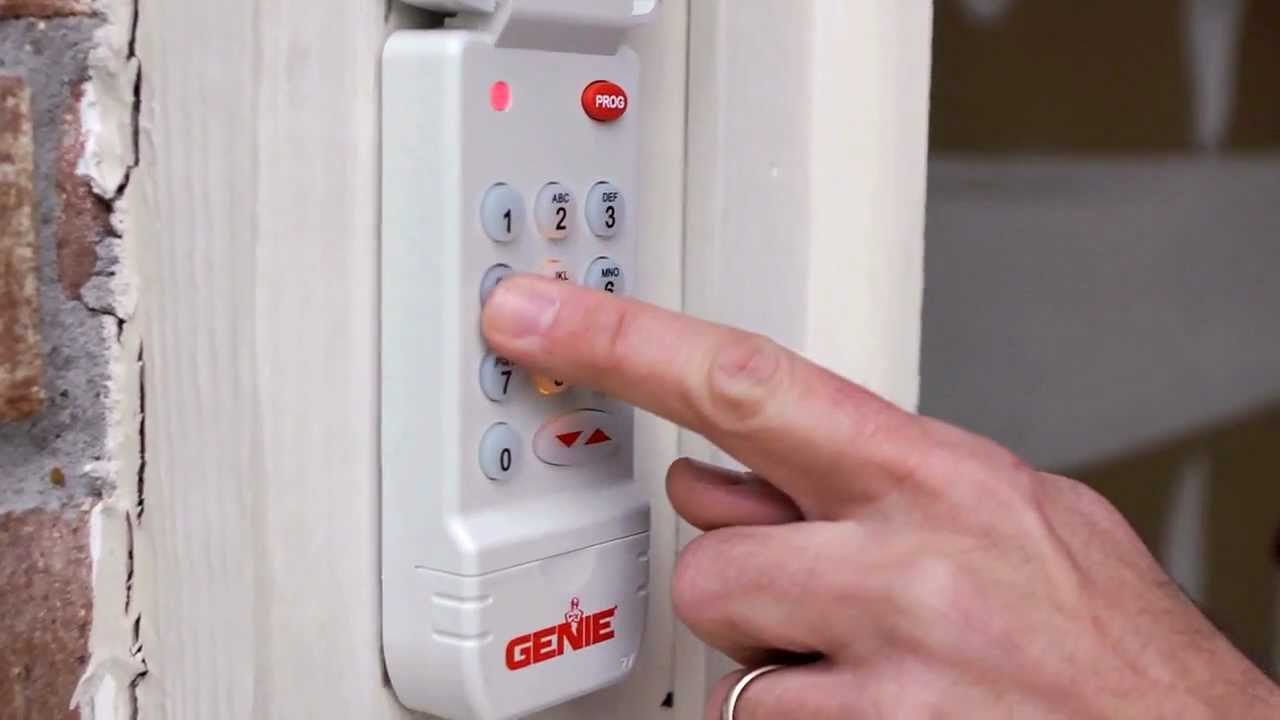
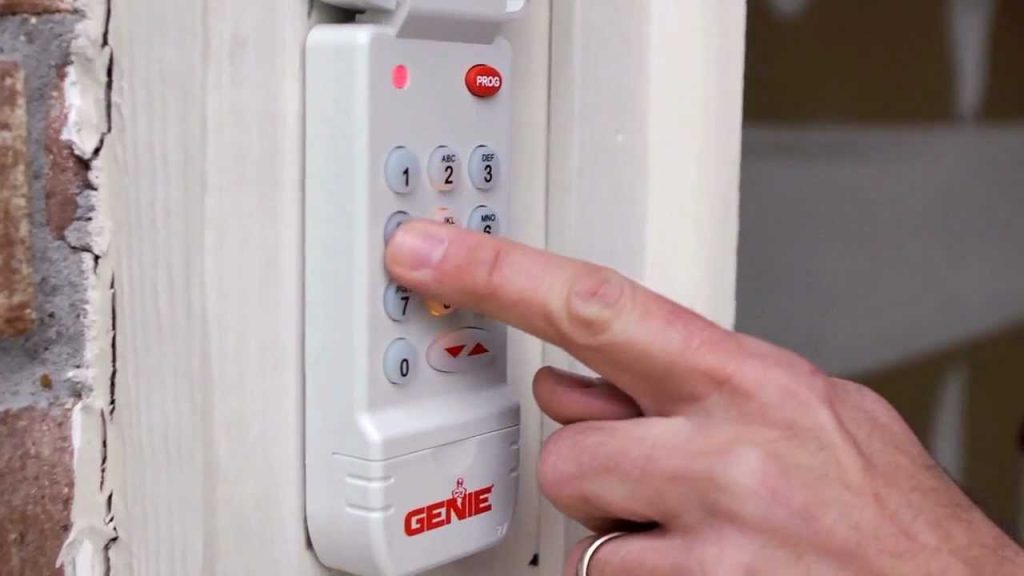
Have you ever stood outside your garage, pressing buttons on your keypad only to hear silence? It’s frustrating when your Genie garage door opener with keypad stops responding, leaving you locked out or unable to secure your home properly. Whether you’ve moved into a new house, lost your remote, or simply need to refresh your security codes, knowing how to reset Genie garage door opener with keypad is an essential skill every homeowner should master.
Why You Might Need to Reset Your Genie Keypad
Before diving into the technical steps, let’s understand why resetting becomes necessary. According to industry data from the International Door Association, approximately 30% of garage door service calls involve programming or reset issues. Common scenarios include:
- Moving into a new home where previous owners retained access codes
- Security concerns after losing a remote or sharing codes with service providers
- Technical glitches causing unresponsive keypads or intermittent operation
- Battery replacement requiring reprogramming in some models
Understanding these triggers helps you determine whether a simple reset will solve your problem or if professional assistance might be needed.
What Tools and Information Do You Need?
Gathering the right resources before starting prevents mid-process frustration. Here’s your checklist:
Essential Items:
- Your Genie garage door opener unit (located in the garage ceiling)
- The wireless keypad you want to reset
- A sturdy ladder for safe access to the opener
- Fresh batteries for your keypad (if applicable)
- The owner’s manual (downloadable from Genie’s official website if misplaced)
Important Information:
- Your current PIN code (if known)
- Model number of your Genie opener (found on the motor unit label)
- Location of the “Learn” button on your opener
Pro Tip: Take photos of your current setup before beginning. This creates a reference point if you need to backtrack during the process.
Step-by-Step Guide: How to Reset Genie Garage Door Opener With Keypad
Step 1: Locate the Learn Button on Your Genie Opener
The “Learn” button is the gateway to all programming functions. Its location varies by model:
| Genie Model Series | Learn Button Location | Button Color |
|---|---|---|
| Intellicode 1 & 2 | Back panel, near antenna | Purple or Orange |
| Aladdin Connect | Side panel | Blue |
| SilentMax Series | Front panel | Red or Green |
| PowerMax Series | Back panel | Yellow |
Climb your ladder safely and identify this crucial button. Press and hold it for approximately 6-10 seconds until the indicator light blinks or turns off completely. This action clears all previously programmed remotes and keypads from the system’s memory.
Step 2: Prepare Your Wireless Keypad
While the opener resets, prepare your keypad:
- Remove the keypad cover to access the battery compartment
- Insert fresh batteries, ensuring correct polarity (+/-)
- Replace the cover securely
- Press any button to wake the keypad
For keypads with existing codes, you may need to perform a factory reset first. Consult your specific model’s manual, as procedures vary between Genie GK-R, GKR-2, and universal models.
Step 3: Program the Keypad to Your Opener
Now comes the critical pairing process:
- Within 30 seconds of clearing the opener’s memory, press the Learn button once briefly
- The indicator light will illuminate steadily
- Within 30 seconds, enter your desired 4-digit PIN on the keypad
- Press the “Enter” or arrow button (varies by model)
- Wait for the opener’s light to blink, confirming successful programming
Important: The 30-second window is strict. If you miss it, repeat Step 1 to clear memory again and restart the process.
Step 4: Test Your New Setup
Verification ensures everything works correctly:
- Stand outside your garage at least 10 feet away
- Enter your new PIN code
- Press Enter
- Listen for the opener motor engaging
- Watch the door move smoothly up or down
If the door doesn’t respond, check these common issues:
- Battery strength in the keypad
- Distance from the opener (stay within 20 feet during testing)
- Interference from LED bulbs (switch to incandescent temporarily)
Troubleshooting Common Reset Problems
Even following instructions precisely, issues can arise. Here’s how to address them:
Problem: Keypad won’t program
- Solution: Ensure you’re within the 30-second window. Clear memory completely and retry.
Problem: Door responds intermittently
- Solution: Check for radio frequency interference from neighbors’ devices or LED lighting. The Federal Communications Commission notes that certain LED bulbs emit frequencies interfering with garage door openers operating at 315 MHz or 390 MHz.
Problem: Forgotten PIN during reset
- Solution: Start fresh with a memorable code. Avoid using birth years or obvious sequences like 1234.
Problem: Multiple keypads not working
- Solution: Program each keypad individually, waiting for confirmation between each one. Most Genie openers support up to 7 wireless devices.
Security Best Practices After Resetting
Resetting isn’t just about functionality—it’s about security. Implement these recommendations:
Choose Strong PIN Codes:
- Avoid sequential numbers (1234, 5678)
- Don’t use personal information (birthdays, addresses)
- Mix patterns (e.g., 2-8-4-7 instead of 1-2-3-4)
Regular Maintenance Schedule:
- Change PINs every 6-12 months
- Replace keypad batteries annually
- Test operation monthly
Additional Security Layers: Consider upgrading to Genie’s Aladdin Connect system, which offers smartphone control and activity logs. According to cybersecurity experts, multi-factor authentication significantly reduces unauthorized access risks.
When to Call a Professional
While most resets succeed with DIY efforts, certain situations warrant expert help:
- Physical damage to the opener unit
- Persistent electrical issues despite proper reset
- Older models (pre-2000) lacking modern safety features
- Complex multi-door systems requiring synchronized programming
The Consumer Product Safety Commission recommends professional inspection every 2-3 years to ensure safety mechanisms function correctly.
FAQ Section
Q: How long does it take to reset a Genie garage door opener with keypad?
A: The actual reset process takes 2-5 minutes. However, allow 15-20 minutes total for preparation, execution, and testing. The critical programming window is just 30 seconds, so have everything ready beforehand.
Q: Can I reset my Genie keypad without accessing the garage door opener?
A: No, physical access to the opener’s Learn button is mandatory for security reasons. This design prevents unauthorized individuals from programming their own devices to your system remotely.
Q: Will resetting erase all my remotes too?
A: Yes, clearing the opener’s memory removes all previously programmed devices—remotes, keypads, and vehicle transmitters. You’ll need to reprogram each device individually after the reset.
Q: What if my Genie opener doesn’t have a Learn button?
A: Very old models (pre-1993) used DIP switches instead. For these units, you must manually match switch positions on both the opener and remote/keypad. Consider upgrading to a modern Intellicode system for enhanced security and convenience.
Q: How many keypads can I program to one Genie opener?
A: Most Genie openers support 7 wireless devices total, including remotes, keypads, and vehicle transmitters. Check your specific model’s manual for exact capacity, as newer models may support more devices.
Q: Is it safe to reset my garage door opener myself?
A: Yes, resetting is completely safe when following proper procedures. Always use a stable ladder, disconnect power if working near electrical components, and never attempt repairs on springs or cables—those require professional handling due to high tension.
Conclusion
Learning how to reset Genie garage door opener with keypad empowers you to maintain control over your home’s security and convenience. By following these systematic steps—locating the Learn button, clearing memory, programming your keypad, and testing thoroughly—you can resolve most connectivity issues within minutes.
Remember, regular maintenance and strong PIN selection protect your home beyond just fixing immediate problems. Share this guide with friends and family who might face similar challenges, and bookmark it for future reference. Your garage door operates daily; understanding its programming ensures it continues serving you reliably for years to come.
Did this guide help you reset your Genie keypad? Share your experience in the comments below or spread the word on social media to help other homeowners tackle this common issue confidently!
Leave a Reply