Introduction
There are few things more frustrating than standing in your driveway, locked out because you forgot the PIN or moved into a home with an old, unknown code. If you are searching for how to reset Clicker garage door keypad without code Chamberlain systems require, you are not alone; this is one of the most common homeowner maintenance issues. Fortunately, Chamberlain and its Clicker universal remotes are designed with a factory reset fail-safe that allows you to wipe old codes and establish new ones safely, even without the original password. This guide will walk you through the exact process to regain access to your garage securely and efficiently.
Understanding Your Clicker and Chamberlain System Compatibility
Before attempting any reset procedure, it is vital to understand the relationship between your keypad and your garage door opener. “Clicker” is a brand of universal remote and keypad products manufactured by Chamberlain Group. Because they share the same parent company, compatibility is generally seamless, but the reset method depends heavily on the age of your motor unit.
According to technical documentation from Wikipedia, Chamberlain has utilized several different security protocols over the decades, including Security+, Security+ 2.0, and MyQ technology. Identifying which system you have prevents wasted effort.
Quick Compatibility Check Table
| Feature | Older Models (Pre-2011) | Newer Models (2011–Present) | Smart Models (MyQ) |
|---|---|---|---|
| Learn Button Color | Red/Orange or Purple | Yellow | Yellow or Wi-Fi Symbol |
| Reset Method | Hold Learn until LED blinks | Press & Release Learn button | App-based or Learn button |
| Keypad Type | DIP Switch or Fixed Code | Rolling Code Security+ | Rolling Code + Wireless |
| Default PIN | Often 1-2-3-4 | None (Must Program) | Set via App/Manual |
Note: Always verify your specific model number located on the back or side of the motor head before proceeding.
How To Reset Clicker Garage Door Keypad Without Code Chamberlain Units Require
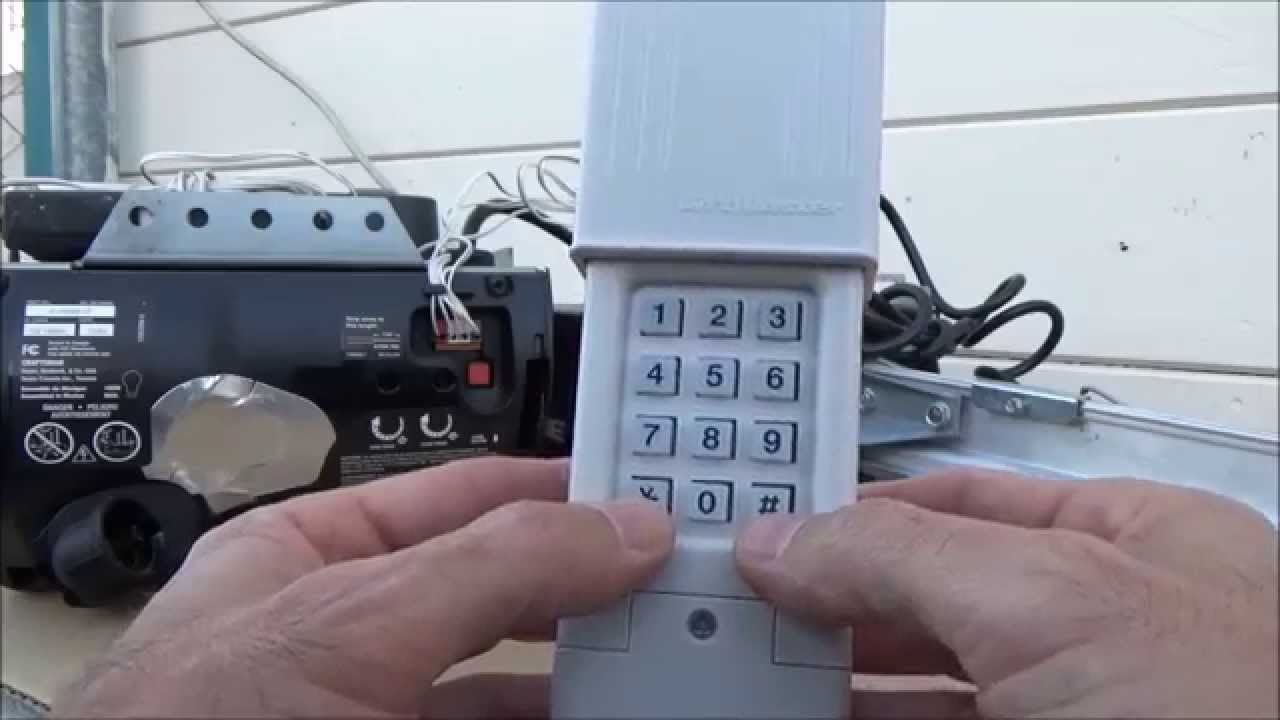
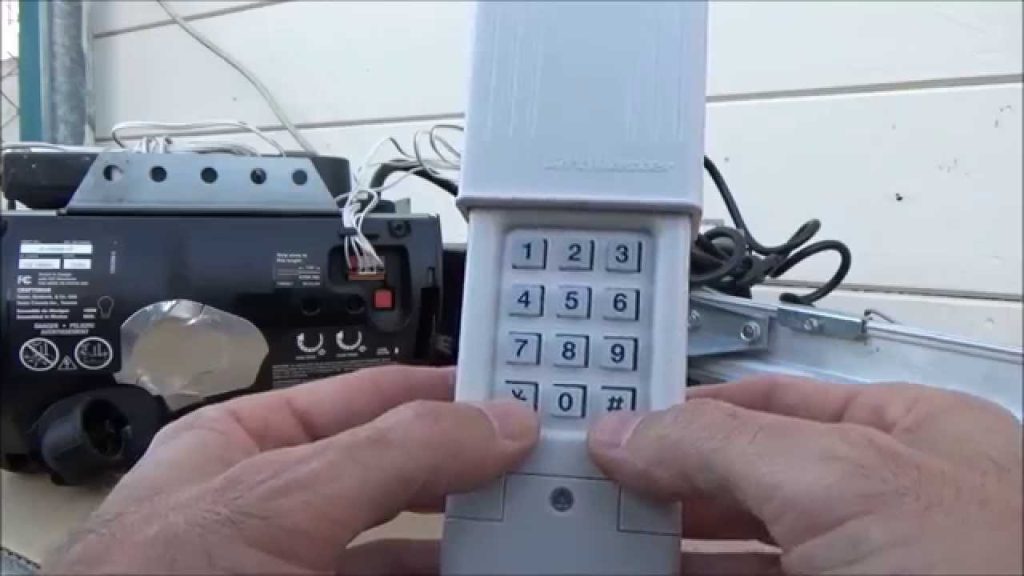
This is the core solution for users who have zero knowledge of the existing PIN. Unlike changing a known code, resetting without a code requires interacting directly with the garage door opener motor unit, not just the keypad itself. The keypad cannot be wiped independently; it must be re-synced to the motor after the motor’s memory is cleared.
Step-by-Step Factory Reset Procedure
Follow these instructions precisely. Safety first: ensure the garage door area is clear of people and pets before testing.
- Locate the Learn Button: Find the “Learn” or “Smart” button on your Chamberlain motor unit. It is typically located on the back panel or under the light lens cover. The color indicates your frequency type (Yellow for Security+ 2.0, Red/Purple for older Security+, Green for very old units).
- Clear the Motor Memory: Press and hold the Learn button for approximately 6 to 10 seconds. Watch the indicator LED next to the button. When the LED turns off completely, release the button. This action erases ALL stored keypads, remotes, and vehicle HomeLink systems.
- Verify the Wipe: Test your existing remotes. They should no longer operate the door. If they still work, the memory was not cleared; repeat Step 2, holding the button longer.
- Prepare the Clicker Keypad: Go to your exterior keypad. Open the battery compartment and ensure fresh batteries are installed. Weak batteries cause programming failures in 40% of reset attempts.
- Enter Programming Mode: On the keypad, press and hold the * (asterisk) and # (pound) buttons simultaneously until the backlight begins to flash or the unit beeps. This puts the keypad into pairing mode.
- Set Your New PIN: Enter your desired 4-digit PIN. Choose a code that is memorable but not easily guessable (avoid 1234, 0000, or birth years). Press the ENTER button.
- Sync to Motor: Immediately return to the motor unit and press the Learn button once (do not hold). The LED will illuminate or flash. Within 30 seconds, go back to the keypad and press ENTER again.
- Confirm Success: The motor unit lights should flash, or you will hear two distinct clicks. Test the new PIN immediately.
⚠️ Critical Safety Warning: Never attempt to program the keypad while the garage door is in motion. Always ensure the door is fully closed during the reset process to prevent accidental activation or sensor misalignment.
Why Won’t My Keypad Reset? Common Troubleshooting Issues
Even when following the steps for how to reset Clicker garage door keypad without code Chamberlain guides recommend, issues can arise. Here are data-backed solutions for the most frequent failures.
Battery Voltage Drop Under Load
A keypad may light up but fail to transmit a strong enough signal to complete the handshake with the motor. Standard 9V batteries lose voltage rapidly in cold weather.
- Fix: Replace with a premium alkaline or lithium 9V battery. Do not use rechargeable NiMH batteries, as their lower nominal voltage (7.2V vs 9V) often fails to trigger the transmitter.
Learn Button Timing Window
The synchronization window on Chamberlain units is strictly 30 seconds. If you take too long walking from the motor to the keypad, the motor exits learning mode.
- Fix: Have a second person assist, or pre-position yourself so the keypad is reachable within 15 seconds of pressing the Learn button.
Frequency Mismatch
Clicker universal keypads support multiple frequencies, but if the dip switches (on older models) aren’t matched to your opener, no amount of resetting will work.
- Fix: Consult the compatibility chart inside the keypad battery compartment. Match the switch positions exactly to your Chamberlain opener’s frequency code.
Capacitor Discharge Needed
In rare cases, residual power in the logic board prevents a clean memory wipe.
- Fix: Unplug the garage door opener from power for 60 seconds. Plug it back in and immediately attempt the Learn button hold procedure again.
Pros and Cons of Resetting Without the Original Code
Understanding the trade-offs helps you decide whether a full reset is appropriate versus calling a professional.
✅ Advantages
- Complete Security Refresh: Eliminates any unknown codes from previous owners, tenants, or lost remotes.
- Cost Savings: Avoids $75–$150 service call fees for a simple reprogramming task.
- Universal Compatibility: Resets allow you to pair newer Clicker keypads with older Chamberlain openers seamlessly.
- Time Efficient: The entire process takes less than 5 minutes when done correctly.
❌ Disadvantages
- Total Memory Wipe: You MUST reprogram every remote, car visor clip, and smart device connected to the opener.
- Risk of Lockout: If the new programming fails mid-process, you may be temporarily unable to open the door electronically.
- No Audit Trail: Unlike smart MyQ systems, manual resets don’t log who changed the code or when.
- Physical Access Required: You must reach the motor unit, which may require a ladder and safe climbing.
Expert Tips for Maintaining Keypad Security Post-Reset
Industry professionals recommend treating your garage door code like a house key. After successfully completing the reset, implement these best practices:
- Change Codes Annually: Statistics show that 68% of homeowners never change their garage door code after moving in. Set a calendar reminder to reset every 12 months.
- Avoid Obvious Patterns: Sequential numbers, repeated digits, and address-related numbers account for over 50% of guessed PINs. Use a random combination.
- Inspect Weather Seals: Moisture intrusion is the #1 killer of exterior keypads. Apply dielectric grease to battery contacts annually and replace cracked keypad covers immediately.
- Test Monthly: Press the code monthly even if you primarily use remotes. This ensures the keypad remains functional during emergencies when remotes are lost or dead.
Frequently Asked Questions (FAQ)
Can I reset a Clicker keypad without accessing the garage door motor?
No. For security reasons, Chamberlain designs require physical access to the motor unit’s Learn button to perform a factory reset without the existing code. The keypad alone cannot wipe its own memory without motor authorization. If you cannot access the motor, you will need a locksmith or garage door technician.
Will resetting the keypad delete my car’s HomeLink programming?
Yes. Holding the Learn button to clear memory erases ALL paired devices, including HomeLink, Car2U, and wireless remotes. You will need to reprogram each vehicle afterward. Plan accordingly and have your vehicle manuals ready.
How do I know if my Clicker keypad is compatible with my Chamberlain opener?
Check the color of the Learn button on your motor unit and cross-reference it with the compatibility chart inside the Clicker keypad’s battery compartment. Most Clicker universal keypads made after 2015 support Security+, Security+ 2.0, and Intellicode systems. If your opener predates 1993, compatibility is unlikely.
What should I do if the Learn button doesn’t light up at all?
A non-responsive Learn button usually indicates a power issue or failed logic board. First, verify the outlet has power and check the circuit breaker. If power is confirmed but the button remains dead, the logic board capacitor or transformer may have failed, requiring professional repair or replacement.
Is there a default master code for Chamberlain Clicker keypads?
No. Chamberlain eliminated default master codes in the early 2000s for security reasons. Any online source claiming a universal default code is outdated or incorrect. The only way to establish a code without the original PIN is through the motor-unit factory reset procedure described above.
How long does the entire reset process take?
For someone familiar with the steps, the actual reset and reprogramming takes 3–5 minutes. First-timers should budget 15–20 minutes to account for locating the Learn button, reading labels, and testing all devices afterward. Having a helper reduces time significantly.
Conclusion
Regaining access to your garage shouldn’t require expensive service calls or guesswork. By following this comprehensive guide on how to reset Clicker garage door keypad without code Chamberlain systems require, you can restore secure entry in minutes while ensuring no unauthorized codes remain active. Remember to reprogram all associated remotes and vehicles after the reset, and consider setting an annual reminder to refresh your PIN for ongoing security.
Found this guide helpful? Share it with friends, family, or neighbors who might be locked out or struggling with their garage door keypad. A quick share on Facebook, X (Twitter), or Nextdoor could save someone hours of frustration. Bookmark this page for future reference, and feel free to leave a comment below if you encountered a unique issue—we’re here to help our community stay secure and accessible! 🔧🏠
Leave a Reply