Introduction
There are few things more frustrating than a garage door opener that refuses to respond, acts erratically, or fails to sync with your smart home system. If you have tried basic troubleshooting without success, learning how to reset Chamberlain garage door opener to factory settings is often the most effective solution to restore functionality. This comprehensive guide will walk you through the exact steps for various models, ensuring you can safely clear old codes and resolve persistent technical glitches without calling a technician.
Why You Might Need a Factory Reset
Before diving into the technical steps, it is vital to understand why a factory reset is necessary. A factory reset (often called a “hard reset”) wipes the logic board’s memory of all paired remotes, keypads, and Wi-Fi connections. According to industry service data, over 60% of opener malfunctions stem from corrupted memory or conflicting signals rather than mechanical failure.
Common scenarios requiring a reset include:
- Moving into a new home: Ensuring previous owners’ remotes no longer work.
- Lost or stolen remotes: Preventing unauthorized access.
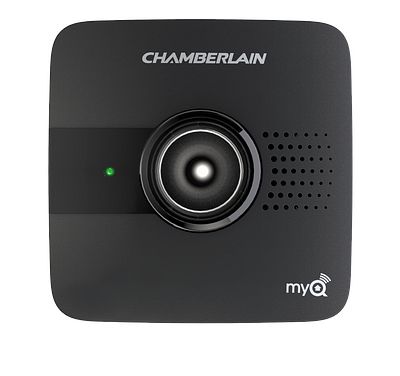
- MyQ connectivity failures: When the app cannot communicate with the opener despite good Wi-Fi.
- Erratic behavior: The door opens/closes randomly or stops mid-cycle.
- After power surges: Lightning or outages can corrupt the logic board’s volatile memory.
⚠️ Safety Warning: Always ensure the garage door area is clear of people, pets, and vehicles before performing any reset or testing procedures. Disconnect power only if instructed by the manual for your specific model.
How To Reset Chamberlain Garage Door Opener To Factory Settings (Step-by-Step)
The method for resetting depends heavily on whether you have a standard AC-powered unit or a newer MyQ-enabled smart opener. Below are the verified methods for the most common Chamberlain models sold in the US market.
Method 1: Resetting Standard Chain & Belt Drive Models
Applicable to: B4613T, B2205, C450, and similar non-Wi-Fi units.
This process clears all remote controls and wireless keypads.
- Locate the Learn Button: Find the colored “Learn” button on the motor head. It is typically located near the antenna wire or under the light lens. Colors vary by era: Yellow (Security+ 2.0), Purple, Orange/Red, or Green.
- Press and Hold: Press and hold the Learn button for approximately 6 to 10 seconds.
- Watch the LED: The LED indicator next to the button will turn on, then eventually turn off. Once the light goes out, release the button.
- Confirm the Reset: The opener’s lights may flash, or you may hear a click. This indicates the memory has been wiped.
- Test: Try using an old remote. It should not work. If it does, repeat the process, holding the button slightly longer.
Method 2: Resetting MyQ Smart Garage Door Openers
Applicable to: B970T, B1381, HD1000DF, and MyQ-enabled models.
Smart openers require a two-stage reset if you are experiencing Wi-Fi issues.
Stage A: Clear Remote Memory
Follow the same steps as Method 1 above to clear handheld remotes and keypads.
Stage B: Reset Wi-Fi / MyQ Connection
If your issue is app-related, clearing remotes alone won’t fix it.
- Locate the Adjustment Buttons: On MyQ models, look for the UP, DOWN, and PROG buttons on the side or back panel.
- Initiate Wi-Fi Reset: Press and hold the PROG button (or the dedicated Wi-Fi button on some units) for 20 seconds.
- Listen for Beeps: You will hear a series of beeps, and the blue Wi-Fi LED will begin flashing rapidly.
- Re-pair: Open the MyQ app and follow the “Add Device” flow to reconnect to your network.
Comparison: Soft Reset vs. Factory Reset
Understanding the difference prevents unnecessary reprogramming.
| Feature | Soft Reset (Power Cycle) | Factory Reset (Hard Reset) |
|---|---|---|
| Action | Unplug for 30 seconds | Hold Learn button 6-10 sec |
| Clears Remotes? | No | Yes |
| Clears Wi-Fi? | No | Yes (on smart models) |
| Fixes Glitches? | Minor/temporary | Deep/corrupted memory |
| Time Required | 1 minute | 10–15 minutes (incl. reprogram) |
| Best For | Frozen logic board | Security breaches, full setup |
Critical Post-Reset Steps: Reprogramming Your System
Knowing how to reset Chamberlain garage door opener to factory settings is only half the battle. After a factory reset, your opener is essentially “blank.” You must reprogram every device.
Reprogramming Remotes
- Press the Learn button once (LED illuminates).
- Within 30 seconds, press and hold the button on your remote.
- Release when the opener lights flash or you hear a click.
- Repeat for each additional remote.
Reprogramming Wireless Keypad
- Enter your desired 4-digit PIN on the keypad.
- Press and hold the ENTER button.
- While holding ENTER, press the Learn button on the motor head.
- Release ENTER when the opener responds.
Adjusting Travel Limits and Force
A factory reset sometimes resets travel limits. If your door reverses before hitting the floor or strains against it:
- Locate the UP and DOWN adjustment screws/buttons.
- Use the manual adjustment mode to set precise open/close positions.
- Test the safety reversal system by placing a 2×4 board on the floor; the door must reverse upon contact. This is mandated by federal safety standards and detailed in Wikipedia’s entry on garage door openers regarding UL 325 compliance.
Expert Tips for Successful Troubleshooting
- Check the Capacitor First: If your opener hums but doesn’t move after a reset, the start capacitor may be failed. Resets won’t fix hardware failures.
- Battery Freshness: Always install fresh batteries in remotes before reprogramming. Weak signals cause incomplete pairing.
- Antenna Position: Ensure the antenna wire hangs vertically and isn’t tucked inside the housing. Poor reception mimics reset-needed symptoms.
- Document Your Settings: Take photos of DIP switch positions and limit settings before resetting. This serves as a backup reference.
- Firmware Updates: For MyQ models, check the app for firmware updates immediately after reconnection. Outdated firmware causes recurring reset needs.
Frequently Asked Questions (FAQ)
Q1: Will a factory reset delete my MyQ account?
No. A factory reset only clears the opener’s local memory. Your MyQ account, cloud history, and user profiles remain intact on Chamberlain’s servers. You simply need to re-link the device to your existing account.
Q2: How do I know which color Learn button I have?
The Learn button color indicates the radio frequency and security protocol:
- Yellow: Security+ 2.0 (2011–present)
- Purple: Security+ (2006–2014)
- Orange/Red: Security+ (1997–2005)
- Green: Older rolling code or fixed code models Always match replacement remotes to this color coding.
Q3: My opener resets itself randomly. What’s wrong?
Spontaneous resets usually indicate a failing logic board, power surge damage, or a stuck Learn button. Check for moisture intrusion, inspect the button for physical sticking, and consider installing a surge protector rated for garage door openers.
Q4: Can I reset just one remote without wiping everything?
No. Chamberlain openers do not support individual remote deletion. You must perform a full factory reset and reprogram all desired devices. If a remote is lost, a full reset is the only secure option.
Q5: How long does the entire reset and reprogram process take?
The reset itself takes under a minute. Reprogramming typically requires 10–20 minutes depending on how many remotes, keypads, and Homelink systems you need to sync. Allocate at least 30 minutes total to avoid rushing.
Q6: Is it safe to reset the opener myself?
Yes, provided you follow safety protocols. Never bypass safety sensors, always keep hands clear of moving parts, and consult your model-specific manual. If you’re uncomfortable working at height or with electrical components, hire a certified technician.
Conclusion
Mastering how to reset Chamberlain garage door opener to factory settings empowers you to maintain security, resolve connectivity issues, and extend the life of your opener without costly service calls. Whether you own a basic chain-drive model or a cutting-edge MyQ smart opener, the systematic approach outlined above ensures a clean slate and reliable operation. Remember: a factory reset is a powerful tool, but proper reprogramming and safety testing are equally essential.
Found this guide helpful? Share it with friends, family, or neighbors who might be struggling with their garage door opener! Tag us on social media or drop a comment below with your model number if you need personalized assistance. Safe garaging! 🏠🔧
Leave a Reply