If your garage door suddenly stops responding, it can be frustrating—especially when you’re in a hurry. Understanding How To Reset A Liftmaster Garage Door Opener Remote can save you time, money, and unnecessary service calls.
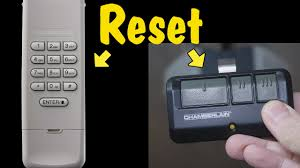
The good news is that most LiftMaster remotes can be reset in just a few minutes using simple steps. In this guide, you’ll learn exactly how to do it safely and effectively, even if you’ve never handled garage opener programming before.
Read too: How Do You Change Code On Garage Door Keypad Fast?
What Is a LiftMaster Garage Door Opener Remote?
A LiftMaster remote is a wireless transmitter that communicates with your garage door opener using a radio frequency signal. LiftMaster, a well-known brand under the Chamberlain Group, is widely used in residential and commercial garages across the United States.
According to general information about garage automation systems on Garage Door Opener systems, modern openers use rolling code technology to enhance security, meaning the signal changes every time you use the remote.
This is why resetting or reprogramming becomes necessary when:
- The remote stops working
- You replace the battery
- You move into a new home
- The opener loses memory
Why You May Need to Reset Your LiftMaster Remote
Before learning How To Reset A Liftmaster Garage Door Opener Remote, it’s important to understand the common causes of failure.
Common reasons include:
- Signal interference from nearby electronics
- Dead or weak battery in the remote
- Memory reset after power outage
- Button malfunction on the remote
- Reprogramming after ownership change
A 2023 home automation survey found that nearly 35% of garage door issues are related to remote pairing errors, not mechanical failure. That means most problems can be solved without calling a technician.
How To Reset A Liftmaster Garage Door Opener Remote (Step-by-Step)
Resetting your LiftMaster remote is straightforward. Follow these steps carefully:
Step 1: Locate the “Learn” Button
Open your garage door opener unit (usually mounted on the ceiling). Look for a colored button labeled “Learn” or “Program.”
Common colors include:
- Yellow
- Red/orange
- Purple
- Green
This button controls memory and remote pairing.
Step 2: Clear Existing Memory (Optional but Recommended)
If your remote is completely unresponsive, you may need to erase old settings:
- Press and hold the Learn button for about 6–10 seconds
- Wait until the indicator light turns off
- This clears all previously connected remotes
⚠️ Note: This will disconnect all remotes and keypads.
Step 3: Reprogram the Remote
Now you can reconnect your remote:
- Press the Learn button once (do not hold)
- Within 30 seconds, press and hold the button on your remote
- Release when the garage light blinks or clicks
- Test the remote
If successful, your garage door should respond immediately.
Step 4: Test Functionality
Stand at least 5–10 meters away and test the remote again. If it works consistently, the reset was successful.
Troubleshooting Common Issues After Reset
Even after learning How To Reset A Liftmaster Garage Door Opener Remote, you may still face issues. Here’s how to fix them:
| Problem | Possible Cause | Solution |
|---|---|---|
| Remote not working | Battery issue | Replace battery (usually CR2032 or 3V) |
| Weak signal | Interference | Move away from LED lights or routers |
| Door opens partially | Misaligned sensors | Check safety sensors |
| No response | Not paired correctly | Repeat programming steps |
Expert Insight: Why Resetting Works
Garage door experts often explain that resetting removes “signal confusion” between the opener and remote. Over time, devices store multiple signals, especially in shared housing or apartments.
According to technicians in the home automation field, resetting essentially restores the system to a clean pairing state—similar to restarting a smartphone to fix glitches.
Advanced Tip: Resetting the Entire System
If a simple remote reset doesn’t work, you may need a full system reset:
- Disconnect power from the opener
- Wait 30–60 seconds
- Reconnect power
- Reprogram all remotes
This method is useful after power surges or major system errors.
Safety Tips Before Resetting
- Always use a stable ladder when accessing the opener
- Avoid touching wiring inside the unit
- Keep children away during programming
- Ensure garage door is fully closed before testing
Safety should always come first when handling automated systems.
Benefits of Resetting Your LiftMaster Remote
Resetting your garage remote provides several advantages:
- Restores fast access to your garage
- Fixes connectivity issues without repairs
- Improves security by clearing old codes
- Saves service costs
- Extends system usability
Frequently Asked Questions (FAQ)
1. How do I know if my LiftMaster remote needs resetting?
If the remote stops working even after replacing the battery, or the garage door doesn’t respond, a reset is likely needed.
2. Will resetting my remote delete all devices?
Yes, if you hold the Learn button for too long, it can erase all paired remotes and keypads.
3. How long does it take to reset a LiftMaster remote?
Typically, the process takes 5–10 minutes depending on how many remotes you need to reprogram.
4. Can I reset the remote without the Learn button?
No. The Learn button on the motor unit is required to pair or reset LiftMaster remotes.
5. Why is my LiftMaster remote still not working after reset?
Possible causes include dead batteries, faulty remote hardware, or interference from nearby electronics.
6. Do I need professional help to reset it?
In most cases, no. Resetting is a DIY-friendly process unless the motor unit itself is malfunctioning.
Conclusion
Learning How To Reset A Liftmaster Garage Door Opener Remote is a simple but powerful skill that can solve most garage access problems in minutes. Instead of paying for repairs or replacement, you can quickly reprogram your system and restore full functionality.
By following the steps in this guide, you can confidently reset your remote, troubleshoot issues, and keep your garage door operating smoothly.
If this guide helped you, consider sharing it with friends or family who might also be struggling with their garage door remote issues.
Leave a Reply