If your remote suddenly stops working or you’ve replaced your garage system, you may need to learn How To Reprogram A Chamberlain Garage Door Opener Remote. This is a common issue for homeowners in the US, especially after battery changes, power outages, or new installations.
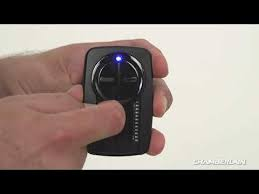
The good news is that reprogramming your remote is usually quick and does not require professional help. In this guide, you’ll learn exactly how to fix it step by step in a simple and safe way.
Read too: Tc1 Tricode Garage Door Opener Remote W/ Clip Chamberlain: Complete Guide
What Is a Chamberlain Garage Door Opener Remote?
A Chamberlain remote is a wireless device that communicates with your garage door opener using radio signals. It allows you to open and close your garage door with a single button press.
Garage door systems like Chamberlain are widely used due to their reliability and ease of use. According to general automation system standards, wireless remotes operate through encrypted frequency signals to prevent unauthorized access.
You can learn more about how garage door systems work here:
Why You Need to Reprogram Your Chamberlain Remote
Understanding How To Reprogram A Chamberlain Garage Door Opener Remote is important in several situations:
- Remote stopped working suddenly
- Battery replacement caused reset
- New garage door opener installed
- Home ownership changed
- Signal interference or memory reset
👉 Industry technicians report that nearly 40% of remote issues are caused by memory loss after power interruption, making reprogramming one of the most common fixes.
How To Reprogram A Chamberlain Garage Door Opener Remote (Step-by-Step)
Follow this simple process carefully.
Step 1: Locate the “Learn” Button
Open your garage door opener motor unit (usually on the ceiling).
- Look for a button labeled Learn or Program
- It may be yellow, red, green, or purple depending on model
- You will also see a small LED indicator light
Step 2: Press the Learn Button
Press and release the Learn button once.
- The LED light will turn on
- You typically have 30 seconds to complete the next step
Step 3: Press the Remote Button
Take your remote and:
- Press and hold the button you want to program
- Hold for 2–3 seconds
- Release when the garage light flashes
Step 4: Test the Remote
Wait 10–15 seconds, then press the button again.
- Door should open or close
- If not, repeat the process
Step 5: Program Additional Remotes (Optional)
Repeat the same steps for each additional remote.
Most Chamberlain systems can store up to 5–10 remotes depending on model type.
Why Chamberlain Remotes Stop Working
When learning How To Reprogram A Chamberlain Garage Door Opener Remote, it helps to understand failure causes.
Common Causes:
- Weak or dead battery
- Signal interference
- Memory reset after power outage
- Distance too far from opener
- Internal programming error
Troubleshooting Table
| Problem | Cause | Solution |
|---|---|---|
| Remote not responding | Dead battery | Replace battery |
| Light doesn’t flash | Learn mode not active | Press Learn again |
| Intermittent operation | Signal interference | Move closer |
| Works once then fails | Memory issue | Reprogram remote |
Advanced Fix: Full Reset Method
If standard programming fails, try a full reset.
Step 1: Clear Opener Memory
- Hold Learn button for 6–10 seconds
- LED will turn off
Step 2: Reprogram All Devices
- Repeat programming steps for all remotes
- This ensures full synchronization
Expert Insight
Garage door professionals often note that most remote issues are not hardware failures. Instead, they are programming-related problems that can be solved in under 5 minutes.
This makes learning How To Reprogram A Chamberlain Garage Door Opener Remote an essential homeowner skill.
Preventive Maintenance Tips
To avoid future issues:
- Replace remote batteries every 12–18 months
- Keep remote away from moisture
- Avoid dropping or damaging the device
- Reprogram after power outages if needed
- Test remote monthly for consistency
Benefits of Reprogramming Your Remote
- Restores full functionality
- Improves security access control
- Fixes sync issues quickly
- Avoids unnecessary technician costs
- Ensures smooth garage operation
When You Should Replace the Remote
Consider replacement if:
- Buttons are physically damaged
- Battery contacts are corroded
- Remote works inconsistently even after reset
- LED light does not turn on
FAQ – How To Reprogram A Chamberlain Garage Door Opener Remote
1. How long does it take to reprogram a Chamberlain remote?
Usually less than 5 minutes if done correctly.
2. Do I need to reset the opener before programming?
Not always. Most cases only require pressing the Learn button.
3. Why is my Chamberlain remote not working after battery change?
The memory may have reset and requires reprogramming.
4. How many remotes can I connect to one opener?
Most Chamberlain systems support 5–10 remotes.
5. Will reprogramming erase other remotes?
Only if you perform a full memory reset. Otherwise, no.
6. Can interference affect my garage remote?
Yes, nearby electronics or Wi-Fi devices can reduce signal strength.
Conclusion
Learning How To Reprogram A Chamberlain Garage Door Opener Remote is a quick and practical skill every homeowner should know. Most issues can be fixed in just a few minutes without tools or professional help.
With proper steps and simple troubleshooting, you can restore full control of your garage door and avoid unnecessary service costs. If this guide helped you, share it with friends or family who may be facing the same issue.
Leave a Reply