If your garage keypad suddenly stops working or you recently moved into a new home, you may need to learn How To Reprogram A Chamberlain Garage Door Opener Keypad. This is a common issue homeowners face, especially after battery replacement or system reset.
The good news is that reprogramming your keypad is usually quick and doesn’t require professional help. In this guide, you’ll learn a simple, safe, and step-by-step method to get your Chamberlain keypad working again.
What Is a Chamberlain Garage Door Opener Keypad?
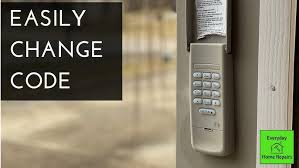
A Chamberlain keypad is a wireless security device that allows you to open and close your garage door using a PIN code instead of a remote or smartphone.
Read too: Tc1 Tricode Garage Door Opener Remote W/ Clip Chamberlain: Complete Guide
Garage door systems like Chamberlain are widely used in the U.S. for residential security and convenience. According to general home automation industry reports, keypad-based access systems remain one of the most popular garage entry methods due to their simplicity and reliability.
You can read more about the general mechanism of these systems here:
Why You Need to Reprogram Your Keypad
Understanding How To Reprogram A Chamberlain Garage Door Opener Keypad is important for several everyday situations:
- You forgot your old PIN code
- You moved into a new home
- The keypad stopped syncing with the opener
- Battery replacement caused reset
- Security upgrade or code change needed
According to garage door technicians, reprogramming is one of the most requested maintenance tasks after keypad battery replacement and home ownership transfer.
How To Reprogram Chamberlain Garage Door Opener Keypad (Step-by-Step)
Below is the most reliable method used by professionals and homeowners.
Step 1: Locate the “Learn” Button
Open your garage door opener motor unit (usually mounted on the ceiling). Look for a small button labeled “Learn” or “Program.”
- Typically located near the antenna wire
- Often yellow, red, or purple depending on model
Step 2: Press the Learn Button
Press and release the Learn button once.
- A small LED light will turn on
- You usually have 30 seconds to complete the next step
Step 3: Enter New PIN on Keypad
Go to your keypad outside the garage and:
- Enter your desired 4-digit PIN
- Press the Enter button
Step 4: Wait for Confirmation
You will see or hear confirmation:
- Garage light flashes
- Clicking sound from motor unit
This means the keypad has been successfully programmed.
Step 5: Test the New Code
Wait 10–15 seconds, then try your new PIN.
If the door opens/closes, the process is complete.
Common Issues During Reprogramming
Even when following How To Reprogram A Chamberlain Garage Door Opener Keypad, you may encounter issues.
1. Keypad Not Responding
- Check battery (usually CR2032 or 9V)
- Ensure keypad is within range
2. Learn Button Not Working
- Power cycle the garage opener
- Check circuit breaker
3. Wrong PIN Entry
- Reset and repeat process
- Make sure Enter button is pressed firmly
Chamberlain Keypad Troubleshooting Table
| Problem | Possible Cause | Solution |
|---|---|---|
| Keypad not lighting | Dead battery | Replace battery |
| Door not responding | Not synced | Reprogram keypad |
| Intermittent function | Signal interference | Reduce nearby wireless devices |
| Wrong PIN error | Programming mistake | Reset and re-enter code |
Expert Tips for Better Performance
Professional garage technicians often recommend the following:
- Replace keypad batteries every 12–18 months
- Keep keypad clean and dry
- Avoid placing metal objects near opener motor
- Update PIN code every 6–12 months for security
These simple habits reduce the need for frequent reprogramming.
Security Importance of Reprogramming
Reprogramming your keypad is not just about fixing issues—it’s also about security.
Experts in home security systems emphasize that changing access codes regularly reduces the risk of unauthorized entry, especially in shared or previously owned homes.
A strong PIN should:
- Be 4–6 digits
- Avoid repeating numbers (e.g., 1111)
- Avoid personal dates
Benefits of Reprogramming Your Chamberlain Keypad
- Improved home security
- Restored keypad functionality
- Easy access without remote
- Quick DIY fix (no technician needed)
- Better control over garage entry
When You Should Call a Professional
Even though How To Reprogram A Chamberlain Garage Door Opener Keypad is usually simple, you may need expert help if:
- The Learn button is damaged
- Opener unit has electrical failure
- Keypad still won’t sync after reset
- Motor unit is unresponsive
FAQ – How To Reprogram A Chamberlain Garage Door Opener Keypad
1. How long does it take to reprogram a Chamberlain keypad?
Usually only 2–5 minutes if all components are working properly.
2. Do I need to reset the opener before reprogramming?
Not always. In most cases, pressing the Learn button is enough.
3. Why is my Chamberlain keypad not syncing?
The most common reasons are weak battery, signal issues, or incorrect PIN entry.
4. Can I program multiple keypads to one opener?
Yes, most Chamberlain systems allow multiple keypads and remotes.
5. Will reprogramming delete my remote controls?
No, in most models, remotes remain active unless fully reset.
6. How often should I change my keypad code?
Every 6–12 months is recommended for better security.
Conclusion
Learning How To Reprogram A Chamberlain Garage Door Opener Keypad is an essential skill for any homeowner. It helps restore access, improves security, and eliminates the need for costly service calls.
With just a few simple steps, you can reset your keypad and regain full control of your garage door in minutes. If this guide helped you, consider sharing it with others who might be facing the same issue.
Leave a Reply