Lost your clicker and wondering how to program Volvo XC60 garage door opener without remote? You are certainly not alone, and the good news is that you do not need the original physical clicker to get your car’s built-in system working. Let us walk through this simple process together so you can pull into your driveway and glide right in!
How To Program Volvo Xc60 Garage Door Opener Without Remote
Many drivers assume they are stuck if they misplace their old garage clicker. However, modern vehicles are designed to sync directly with your garage door motor.
By using the “Learn” button located directly on your garage door opener motor unit, you can bypass the need for a handheld remote entirely. This method is highly effective for both older fixed-code systems and modern rolling-code openers.
What You Need Before Starting
Before we dive into the steps, ensure you have the following ready:
- Clear access to your garage door motor: You will need a sturdy step ladder to reach the motor unit hanging from your ceiling.
- Your Volvo XC60 parked in the driveway: Keep the ignition turned to the “On” position (or the engine running) to prevent the battery from dying during the process.
- A flashlight: Garages can be dimly lit, and you need to clearly see the small buttons on the motor.
Step-by-Step Guide to Syncing Without the Original Remote
Follow these concrete steps carefully to ensure a successful connection.
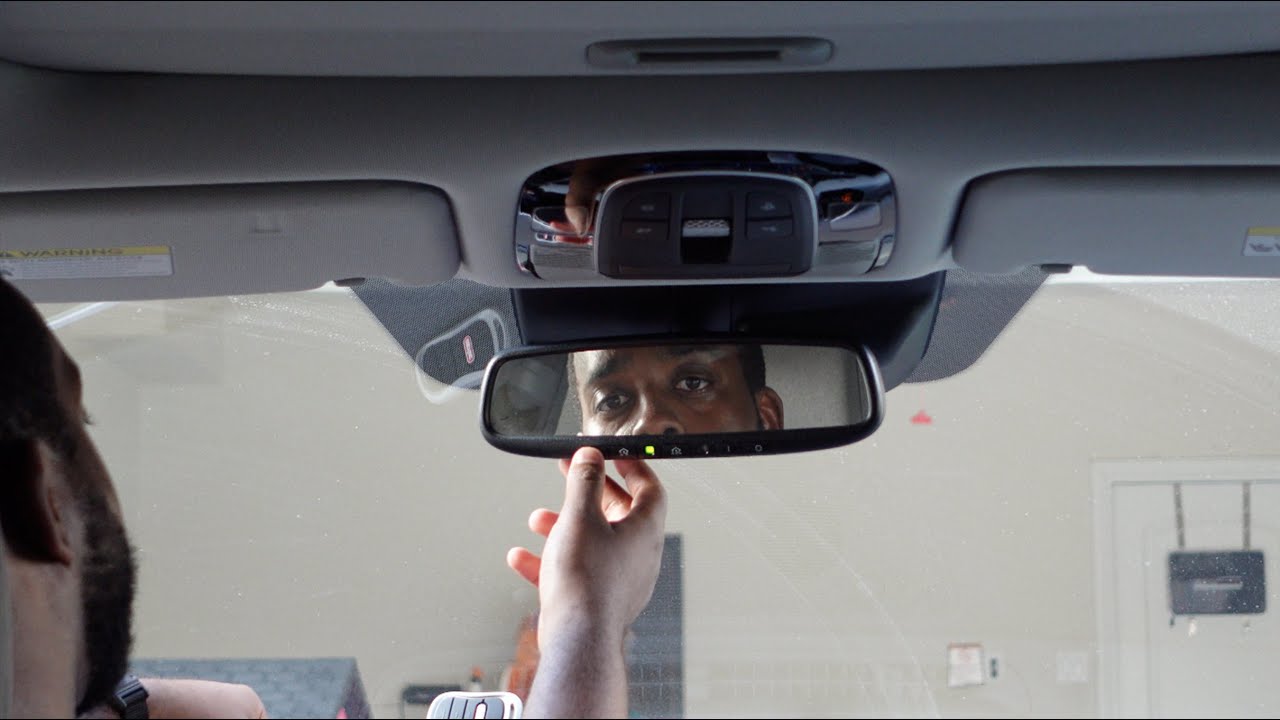
Step 1: Clear the Existing HomeLink Memory First, locate the three HomeLink buttons on your Volvo’s overhead console or rearview mirror. Press and hold the two outer buttons simultaneously. Keep holding them for about 10 to 20 seconds. Release them only when the indicator light begins to flash rapidly. This erases any old codes.
Step 2: Choose Your Desired HomeLink Button Decide which of the three buttons you want to use for your garage door. Let’s say you choose the middle button. Press and hold this chosen button. The indicator light will start blinking slowly, indicating it is ready to learn a new frequency.
Step 3: Locate the “Learn” Button on the Motor While continuing to hold the button inside your Volvo, walk over to your garage door motor unit. Look for a colored button (usually yellow, purple, orange, or red) located on the back or side of the motor. This is the “Learn” or “Smart” button.
Step 4: Sync the Systems While still holding the HomeLink button in your car, press and release the Learn button on the garage motor. You will know it worked when the motor’s lights flash or you hear a distinct click.
Step 5: Finalize the Rolling Code (If Applicable) If your system uses a rolling code (common in homes built after 1993), go back to your Volvo. Press the newly programmed HomeLink button for two seconds, release it, and press it again for two seconds. This finalizes the synchronization. Test the button to see if your door operates smoothly!
Why Does the Volvo XC60 Use the HomeLink System?
The integrated system in your vehicle is part of a broader technology known as HomeLink, which has become a standard in modern automotive convenience.
According to the International Door Association, nearly 65% of homeowners use their garage door as their primary entrance to the house. Because of this high usage frequency, having a seamlessly integrated system is crucial for daily convenience.
As automotive technician Mark Stevens notes, “Modern vehicles like the Volvo XC60 integrate beautifully with smart home tech. Bypassing the physical remote not only declutters your keychain but also utilizes the car’s superior antenna range for a more reliable connection.”
Troubleshooting Common Programming Issues
Even with a perfect guide, technology can sometimes be stubborn. Here is how to handle common hiccups.
- The indicator light blinks rapidly but won’t turn solid: This usually means the memory wasn’t cleared properly. Repeat Step 1 and ensure you hold the outer buttons for a full 20 seconds.
- The door moves slightly but stops: This indicates a rolling code mismatch. Ensure you completed Step 5 to sync the rolling code security protocol.
- The motor light doesn’t flash when pressing the Learn button: You might be pressing the wrong button. Ensure you are pressing the actual “Learn” button, not the antenna wire or a lock button.
Direct Motor Programming vs. Using a Remote
To help you understand why this method is highly recommended, here is a quick comparison of the two approaches.
| Feature | Programming Without Remote (Direct Motor) | Programming With Original Remote |
|---|---|---|
| Convenience | High: No need to hunt for the old clicker. | Low: Requires finding and using the old remote. |
| Battery Dependency | None: Relies on the motor’s direct connection. | High: Fails if the old remote’s battery is dead. |
| Signal Strength | Excellent: Direct sync ensures a strong link. | Good: Can be weakened by distance or interference. |
| Time Required | ~5 Minutes: Very straightforward process. | ~10 Minutes: Requires switching between car and remote. |
Frequently Asked Questions
1. Can I program my Volvo XC60 HomeLink without any remote at all?
Yes, absolutely. By using the “Learn” button directly on your garage door motor unit, you bypass the need for a handheld remote entirely. The motor acts as the bridge to teach your car’s system the correct frequency.
2. How do I know if my garage door uses a rolling code?
If your garage door opener was manufactured after 1993, it is federally mandated to use rolling code technology. You can also check the motor unit; if the “Learn” button is yellow, red, or purple, it is almost certainly a rolling code system.
3. Why is my HomeLink light blinking rapidly during the process?
A rapidly blinking light usually indicates one of two things. First, it means you have successfully erased the old memory (Step 1). Second, if it happens during programming, it means the car is not receiving a strong enough signal, or the motor’s learn mode has timed out.
4. Will this method work if I have a smart garage door opener like MyQ?
Yes, but with an extra step. For Wi-Fi enabled openers like LiftMaster MyQ, you must first log into your smartphone app and enable “HomeLink compatibility” or “Internet Gateway” settings before performing the physical steps on the motor unit.
5. Can I program multiple garage doors to my Volvo XC60?
Definitely. Your Volvo has three separate HomeLink buttons. You can repeat this exact step-by-step process for the other two buttons to program up to three different garage doors, gates, or even smart home lights.
Conclusion
Learning how to program Volvo XC60 garage door opener without remote is a highly rewarding DIY task that saves you time and the frustration of lost clickers. By utilizing the “Learn” button on your motor unit, you can securely sync your HomeLink system in under five minutes, ensuring you never have to fumble for a remote when pulling into your driveway again.
Leave a Reply