Introduction
There are few things more frustrating than pulling into your driveway after a long day, only to realize your new truck’s built-in remote isn’t syncing with your garage. If you are struggling to figure out how to program garage door opener on 2021 GMC Sierra, please know that you are not alone; this is one of the most common questions new owners face during their first month of ownership. The good news is that the 2021 Sierra uses the intuitive Homelink system, and with the right guidance, you can have your visor remote working perfectly in just a few minutes without needing a dealership visit.
Understanding the Homelink System in Your 2021 Sierra
Before diving into the buttons, it is helpful to understand what makes the 2021 GMC Sierra’s system unique. Unlike older trucks that used fixed-code transmitters, the 2021 model utilizes Homelink Version 5. This technology supports both rolling-code and fixed-code security protocols, making it compatible with virtually every major garage door manufacturer produced after 1996.
According to automotive safety standards, the Homelink system replaces up to three handheld remotes. For a comprehensive technical background on how these radio frequency transmitters integrate with vehicle electronics, you can refer to the Wikipedia entry on Remote Keyless Systems, which details the evolution of vehicular access technology.
Why Compatibility Matters
Not all openers sync the same way. Identifying your opener type saves time:
- Rolling Code (Post-1996): The security code changes every use. Requires a “Learn” button press on the motor unit.
- Fixed Code (Pre-1996): Uses dip switches or a static signal. Rare in modern homes but still supported.
- Smart/MyQ Openers: May require a specific Homelink bridge or direct Wi-Fi integration rather than traditional RF programming.
Step-by-Step: How to Program Garage Door Opener On 2021 GMC Sierra
Follow this precise tutorial to sync your primary garage door. Ensure your vehicle is parked outside the garage during programming to prevent accidental activation or injury.
Phase 1: Clearing Previous Codes (Recommended)
If your Sierra is pre-owned or you’ve had failed attempts, start fresh.
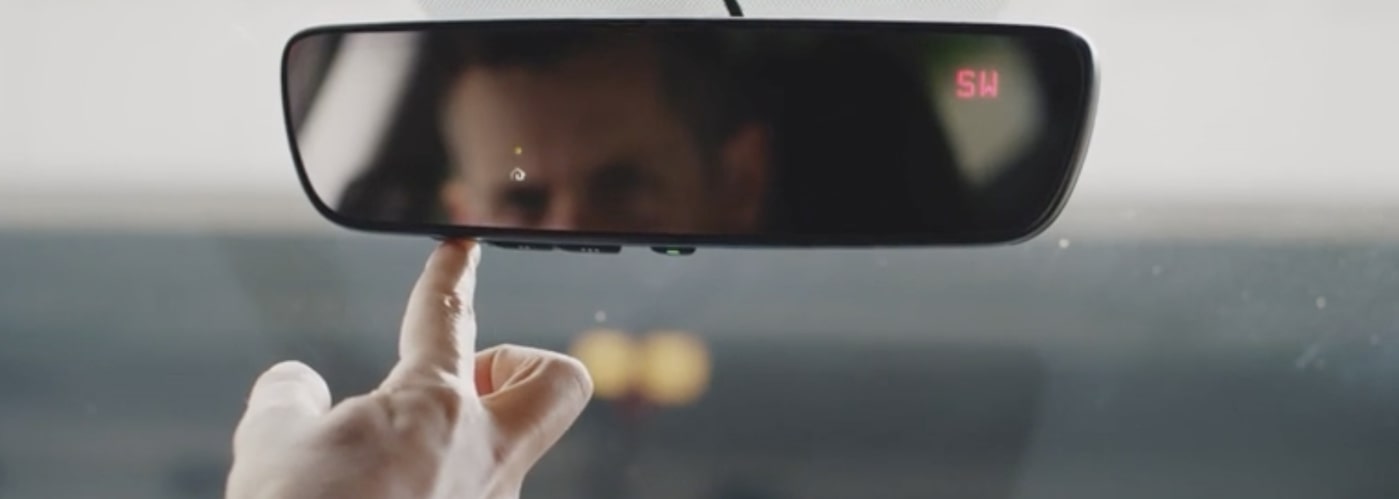
- Locate the three Homelink buttons on your overhead console or rearview mirror.
- Press and hold the two outer buttons simultaneously.
- Hold for approximately 10–20 seconds until the indicator LED begins to flash rapidly.
- Release both buttons. The memory is now cleared.
Phase 2: Programming the Visor Button
This is the core process for answering how to program garage door opener on 2021 GMC Sierra.
- Turn your ignition to ON/RUN (engine off is fine, but accessory mode works best).
- Hold your original handheld remote 1–3 inches away from the Homelink button you wish to program.
- Simultaneously press and hold the handheld remote button AND the chosen Homelink button.
- Watch the Homelink LED. It will flash slowly at first, then rapidly when the frequency is captured. This typically takes 5–15 seconds.
- Release both buttons once the light flashes rapidly.
Phase 3: Syncing Rolling Code Openers
Most 2021 Sierra owners must complete this extra step.
- Go to your garage door motor unit.
- Press the “Learn” or “Smart” button (usually yellow, orange, purple, or red). You typically have 30 seconds to complete the next step.
- Return to your truck immediately.
- Press and hold the programmed Homelink button for 2 seconds, release, then repeat up to 3 times.
- Test the button. The door should activate.
⚠️ Safety Warning: Never program your Homelink while the vehicle is inside the garage. Exhaust buildup and unintended door movement pose serious safety risks. Always park outside with a clear line of sight to the door.
Troubleshooting Common Sync Issues
Even with perfect execution, hiccups happen. Here is a data-driven look at why programming fails and how to fix it.
| Symptom | Likely Cause | Solution |
|---|---|---|
| LED never flashes rapidly | Dead handheld remote battery | Replace CR2032 battery in original remote |
| LED flashes but door won’t open | Rolling code sync incomplete | Repeat Phase 3 within 30-second window |
| Works intermittently | Signal interference | Reposition remote closer during programming |
| No response at all | Incompatible opener frequency | Check opener manual for 315MHz vs 390MHz |
| Light blinks continuously | Memory full or corrupted | Perform Phase 1 reset and restart |
Expert Tip: Battery Voltage Matters
A study on RF transmitter performance shows that handheld remotes operating below 2.7 volts often fail to transmit a strong enough signal for Homelink capture, even if they still open the door normally. Always install a fresh battery before attempting programming to eliminate this variable.
Optimizing Your Homelink Experience
Once you’ve mastered how to program garage door opener on 2021 GMC Sierra, consider these enhancements for daily convenience.
Utilize All Three Buttons
Your 2021 Sierra supports three distinct devices. Beyond your primary garage, program:
- Community gate access
- Smart home lighting modules
- Secondary detached garage or shed
Adjust Sensitivity Settings
Some users report that the 2021 Sierra’s Homelink requires an unusually close proximity during initial sync. If standard instructions fail, try holding the remote directly against the Homelink button surface rather than 1–3 inches away. The antenna placement in the overhead console can vary slightly between trim levels (SLE, SLT, AT4, Denali).
Verify After Vehicle Service
Battery replacements or electrical work can occasionally reset Homelink memory. Keep this guide bookmarked so you can quickly reprogram without returning to the dealer.
Frequently Asked Questions (FAQ)
Can I program my 2021 GMC Sierra Homelink without the original remote?
Generally, no. The Homelink system learns the frequency from your existing handheld transmitter. However, if your opener has a “Learn” button and you know the brand/model, some newer Homelink versions allow direct-to-motor programming via the Homelink app or website. Check the official Homelink compatibility tool online for your specific opener model.
Why does my Homelink work for the garage but not my community gate?
Community gates often use fixed-code systems or different frequencies than residential openers. The 2021 Sierra handles both, but gate programming sometimes requires holding the Homelink button for a longer duration (up to 30 seconds) during the learning phase. Contact your HOA or gate management for the specific programming protocol.
Does the 2021 GMC Sierra Homelink work with Chamberlain MyQ smart openers?
Yes, but with caveats. Newer MyQ openers may require the Homelink Bridge accessory because they use encrypted communication that traditional RF learning cannot capture. Check your MyQ model number against the Homelink compatibility database before purchasing additional hardware.
How many times can I reprogram the same Homelink button?
There is no limit to reprogramming cycles. You can overwrite a button as many times as needed. Each new programming session simply replaces the previous frequency stored in that button’s memory slot.
Will disconnecting my truck battery erase my Homelink settings?
In most cases, no. Homelink memory is non-volatile and survives battery disconnection. However, rare electrical anomalies or module replacements can cause data loss. If your Homelink stops working after battery service, perform the Phase 1 reset and reprogram.
Is there a difference between Homelink buttons on different 2021 Sierra trims?
Functionally, no. Whether your buttons are located on the overhead console (base trims) or integrated into the rearview mirror (Denali/AT4), the programming sequence is identical. Only the physical location differs; the internal transmitter module operates on the same specifications across all 2021 Sierra variants.
Conclusion
Mastering how to program garage door opener on 2021 GMC Sierra transforms your daily routine from fumbling with remotes to seamless, one-touch access. By following the three-phase process outlined above—clearing memory, capturing the signal, and completing the rolling code handshake—you gain reliable control over your home’s entry points directly from your driver’s seat. Remember to always prioritize safety by programming outdoors, keep spare batteries handy, and don’t hesitate to revisit the troubleshooting table if issues arise.
Your 2021 Sierra was designed to make life easier, and a properly synced Homelink system is one of its most practical features. Found this guide helpful? Share it with fellow GMC owners on Facebook, Reddit’s r/GMCTrucks, or your local truck enthusiast group so they can skip the frustration and enjoy the convenience. Happy programming!
Leave a Reply