Struggling with How To Program Garage Door Opener In Toyota Highlander? You’re not alone—many drivers find the setup confusing at first. The good news is that once you understand the steps, you can sync your garage door opener in just a few minutes without needing professional help.
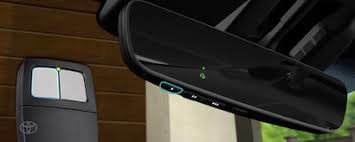
What Is the Garage Door Opener System in Toyota Highlander?
Most Toyota Highlander models come equipped with HomeLink, a built-in wireless system that replaces traditional garage remotes.
Key Features:
- Built into the overhead console
- Works with most garage door brands
- Can store up to 3 different devices
Read too: Tc1 Tricode Garage Door Opener Remote W/ Clip Chamberlain: Complete Guide
According to Wikipedia, HomeLink is widely used in modern vehicles and supports millions of garage systems worldwide, making it a reliable and convenient solution.
Where Is the HomeLink Button Located in a Toyota Highlander?
Before learning How To Program Garage Door Opener In Toyota Highlander, you need to locate the buttons.
Typical Locations:
- Overhead console near interior lights
- Rearview mirror (in some trims)
How to Identify Them:
- Usually 3 small buttons
- May have a house icon or dots
How To Program Garage Door Opener In Toyota Highlander (Step-by-Step)
Follow these exact steps carefully for best results.
Step 1: Clear Previous Programming
Time required: 30–60 seconds
- Turn the ignition to ON (engine can stay off)
- Press and hold the first and third HomeLink buttons
- Hold for about 10–20 seconds
- Release when the indicator light flashes rapidly
👉 This resets the system and avoids conflicts.
Step 2: Pair with Your Garage Remote
What you need:
- Original garage remote
- Toyota Highlander with ignition ON
Steps:
- Hold your garage remote 1–3 inches from the HomeLink buttons
- Press and hold:
- The desired HomeLink button
- The garage remote button
- Keep holding for 20–30 seconds
- Watch for:
- Slow blinking → learning
- Fast blinking → paired
Step 3: Sync with Rolling Code System (If Needed)
Many modern garage doors use rolling code technology for security.
Steps:
- Go to your garage door motor unit
- Press the “Learn” or “Smart” button
- You have about 30 seconds to return to your car
- Press the programmed HomeLink button 2–3 times
👉 The garage door should now respond.
Step 4: Test the System
- Press the programmed button once
- The garage door should open or close smoothly
If it doesn’t work, repeat Step 3.
Common Problems and Fixes
Even if you follow all steps, issues can still happen.
Why Won’t My Toyota Highlander Garage Opener Program?
Possible Causes:
- Weak remote battery
- Incorrect button timing
- Incompatible system (rare)
Quick Fix Checklist:
- Replace remote battery
- Try a different HomeLink button
- Hold buttons longer (up to 30 seconds)
- Ensure you’re within 1–3 inches distance
Compatibility: Does Toyota Highlander Work With All Garage Doors?
Supported Systems:
- LiftMaster
- Chamberlain
- Genie
- Craftsman
Compatibility Table
| Feature | Supported |
|---|---|
| Fixed code systems | Yes |
| Rolling code systems | Yes |
| Smart garage openers | Yes |
| Very old systems (pre-1995) | Limited |
👉 About 90%+ of garage door systems in the U.S. are compatible with HomeLink.
Benefits of Programming Your Garage Door Opener
Advantages vs Disadvantages
Advantages:
- No need for separate remote
- Cleaner interior (less clutter)
- Increased convenience
- Works instantly from your dashboard
Disadvantages:
- Initial setup can be confusing
- Requires reprogramming after battery disconnect
Pro Tips for Faster Programming
- Always start with a fresh remote battery
- Program during daylight for better visibility
- Keep distance consistent (1–3 inches)
- Don’t rush—hold buttons long enough
When Should You Seek Help?
Call a professional or dealership if:
- HomeLink light never flashes
- Garage motor doesn’t respond after multiple attempts
- Your vehicle system seems faulty
FAQ: How To Program Garage Door Opener In Toyota Highlander
Q1: How long does it take to program HomeLink?
Typically 2–5 minutes if done correctly.
Q2: Do I need my garage remote to program it?
Yes. The remote is required for initial pairing.
Q3: Why does my garage door not respond after programming?
You likely need to complete the rolling code sync step.
Q4: Can I program multiple garage doors?
Yes. Toyota Highlander supports up to 3 devices.
Q5: Does disconnecting the car battery erase settings?
Yes, in some cases. You may need to reprogram HomeLink.
Q6: Is HomeLink safe to use?
Yes. It uses encrypted signals similar to modern garage remotes.
Conclusion
Learning How To Program Garage Door Opener In Toyota Highlander is easier than it looks once you break it down step by step. With just a few minutes of setup, you can enjoy seamless access to your garage without juggling remotes.
By following this guide, you’ll save time, reduce clutter, and make your daily routine smoother.
👉 If this guide helped you, feel free to share it on social media—someone else might need this simple fix too!
Leave a Reply