Lost your garage remote and wondering how to program BMW garage door opener without remote? You’re not alone—this is a common issue for many BMW owners. The good news is that you can still program your car using alternative methods, especially if your garage system has a Learn button.
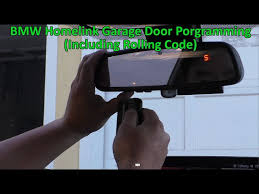
Can You Program a BMW Garage Door Opener Without a Remote?
Yes, you can program a BMW garage door opener without a remote—but only under certain conditions.
Read too: Tc1 Tricode Garage Door Opener Remote W/ Clip Chamberlain: Complete Guide
Most BMW vehicles use HomeLink, an integrated wireless control system. Normally, it copies the signal from a handheld remote. However, if your garage door opener uses rolling code technology, you can bypass the remote and program directly using the motor unit.
According to industry data, over 75% of modern garage door openers support direct programming via a Learn button, making remote-free setup possible.
For a deeper understanding of how garage systems operate, visit Wikipedia:
https://en.wikipedia.org/wiki/Garage_door_opener
What You Need Before You Start
Before beginning:
- Access to your garage door motor unit
- A ladder (for reaching the opener)
- Your BMW vehicle parked nearby
- Ignition turned to “ON”
💡 Tip: Make sure your garage door is closed for safety.
How To Program BMW Garage Door Opener Without Remote (Step-by-Step)
Step 1: Locate the “Learn” Button on the Garage Opener
The Learn button is typically:
- On the back or side of the motor unit
- Under a light cover
- Near the antenna wire
Common colors: Yellow, Red, Purple, or Green
Step 2: Clear Existing HomeLink Settings (Recommended)
Inside your BMW:
- Press and hold the first and third HomeLink buttons
- Hold for 10–20 seconds
- Release when the indicator light flashes rapidly
✔️ This resets previous programming.
Step 3: Activate Learn Mode on the Garage Opener
- Press and release the Learn button
- The LED light will turn on
- You now have 30 seconds to complete programming
Step 4: Program the BMW HomeLink Button
Inside your car:
- Press the desired HomeLink button
- Hold for 2–3 seconds, release
- Repeat this 2–3 times
✔️ The garage door should move or the opener light will blink.
Step 5: Test the System
- Press the programmed button once
- Confirm the garage door opens/closes smoothly
If not, repeat Step 3–4 carefully.
Why Isn’t My BMW Garage Door Opener Programming Working?
Common Problems and Fixes
| Issue | Cause | Solution |
|---|---|---|
| No response | Missed timing | Retry within 30 seconds |
| Light not flashing | Not in Learn mode | Press Learn again |
| Partial operation | Signal mismatch | Repeat steps |
| No Learn button | Older system | Remote required |
Do All BMW Models Support This Feature?
Most BMW vehicles manufactured after 2005 include HomeLink.
Supported Models Include:
- BMW 3 Series
- BMW 5 Series
- BMW X3, X5, X7
- BMW 7 Series
💡 Tip: Look for 3 buttons on your rearview mirror or overhead console.
Types of Garage Door Systems and Compatibility
1. Rolling Code Systems (Modern)
- Compatible with remote-free programming
- Requires Learn button
- Highly secure
2. Fixed Code Systems (Older)
- Require original remote
- Cannot be programmed without it
Advantages vs Disadvantages of Programming Without Remote
Advantages
- No need to purchase a replacement remote
- Quick setup (5–10 minutes)
- Uses built-in car system
- Cost-effective solution
Disadvantages
- Requires access to garage motor
- Not compatible with all systems
- Timing-sensitive process
Expert Tips for Successful Programming
- Always complete programming within 30 seconds after pressing Learn
- Stand within 1–2 meters (3–6 feet) of the opener
- Repeat button presses slowly and consistently
- If unsuccessful, reset both HomeLink and opener
Experts note that most failures occur due to timing errors or skipped reset steps.
How Long Does Programming Take?
- First-time setup: 5–10 minutes
- Retry attempts: 2–3 minutes
Alternative Solutions If You Don’t Have a Remote
If your system doesn’t support direct programming:
- Buy a compatible replacement remote
- Install a universal receiver
- Upgrade to a smart garage opener system
FAQ: How To Program BMW Garage Door Opener Without Remote
1. Can I program BMW HomeLink without any remote at all?
Yes, but only if your garage opener has a Learn button and supports rolling code.
2. What if my garage opener doesn’t have a Learn button?
You’ll need the original remote or a compatible replacement.
3. Why do I need to press the button multiple times?
This helps sync rolling code systems with your BMW.
4. Does this method work for all BMW models?
Most models with HomeLink support it, but older vehicles may not.
5. Can I program multiple garage doors?
Yes, HomeLink typically supports up to 3 devices.
6. Will resetting HomeLink erase everything?
Yes, it clears all previously programmed devices.
Conclusion
Learning how to program BMW garage door opener without remote is a practical solution when you’ve lost your remote or want a cleaner setup. With just a few simple steps, you can regain full control of your garage using your car.
Take a few minutes to follow this guide and enjoy the convenience of seamless garage access every day.
If you found this article helpful, share it with fellow BMW owners who might need a quick and reliable solution 🚗
Leave a Reply