Introduction
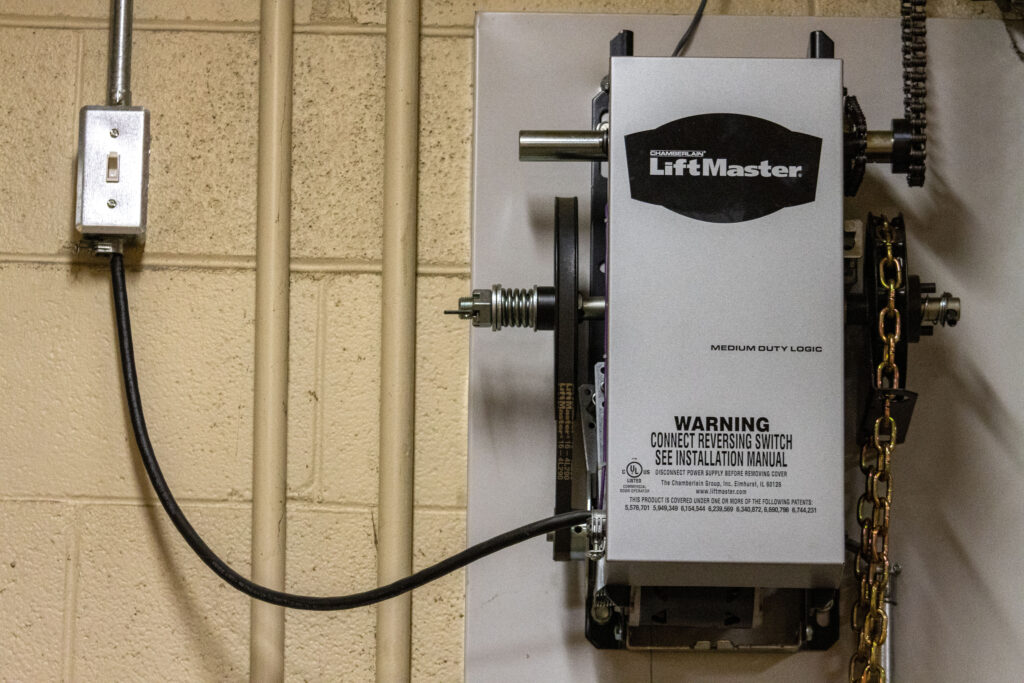
There are few things more frustrating than standing in your driveway with groceries in hand, only to realize your garage door remote isn’t responding. If you have recently replaced a battery, bought a new remote, or reset your system, knowing how to program a LiftMaster Security Plus garage door opener is an essential skill for any homeowner. This guide will walk you through the process with empathy and precision, ensuring you get back into your garage safely and quickly without needing to call a technician.
Programming these openers can feel intimidating due to the “Security+” rolling code technology, but the process is actually quite straightforward when broken down. Whether you are syncing a new visor remote, setting up an external keypad, or reprogramming after a power outage, this comprehensive tutorial covers every scenario. We prioritize safety and accuracy, aligning with manufacturer standards to ensure your home remains secure while restoring your convenience.
Understanding LiftMaster Security Plus Technology
Before diving into the buttons, it is vital to understand what makes the Security Plus line different from older models. Introduced to enhance home safety, this technology utilizes rolling code encryption. Unlike fixed-code openers that use the same signal every time, Security Plus generates a new code from over 100 billion possibilities each time you press the button. This prevents thieves from using “code grabbers” to intercept your signal and gain unauthorized access.
According to industry standards documented on Wikipedia, modern rolling code systems were developed specifically to address the security vulnerabilities of earlier dip-switch models. When you learn how to program a LiftMaster Security Plus garage door opener, you are essentially introducing a new encrypted handshake between your transmitter and the motor unit. This ensures that even if someone records your signal, they cannot replay it to open your door later.
Key Features of Security Plus Systems
- Rolling Code Encryption: Changes the access code with every use.
- Multi-Function Capability: Supports lights, locks, and auxiliary functions.
- Compatibility: Works with MyQ smart home integrations (on select models).
- Safety Sensors: Mandated photo-eye reversal systems integrated into the logic board.
How to Identify Your Specific Model
Not all Security Plus units are identical. Programming steps vary slightly depending on whether your “Learn” button is yellow, purple, orange, red, or green. Locating this button is the first critical step in how to program a LiftMaster Security Plus garage door opener.
| Learn Button Color | Frequency/Type | Typical Manufacturing Era | Notes |
|---|---|---|---|
| Yellow | Security+ 2.0 | 2011–Present | Most common current model; uses 315MHz or 390MHz |
| Purple | Security+ | 2006–2014 | Older rolling code; verify antenna color |
| Orange/Red | Security+ | 1997–2005 | Early rolling code tech; may require specific remotes |
| Green | Fixed Code/Dip Switch | Pre-1997 | Not Security Plus; requires manual switch matching |
Expert Tip: Always check the label on the back or side of your motor unit for the exact model number before purchasing replacement parts. Using an incompatible remote is the #1 reason programming fails.
Step-by-Step: Programming a Handheld Remote
This is the most common task homeowners face. Follow these precise steps to sync your handheld or visor remote. Ensure your ladder is stable and the area around the motor is clear before beginning.
- Locate the Learn Button: Find the colored square button on the back or side panel of the garage door opener motor. It is usually near the hanging antenna wire.
- Clear Previous Codes (Optional): If the remote was previously used elsewhere, hold the Learn button for 6 seconds until the LED goes out to wipe its memory. Release and wait for the light to return.
- Press the Learn Button: Briefly press and release the Learn button on the motor unit. The indicator LED will illuminate steadily or begin blinking, indicating it is in “pairing mode.” You typically have 30 seconds to complete the next step.
- Activate the Remote: Within the 30-second window, press and hold the desired button on your handheld remote. Hold it until the motor unit’s lights flash or you hear two distinct clicks.
- Test the Connection: Press the remote button once. The door should activate immediately. If it doesn’t, repeat steps 3 and 4, ensuring you are within 5 feet of the motor during programming.
Note for Yellow Learn Buttons: Some newer Security+ 2.0 models require you to press the remote button three times in succession rather than holding it. Consult your specific manual if the standard hold method fails.
Programming an External Wireless Keypad
Many users struggle with how to program a LiftMaster Security Plus garage door opener when adding a wireless keypad outside. The sequence differs slightly from handheld remotes because you must enter a PIN.
- Press and release the Learn button on the motor unit.
- Within 30 seconds, enter your desired 4-digit PIN on the outdoor keypad.
- Press and hold the ENTER button on the keypad.
- Continue holding ENTER until the motor unit lights flash or click.
- Release the ENTER button and test by entering your PIN and pressing ENTER again.
Safety Warning: Never choose obvious PINs like 1234, 0000, or your house number. Security experts recommend using a random combination that does not correlate to personal dates or addresses to prevent brute-force guessing.
Troubleshooting Common Programming Failures
Even professionals encounter hiccups. If your attempts at how to program a LiftMaster Security Plus garage door opener fail, consult this diagnostic checklist before calling support.
Remote Won’t Sync
- Battery Check: Even new batteries can be defective. Test with a fresh CR2032 or appropriate cell.
- Range Issues: Are you too far away? Move directly under the motor unit. Conversely, are you too close? Being within 1 foot can sometimes cause signal overload.
- Memory Full: Most units store 8–12 remotes. If full, perform a factory reset (hold Learn button for 10 seconds) and reprogram all devices.
- Incompatible Frequency: Verify your remote matches the Learn button color chart above. A purple-button remote will never work with a yellow-button opener.
Keypad Flashes But Door Doesn’t Move
- Sensor Alignment: Check the photo-eye sensors at the floor. If one is blinking amber or off, the safety circuit is open, preventing operation regardless of successful programming.
- Lock Mode Activated: Check your wall console. If the lock icon is illuminated, the opener is in vacation mode and will reject wireless signals. Press and hold the lock button for 2 seconds to disable.
- Travel Limits Lost: After power surges, travel limits may reset. The door may need to be manually cycled through a full open-close sequence to recalibrate before accepting programmed commands.
Maintenance Tips for Long-Term Reliability
Programming is just the beginning. Maintaining your Security Plus system ensures consistent performance and extends the lifespan of your investment. Industry data suggests that 70% of garage door opener failures stem from neglected maintenance rather than electronic defects.
- Monthly Sensor Tests: Place a roll of paper towels in the door’s path and close it. The door should reverse immediately upon contact. If not, clean lenses and realign brackets.
- Quarterly Battery Rotation: Replace remote batteries proactively every 12 months, or sooner if response distance decreases. Corroded batteries can damage internal contacts.
- Annual Lubrication: Apply white lithium grease to rollers, hinges, and springs. Avoid WD-40, which attracts dust and gums up mechanisms over time.
- Firmware Updates: For MyQ-enabled Security+ 2.0 units, check the app quarterly for firmware patches that improve connectivity and security protocols.
Frequently Asked Questions (FAQ)
1. Can I program multiple remotes to the same LiftMaster Security Plus opener?
Yes, most Security Plus models support between 8 and 12 individual transmitters, plus keypads and vehicle Homelink systems. Each device occupies one memory slot. If you exceed capacity, you must erase all codes and reprogram from scratch.
2. Why does my remote work intermittently after successful programming?
Intermittent operation usually indicates weak batteries, radio frequency interference from nearby LED bulbs, or failing solder joints on the remote’s circuit board. Try replacing the bulb with a garage-door-rated LED and testing with a fresh battery. If issues persist, the remote itself may need replacement.
3. Do I need to reprogram my LiftMaster Security Plus after a power outage?
Generally, no. Rolling codes are stored in non-volatile memory and survive power loss. However, if the unit experienced a surge or brownout, the logic board may have reset. If your remotes stop working post-outage, attempt reprogramming first before assuming hardware failure.
4. Is it safe to program the opener myself, or should I hire a professional?
DIY programming is completely safe and intended by the manufacturer. The process involves low-voltage electronics and poses no electrical risk. Professional assistance is only recommended if you suspect wiring faults, spring tension issues, or sensor misalignment—none of which relate to remote programming.
5. What happens if I lose all my remotes and can’t access the Learn button?
If the motor unit is inaccessible and you have no functioning remote, you may need to temporarily bypass the cover or use a ladder. In extreme cases where the unit is mounted excessively high or obstructed, a certified technician can safely access the Learn button and reprogram the system without damaging ceiling drywall or insulation.
6. Can universal remotes work with LiftMaster Security Plus?
Some universal remotes are compatible, but compatibility is inconsistent across Security Plus generations. Universal remotes designed for “Security+ 2.0” (yellow button) differ from those for original Security+. Always verify packaging explicitly states compatibility with your specific Learn button color before purchasing.
Conclusion
Mastering how to program a LiftMaster Security Plus garage door opener empowers you to maintain both convenience and security in your home without unnecessary service calls. By understanding your specific model’s Learn button color, following precise pairing sequences, and performing regular maintenance, you ensure reliable daily operation for years to come. Remember, the rolling code technology protecting your home is only as effective as your ability to manage it correctly.
We hope this guide has resolved your programming challenges and restored peace of mind. Found this helpful? Share it on Facebook, X (Twitter), or Pinterest to help fellow homeowners avoid the driveway frustration! Have additional questions or unique model quirks? Drop a comment below—we’d love to hear from our community of DIY enthusiasts. Safe programming, and welcome back to effortless garage access!
Leave a Reply