If your garage remote suddenly stops working—or you’ve just bought a new one—you’re probably wondering How To Program A Genie Garage Door Opener Remote Control. It’s a common issue, but the solution is simple. With just a few steps, you can get your remote working again in minutes.
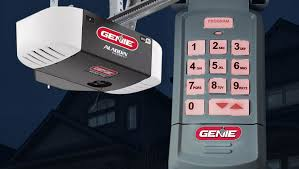
What Does Programming a Genie Remote Mean?
Programming your Genie remote means syncing it with your garage door opener so both devices can communicate securely. Modern Genie systems use rolling code technology, which updates the signal each time you press the remote.
Read too: How Do You Change Code On Garage Door Keypad Fast?
💡 Fact: Rolling code systems have reduced garage break-ins significantly by preventing signal duplication.
👉 Learn more about this technology here:
https://en.wikipedia.org/wiki/Rolling_code
What Do You Need Before You Start?
Before programming your Genie remote, gather these items:
- Genie garage door opener
- Compatible remote control
- Ladder (if opener is ceiling-mounted)
- Fresh batteries
- Good lighting
🔧 Tip: Always install new batteries before programming to avoid connection issues.
Where Is the Learn Button on a Genie Garage Door Opener?
The Learn button (sometimes called “Program button”) is essential.
Common Locations:
- Back or side of the motor unit
- Under the light cover
- Near the antenna wire
What It Looks Like:
- Small button labeled “Learn” or “Program”
- Often paired with an LED indicator
How To Program A Genie Garage Door Opener Remote Control (Step-by-Step)
Step 1: Locate the Learn Button
Use a ladder to safely access the opener.
Step 2: Activate Programming Mode
- Press and release the Learn button
- LED light will begin blinking
- You now have 30 seconds
Step 3: Press the Remote Button
- Press and hold your remote button for 2–5 seconds
- Release when the opener light blinks
Step 4: Confirm Connection
- The garage opener light will flash
- You may hear a click sound
Step 5: Test the Remote
- Press the button again
- The garage door should open or close
✅ Done! Your remote is now programmed.
Alternative Method: Programming Using a Wall Console
Some Genie models allow programming through the wall control panel.
Steps:
- Press the “Program” or “Menu” button
- Select “Remote Setup”
- Press the remote button
- Wait for confirmation
Common Genie Remote Types and Compatibility
| Remote Type | Frequency | Compatibility Level |
|---|---|---|
| Intellicode I | 390 MHz | Older models |
| Intellicode II | 315 MHz | Newer models |
| Universal | Multi | Most openers |
👉 Always check your opener model before purchasing a remote.
Common Problems and How to Fix Them
Remote Not Pairing
Causes:
- Weak battery
- Incorrect timing
- Wrong remote model
Fix:
- Replace battery
- Repeat steps within 30 seconds
- Verify compatibility
Garage Door Doesn’t Respond
Causes:
- Signal interference
- Faulty opener
Fix:
- Move closer to opener
- Reset system
Programming Fails Repeatedly
Causes:
- Memory full
- Old codes interfering
Fix:
- Clear opener memory
- Reprogram devices
How to Reset a Genie Garage Door Opener
If you need a fresh start:
Steps:
- Press and hold the Learn button
- Hold for 6–10 seconds
- LED light turns off
This deletes all paired remotes.
Benefits vs Drawbacks of Genie Remote Programming
Benefits
- Quick and easy setup
- Enhances home security
- Supports multiple remotes
Drawbacks
- Requires occasional reprogramming
- Compatibility issues with older models
Expert Tips for Smooth Programming
- Stand within 3 feet of the opener
- Program one remote at a time
- Avoid nearby electronic interference
- Label each remote for easy use
💡 Pro Tip: Experts recommend reprogramming your system annually for optimal security.
How Many Remotes Can You Program?
Most Genie openers allow:
- Up to 5–7 remotes
- Additional wireless keypads
Check your model manual for exact limits.
Safety Tips During Programming
- Keep hands clear of moving parts
- Ensure the door area is clear
- Do not program while the door is moving
FAQ: How To Program A Genie Garage Door Opener Remote Control
Q1: How long does it take to program a Genie remote?
Usually 1–2 minutes.
Q2: Can I program multiple remotes?
Yes, most systems support several remotes.
Q3: Why is my Genie remote not working?
Common reasons include dead batteries or incorrect programming steps.
Q4: Do I need to reset before programming?
No, only if you’re experiencing issues.
Q5: Can I use a universal remote?
Yes, if it supports your opener’s frequency and system.
Q6: What if the Learn button doesn’t work?
Check power supply or consider professional repair.
Conclusion
Now you know exactly How To Program A Genie Garage Door Opener Remote Control quickly and efficiently. With just a few simple steps, you can restore access, improve convenience, and enhance your home’s security.
Take a few minutes today to program your remote and enjoy hassle-free garage access. If this guide helped you, share it on social media so others can benefit too!
Leave a Reply