Tired of juggling a handheld remote every time you pull into your driveway? You’re not alone. Many drivers want a cleaner, more convenient solution. Learning How To Program A Garage Door To Your Car lets you open and close your garage directly from your vehicle—no extra device needed.
What Does Programming a Garage Door to Your Car Mean?
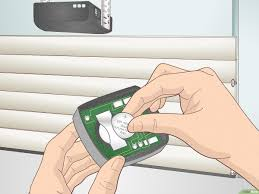
Programming your garage door to your car means syncing your vehicle’s built-in system (often called HomeLink or Car2U) with your garage door opener.
Read too: How Do You Change Code On Garage Door Keypad Fast?
Why It Matters:
- Eliminates the need for a separate remote
- Provides seamless, built-in access
- Improves convenience and security
- Reduces clutter in your car
Most modern vehicles in the U.S. include this feature as a standard or optional upgrade.
What Systems Are Used in Cars?
Before programming, it’s helpful to know which system your car uses.
Common Systems:
| System | Found In | Features |
|---|---|---|
| HomeLink | Most modern cars | Universal compatibility |
| Car2U | Select Ford, GM models | No battery needed |
| Legacy Systems | Older vehicles | Limited compatibility |
💡 Tip: Check your car’s manual to confirm which system you have.
How To Program A Garage Door To Your Car (Step-by-Step)
Follow these steps carefully for successful pairing.
Step 1: Clear Existing Codes (Optional but Recommended)
- Hold the two outer buttons on your car’s system
- Keep holding for 10–20 seconds
- Release when the indicator light flashes
🔄 This ensures no previous signals interfere.
Step 2: Hold Your Remote Near the Car Buttons
- Sit inside your car
- Hold the garage remote 1–3 inches (2–7 cm) from the car’s buttons
- Press both the remote button and the car button simultaneously
⏱ Hold for about 5–10 seconds.
Step 3: Wait for Indicator Light Change
- A slow blink turns into a rapid flash
- This indicates successful signal capture
✅ Your car has learned the remote signal.
Step 4: Sync with the Garage Door Opener (Learn Button Step)
- Go to your garage opener unit
- Press the “Learn” button
- Return to your car within 30 seconds
- Press the programmed car button 2–3 times
🔧 This step is required for modern rolling code systems.
Step 5: Test the System
- Press the programmed button in your car
- The garage door should open or close
✔️ If it works, setup is complete!
Why Isn’t My Car Connecting to the Garage Door?
If programming fails, don’t worry—this is common.
Possible Causes:
- Remote battery is weak
- Car system memory not cleared
- Rolling code step skipped
- Incompatible opener
💡 Quick Tip: Always perform the Learn button step for newer systems.
How Long Does Programming Take?
- First-time setup: 5–10 minutes
- Reprogramming: 2–5 minutes
👉 No professional help is usually required.
Advantages vs Disadvantages of Programming Your Car
Pros and Cons
| Advantages | Disadvantages |
|---|---|
| No extra remote needed | Initial setup required |
| Cleaner interior | May need reprogramming |
| Faster access | Compatibility issues possible |
How Secure Is Programming Your Garage Door to Your Car?
Modern systems are highly secure.
Security Features:
- Rolling code technology
- Encrypted signal transmission
- Billions of possible combinations
To understand how garage systems operate, visit:
https://en.wikipedia.org/wiki/Garage_door_opener
Expert Insight: Why This Feature Is Popular
Automotive experts highlight that built-in garage controls improve both convenience and safety.
Instead of searching for a remote, drivers can operate the garage door instantly—reducing distractions and improving efficiency.
Common Mistakes to Avoid
Avoid these errors for a smoother setup:
❌ Mistakes:
- Holding the remote too far away
- Skipping the Learn button step
- Not clearing old codes
- Releasing buttons too early
Maintenance Tips After Programming
Keep your system working reliably:
- Replace remote batteries every 6–12 months
- Reprogram after replacing your car battery
- Keep opener unit clean
- Test system monthly
Signs You Need to Reprogram Your System
Watch for these issues:
- Delayed response
- Reduced signal range
- System stops working suddenly
- New garage opener installed
FAQ: How To Program A Garage Door To Your Car
Q1: Can all cars be programmed to a garage door?
Answer: Most modern cars support this feature, but older models may not.
Q2: Do I need the original remote to program my car?
Answer: Yes, in most cases the remote is required for initial syncing.
Q3: Why does my car button blink but not open the door?
Answer: You likely need to complete the Learn button step.
Q4: How many garage doors can I program?
Answer: Typically 2–3 doors, depending on your car system.
Q5: Is it safe to leave my garage programmed to my car?
Answer: Yes, but avoid leaving your car unlocked for security reasons.
Q6: What should I do if programming fails repeatedly?
Answer: Reset both systems and try again, or check compatibility.
Conclusion
Learning How To Program A Garage Door To Your Car is a simple upgrade that delivers everyday convenience. In just a few minutes, you can eliminate the need for a handheld remote and enjoy seamless access right from your vehicle.
By following this guide, you’ll have a reliable and secure setup that makes your daily routine easier. If this article helped you, share it on social media—someone else might be looking for the same solution!
Leave a Reply