Have you ever pulled into your driveway, pressed the button in your car, and watched nothing happen? It is a frustrating experience that many new car owners face. If you are wondering how to program 2022 Honda Pilot garage door opener, you are not alone. This guide will walk you through the process clearly and simply, so you can enjoy the convenience of opening your garage with just one press.
Understanding the HomeLink System in Your 2022 Honda Pilot
Before we dive into the buttons and lights, it helps to understand what you are working with. The 2022 Honda Pilot comes equipped with the HomeLink Universal Transceiver. This system is designed to replace up to three separate remote controls for devices like garage doors, gate operators, and even home lighting systems.
Unlike older systems that required complex coding, modern HomeLink units use a “learning” process. They mimic the signal of your original handheld remote. This means compatibility is high, but the setup requires precision. According to Wikipedia, HomeLink is one of the most widely used universal transmitter systems in the automotive industry, known for its reliability and broad compatibility with major garage door brands.
Why Programming Might Fail Initially
Many users struggle because they skip the preliminary steps. Before starting, ensure you have:
- Your original garage door remote control (with fresh batteries).
- A clear line of sight between your car’s HomeLink buttons and the garage door motor.
- About 15–20 minutes of uninterrupted time.
Step-by-Step Guide: How to Program 2022 Honda Pilot Garage Door Opener
Follow these steps carefully. Do not rush, as timing is crucial for the HomeLink system to capture the correct frequency.
Step 1: Clear Existing Codes (If Necessary)
If you are reprogramming a button that was previously used, or if you bought the car used, you should clear the memory first.
- Press and hold the two outer HomeLink buttons simultaneously.
- Keep holding them for about 20 seconds.
- Watch the indicator light. It will start flashing slowly, then rapidly.
- Once the light flashes rapidly, release both buttons. The memory is now cleared.
Note: If this is a brand-new car, you can skip this step.
Step 2: Position Your Vehicle
Park your Honda Pilot outside your garage. Ensure the car is in Park and the engine is running. This ensures consistent power to the HomeLink module during the training process.
Step 3: Initiate the Learning Mode
- Choose which of the three HomeLink buttons you want to use.
- Press and hold the chosen button.
- Do not release it yet. You will see the indicator light change from a slow flash to a solid orange light after about 20 seconds.
- Once the light turns solid orange, release the button. The system is now in “learning mode.”
Step 4: Train the HomeLink Button
This is the most critical part. You need to teach your car the signal from your original remote.
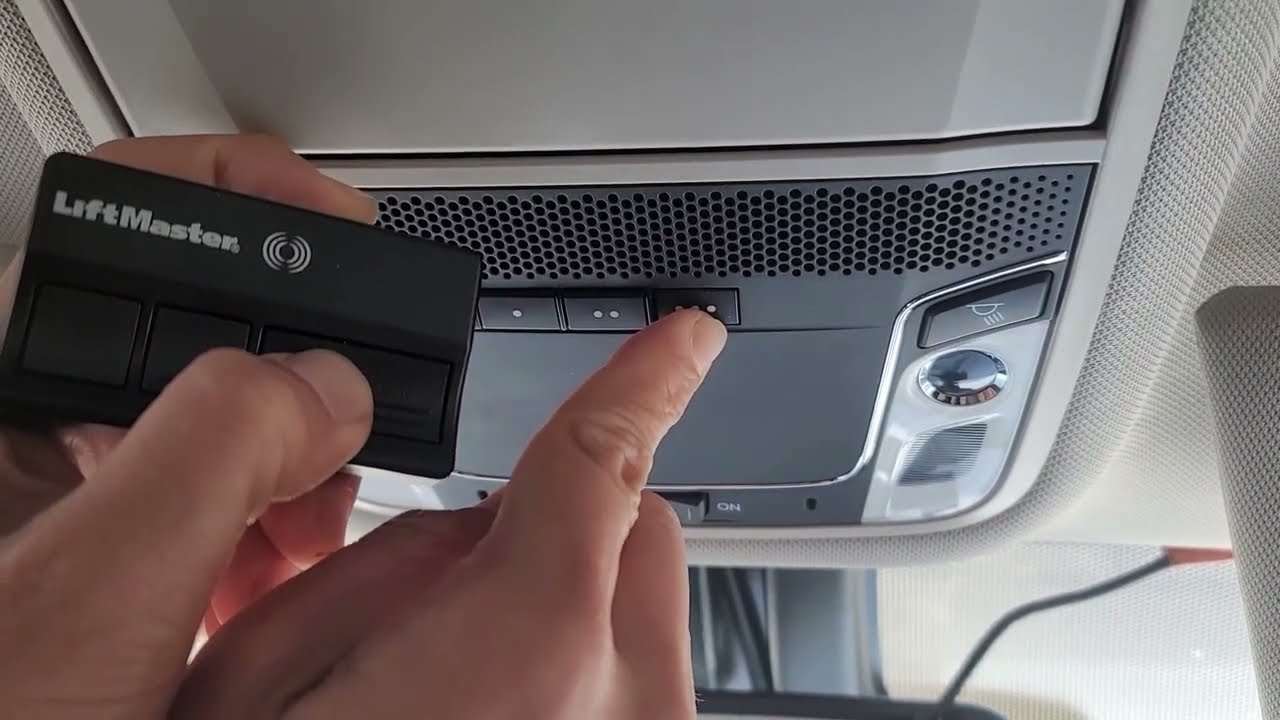
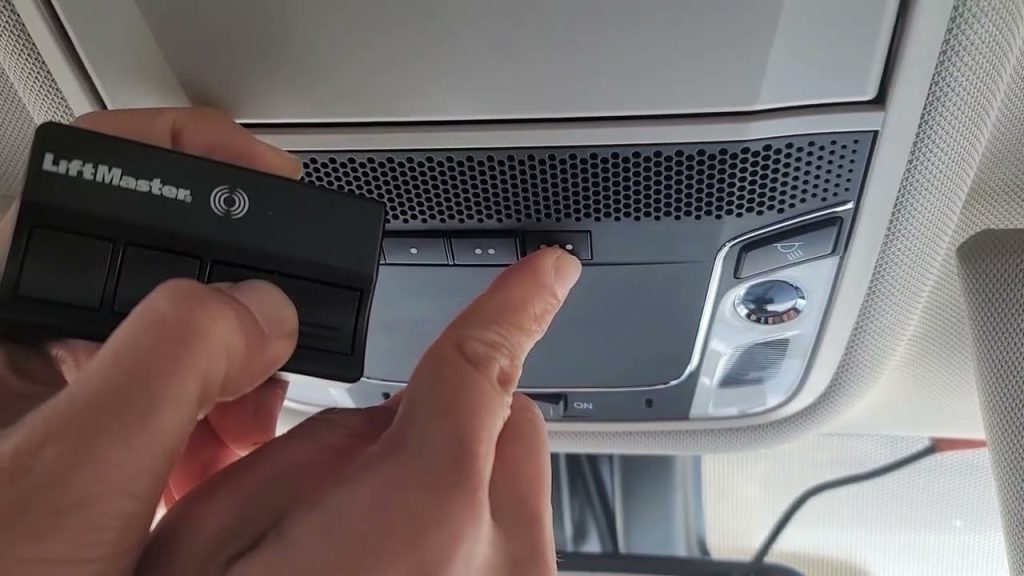
- Hold your original garage door remote 1–3 inches away from the HomeLink buttons on your rearview mirror or overhead console.
- While keeping the HomeLink button pressed (the one that is still lit orange), press and hold the button on your handheld remote.
- Keep both buttons held down.
- Watch the HomeLink indicator light. It will flash slowly at first, then begin to flash rapidly.
- Once the light flashes rapidly, release both buttons.
Tip: If the light does not flash rapidly within 30 seconds, repeat Step 4. Sometimes moving the remote slightly closer or further away helps.
Step 5: Test the Connection
Now, test if the programming worked.
- Press the programmed HomeLink button in your car.
- Your garage door should activate.
- If it works, press it again to close the door.
If the door moves but stops halfway, or if it reverses immediately, you may need to adjust the force settings on your garage door motor unit itself. Consult your garage door manual for “force adjustment” instructions.
Troubleshooting Common Issues
Even with careful following, things can go wrong. Here are common problems and solutions.
| Issue | Possible Cause | Solution |
|---|---|---|
| Light stays solid orange | Signal not captured | Repeat Step 4. Ensure remote battery is strong. |
| Door does not move | Wrong frequency | Try reprogramming. Some older doors require a “compatibility bridge.” |
| Light flashes rapidly immediately | Memory already cleared | Proceed to Step 3 directly. |
| Intermittent operation | Weak signal | Reprogram with the remote closer to the HomeLink module. |
Dealing with Rolling Code Systems
Most garage doors installed after 1996 use rolling code technology for security. This means the code changes every time you press the button. The 2022 Honda Pilot handles this automatically during the training phase. However, some brands (like Chamberlain or LiftMaster) require an extra step.
If your door uses rolling codes and did not work after Step 5:
- Locate the “Learn” or “Smart” button on your garage door motor unit (usually hanging from the ceiling).
- Press and release the “Learn” button. The indicator light on the motor will blink.
- Within 30 seconds, return to your car and press the programmed HomeLink button three times.
- This syncs the rolling code sequence between the car and the motor.
Frequently Asked Questions (FAQ)
Can I program all three HomeLink buttons to different devices?
Yes. The 2022 Honda Pilot allows you to program each of the three buttons independently. You can assign one to your garage door, one to a gate, and one to a second garage or lighting system. Follow the same steps for each button.
What if I lost my original garage door remote?
You cannot program HomeLink without an existing working remote. You must first purchase a replacement remote compatible with your garage door opener model. Once the new remote works manually, you can use it to train the HomeLink system.
Does programming HomeLink drain my car battery?
No. The HomeLink system only draws power when actively transmitting a signal or during the programming process. When the car is off, the system is in sleep mode and consumes negligible power.
How do I know if my garage door is compatible?
The vast majority of garage door openers manufactured after 1982 are compatible with HomeLink. You can check the HomeLink compatibility database online by entering your garage door brand and model number. If your opener is very old (pre-1982), you may need a compatibility bridge kit.
Can I reset just one button without clearing all three?
No. The HomeLink system clears all memory when you perform the reset procedure (holding the two outer buttons). If you want to keep two buttons and change one, you will need to reprogram all three buttons after clearing the memory.
Conclusion
Learning how to program 2022 Honda Pilot garage door opener is a straightforward process that saves you time and adds significant convenience to your daily routine. By following the steps above—clearing memory, entering learning mode, and syncing with your remote—you can have your garage door responding to your car in under 10 minutes.
Remember, patience is key during the signal training phase. If you encounter issues, double-check your remote’s batteries and ensure you are pressing the buttons firmly. Once set up, you will wonder how you ever lived without this feature.
Did this guide help you get your garage door working? Share this article with fellow Honda Pilot owners on social media who might be struggling with their HomeLink setup. Your share could save someone else from frustration!
Leave a Reply