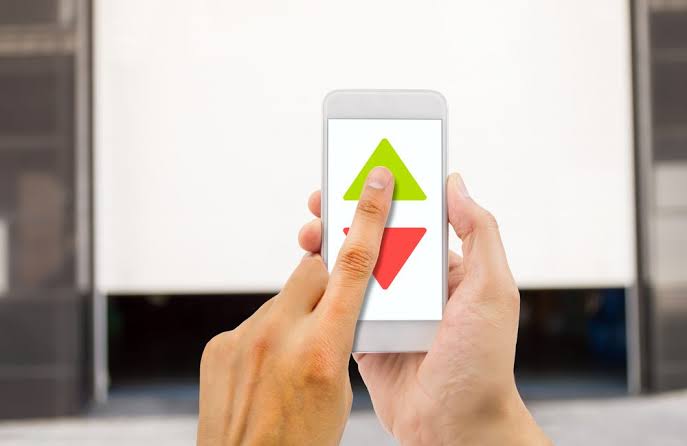
Have you ever pulled into your driveway in the pouring rain, only to realize you left your physical garage remote inside the house? You are not alone, and thankfully, modern smart home technology has a simple, reliable solution. If you are wondering how to open my garage door with my phone, this comprehensive guide will walk you through secure, easy, and proven methods to turn your smartphone into your ultimate garage remote.
How to Open My Garage Door With My Phone: Understanding Your Options
Before diving into the setup, it is helpful to understand the two primary technologies that enable smartphone garage control: Wi-Fi and Bluetooth.
According to recent smart home adoption statistics, over 35% of US homeowners now utilize smart devices for exterior home access, with garage doors being one of the most popular entry points.
- Wi-Fi Smart Hubs: These devices connect your garage door opener to your home’s wireless network. This allows you to open, close, and monitor your garage door from anywhere in the world as long as your phone has an internet connection.
- Bluetooth Controllers: These systems communicate directly with your smartphone within a short range (typically up to 30 feet). They are excellent for local control without relying on your home’s internet, but they lack remote access capabilities.
For most users asking how to open my garage door with my phone, a Wi-Fi-enabled smart hub is the most practical and highly recommended solution.
Step-by-Step Guide: Connecting Your Garage Door to Your Smartphone
Turning your phone into a garage remote is easier than you might think. Below is a detailed, step-by-step tutorial using the most popular and widely compatible system: the Chamberlain MyQ Smart Garage Hub.
Step 1: Verify Compatibility
Check your existing garage door motor unit. Look for a “Learn” button (usually yellow, purple, red, or green). If your opener was manufactured after 1993 and has a standard safety sensor system, it is highly likely to be compatible.
Step 2: Download the Official App
Go to the Apple App Store (for iPhone) or Google Play Store (for Android) and download the official app (e.g., the MyQ app, which currently holds a 4.8-star rating from millions of users). Create a secure account using a strong, unique password.
Step 3: Install the Wi-Fi Hub
Plug the smart hub into a standard 120V electrical outlet inside your garage. For optimal signal strength, ensure the hub is placed within 50 feet of your home’s Wi-Fi router, with no more than one or two drywall barriers in between.
Step 4: Pair the Hub with Your Opener
Locate the “Learn” button on your garage door motor. Press and hold this button for exactly 2 seconds until the adjacent LED light begins to blink. Within 30 seconds, press the physical button on your newly plugged-in smart hub. The LED will flash to confirm a successful pairing.
Step 5: Connect to Your Home Network
Open the app on your phone and follow the on-screen prompts. You will need to select your home’s Wi-Fi network. Note: Most smart garage hubs only support the 2.4 GHz Wi-Fi band, not the 5 GHz band. Ensure your phone is connected to the 2.4 GHz network during setup.
Step 6: Test the Connection
Stand clear of the garage door and tap “Close” or “Open” in the app. The door should respond within 3 to 5 seconds.
Wi-Fi vs. Bluetooth Garage Door Openers: A Quick Comparison
Not sure which technology fits your lifestyle? Use this quick comparison to decide.
| Feature | Wi-Fi Smart Garage Hub | Bluetooth Garage Controller |
|---|---|---|
| Operating Range | Unlimited (anywhere with internet) | Short range (approx. 30 feet) |
| Hardware Cost | $30 – $100 (one-time purchase) | $50 – $150 (one-time purchase) |
| Subscription Fees | Sometimes required for advanced features (e.g., video) | Usually none |
| Best For | Remote access, vacation monitoring, deliveries | Close-range use, homes with poor Wi-Fi |
| Setup Complexity | Moderate (requires network pairing) | Easy (direct phone pairing) |
Can I Open My Garage Door With My Phone for Free?
This is one of the most common questions we hear. The short answer is: Yes, but with a caveat.
If your garage door opener already has built-in Wi-Fi capabilities (common in models manufactured after 2015), downloading the manufacturer’s app and connecting it to your phone is completely free. There are no monthly fees for basic open/close functionality.
However, if you have an older, “dumb” garage door opener, you cannot magically make it smart without purchasing a hardware retrofit kit (like the MyQ hub mentioned above). Beware of third-party apps claiming to open any garage door for free without hardware; these are often scams or security risks. Always stick to official, verified applications from reputable manufacturers.
Expert Tips for Secure and Reliable Phone Garage Access
Upgrading your garage door to a smart system is incredibly convenient, but it also introduces your home to the Internet of Things (IoT). Securing this connection is paramount to protecting your home.
Cybersecurity experts consistently emphasize the following best practices for smart home devices:
- Enable Two-Factor Authentication (2FA): Always turn on 2FA in your garage door app settings. This ensures that even if someone guesses your password, they cannot access your garage without a secondary code sent to your phone.
- Keep Firmware Updated: Enable automatic updates in your app. Manufacturers regularly release patches to fix security vulnerabilities and improve connection speed.
- Use a Dedicated Guest Network: If your router supports it, place your smart garage hub on a separate “Guest” Wi-Fi network. This isolates it from your primary devices (like laptops and phones), adding an extra layer of security.
- Monitor Activity Logs: Most premium apps provide a timestamped log of every time the door opens or closes. Review this periodically to ensure no unauthorized access attempts are occurring.
Frequently Asked Questions (FAQ)
Q1: Can I open my garage door with my phone if the power goes out?
Answer: No. If your home loses power, the Wi-Fi hub and the garage door motor will not function. However, you can still open the door manually by pulling the red emergency release cord located on the garage door track, which disengages the motor.
Q2: How do I connect my garage door to my iPhone specifically?
Answer: The process is identical to Android. Ensure your iPhone is connected to your 2.4 GHz Wi-Fi network, download the official manufacturer app (like MyQ or Genie) from the App Store, and follow the in-app pairing instructions. Apple HomeKit integration is also available for select models.
Q3: What is the best app to open a garage door?
Answer: The “best” app depends on your hardware. For Chamberlain and LiftMaster, the MyQ app is the industry standard. For Genie openers, the Aladdin Connect app is highly rated. Always use the official app provided by your opener’s manufacturer for maximum security and reliability.
Q4: Can I add Wi-Fi to my old garage door opener?
Answer: Yes, absolutely. You do not need to replace your entire garage door system. Purchasing a universal smart garage door controller (like the Chamberlain MyQ Smart Garage Hub or Tailwind) will add Wi-Fi capabilities to most openers manufactured after 1993.
Q5: Is it safe to open my garage door with my phone?
Answer: Yes, it is highly safe when configured correctly. Modern smart garage systems use rolling code technology and end-to-end encryption, making them significantly more secure than older, fixed-code physical remotes that can be easily intercepted or cloned.
Conclusion
Learning how to open my garage door with my phone is no longer a futuristic luxury; it is an accessible, affordable, and highly practical upgrade for any modern homeowner. By following the step-by-step guide above, you can enjoy the peace of mind that comes with knowing you can check, open, or close your garage from anywhere in the world.
Not only does this technology prevent the frustration of locked-out moments, but it also enhances your overall home security through real-time monitoring and encrypted access.
Found this guide helpful? Don’t keep the convenience to yourself! Share this article with your friends, family, or neighbors on Facebook, Twitter, or WhatsApp who might still be fumbling for their physical garage remotes.
Leave a Reply