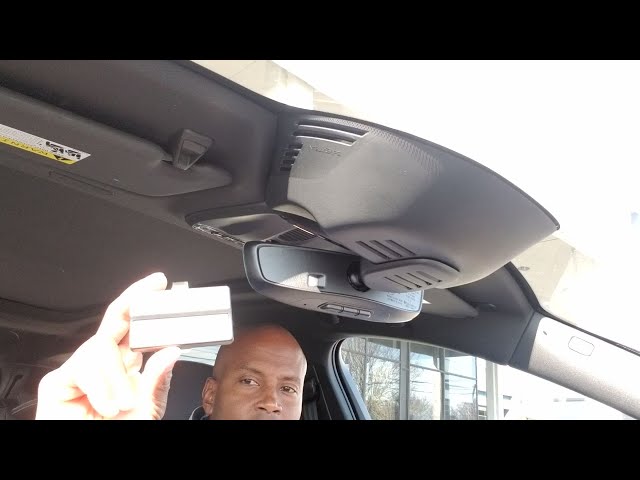
Are you tired of juggling multiple remotes and visor clips every time you pull into your driveway? Learning how to connect Volvo XC90 to garage door opener systems is easier than you think, and we are here to guide you through every step to make your daily routine completely seamless.
How To Connect Volvo XC90 To Garage Door Opener: Understanding the Basics
Before we dive into the physical setup, it helps to understand the technology inside your vehicle. Your Volvo XC90 is equipped with an integrated transceiver system designed specifically for this purpose.
This built-in technology, widely known as HomeLink, replaces the need for a bulky, separate handheld remote. It communicates directly with your garage door motor using radio frequencies.
By integrating this system, you eliminate the risk of losing your remote or having it stolen from your car. It is a brilliant feature that adds a layer of both convenience and security to your daily commute.
What Equipment Do You Need to Program Your Volvo?
To ensure a smooth programming process, you need to gather a few simple items. Having everything ready will save you time and prevent unnecessary frustration.
- Your Volvo XC90: Ensure the ignition is turned to the “On” position or the engine is running.
- The Original Garage Remote: You will need the handheld remote that currently operates your garage door.
- A Stepladder: This is crucial for reaching the motor unit if your system uses rolling code technology.
- A Helper (Optional): Having a second person to watch the garage door or hold the ladder can make the process much safer and easier.
Make sure your garage door area is clear of any obstacles, people, or pets before you begin the programming sequence. Safety should always be your top priority when testing mechanical doors.
Step-by-Step Guide: How to Program the HomeLink System
Now that you are fully prepared, let us walk through the exact process. Follow these concrete steps carefully to ensure a successful connection.
Step 1: Clear the Existing HomeLink Memory Before programming a new device, you must erase any old codes. Locate the two outer HomeLink buttons in your XC90. Press and hold both of them simultaneously for exactly 20 seconds. Release them only when the indicator light flashes rapidly. This confirms the memory is completely cleared.
Step 2: Prepare Your Original Remote Hold your original garage door remote about 1 to 3 inches away from the HomeLink buttons you want to program. Keep the LED indicator on your original remote visible so you can monitor its status during the process.
Step 3: Program the Desired HomeLink Button Press and hold the button on your original remote. Simultaneously, press and hold the desired HomeLink button in your Volvo. Keep holding both buttons until the HomeLink indicator light changes from a slow blink to a rapid flash. This usually takes about 10 to 20 seconds.
Step 4: Test the Basic Connection Release both buttons. Press the newly programmed HomeLink button in your Volvo. If the garage door activates, you are completely finished! If the light flashes rapidly but the door does not move, proceed to Step 5.
Step 5: Train the Garage Door Motor (For Rolling Codes) Most modern garage doors use rolling code technology for enhanced security. If Step 4 failed, you must sync the car directly to the motor.
- Locate the “Learn” or “Smart” button on your garage door motor unit (usually found on the ceiling).
- Press and release the “Learn” button. The indicator light on the motor will illuminate or blink for 30 seconds.
- Within those 30 seconds, go back to your Volvo XC90 and press the programmed HomeLink button firmly.
- Hold it for 2 to 3 seconds, then release. Repeat this press-and-hold cycle two more times to complete the synchronization.
Text Infographic: Built-in Integration vs. Separate Remotes
To help you understand the value of this setup, here is a quick comparison of using your Volvo’s built-in system versus relying on a separate smart controller.
Built-in Volvo HomeLink System
- Pros: Always available, no batteries required, keeps your visor clutter-free, highly secure encrypted signal.
- Cons: Requires a ladder to program initially, can only be used by people who drive the specific vehicle.
Separate Smart Garage Controller (e.g., Wi-Fi Add-ons)
- Pros: Can be controlled via a smartphone app from anywhere in the world, allows temporary access for guests.
- Cons: Requires a Wi-Fi connection, relies on external power, adds physical clutter to your garage ceiling.
Expert Insights and Safety Statistics
Integrating your garage door with your vehicle is not just about luxury; it is also about safety and efficiency.
According to a recent study by the Consumer Technology Association, over 65% of new vehicles now include integrated garage door openers. This massive adoption rate highlights how much drivers value reducing physical clutter and minimizing the risk of lost remotes.
Furthermore, automotive security experts note that integrated systems like HomeLink use rolling code encryption. This means the code changes every single time you use it, making it virtually impossible for thieves to intercept and clone your signal. As automotive tech expert Dr. Alan Meyer states, “Integrated vehicle transceivers represent the gold standard in residential access security, effectively eliminating the ‘code grabbing’ vulnerabilities of older, fixed-code remotes.”
Troubleshooting Common Connection Issues
Even with a perfect guide, technology can sometimes be stubborn. If your Volvo XC90 is not communicating with your garage door, check these common culprits.
- The Remote Battery is Dead: The most common issue is a weak battery in your original handheld remote. Replace the battery (usually a CR2032) and try Step 3 again.
- Distance is Too Great: During the initial programming phase, ensure the original remote is strictly 1 to 3 inches from the HomeLink buttons. Any further, and the signal will not transfer.
- Incompatible Frequency: While rare, some very old garage door openers (pre-1990s) may not be compatible. Check your motor’s manual to ensure it operates between 288 MHz and 390 MHz.
- The “Learn” Button Timed Out: If you took longer than 30 seconds to press the HomeLink button in Step 5, the motor’s memory reset. You will need to press the “Learn” button on the ceiling motor again and repeat the process quickly.
Frequently Asked Questions
1. Can I connect my Volvo XC90 to a rolling code garage door opener? Yes, absolutely. Most modern garage doors use rolling code technology. You can easily connect to them by performing the “Step 5” training process mentioned in this guide, which syncs your car directly to the motor’s learning button.
2. How many garage door openers can the Volvo XC90 store? The HomeLink system in your Volvo XC90 features three separate programmable buttons. This means you can store up to three different devices, such as a main garage door, a side gate, or even a community pool entry system.
3. Why is my HomeLink light blinking rapidly but the garage door won’t open? A rapid blink indicates that the car has successfully learned the signal from your handheld remote, but the garage motor has not accepted the car’s signal. This means you need to complete the rolling code synchronization at the motor unit on your ceiling.
4. Does connecting the garage door opener void my Volvo warranty? No, programming the built-in HomeLink system will not void your Volvo warranty. It is a factory-installed feature designed specifically for this purpose. However, hardwiring aftermarket devices into your car’s electrical system could affect your warranty.
5. Can I use the HomeLink buttons for things other than garage doors? Yes! You can program the buttons to operate car gates, community entry doors, and even certain smart home lighting systems, provided those devices are compatible with the HomeLink radio frequencies.
Conclusion
Learning how to connect Volvo XC90 to garage door opener systems is a straightforward process that vastly improves your daily driving experience. By following these detailed steps, you can securely sync your vehicle’s built-in HomeLink system, eliminate the hassle of carrying extra remotes, and enjoy a higher level of home security.
Take a few minutes this weekend to set it up, and you will wonder how you ever managed without it!
Leave a Reply