Introduction
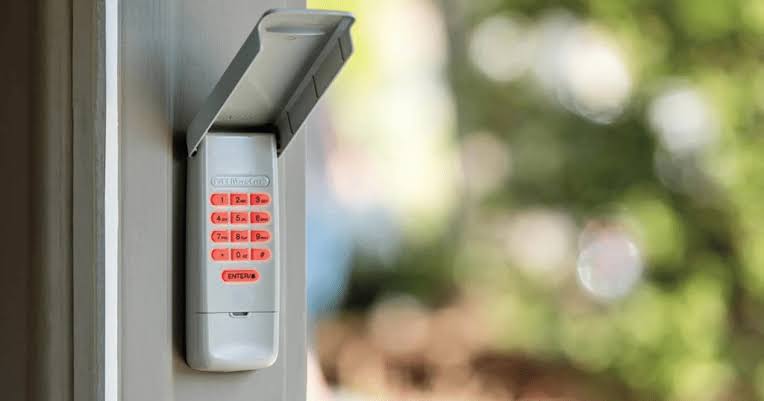
There is nothing quite as frustrating as standing in your driveway, punching in a familiar sequence of numbers, and watching your garage door refuse to budge. Whether you have moved into a new home, lost a remote, or simply want to boost your home security, knowing how to change keypad code on Chamberlain garage door opener systems is an essential maintenance skill. This guide provides clear, empathetic, and manufacturer-aligned instructions to get your entry system secure and functional again without the need for an expensive service call.
Why You Should Regularly Update Your Garage Keypad Code
Before diving into the technical steps, it is vital to understand why this task matters beyond simple convenience. According to crime prevention experts, garage doors are one of the most common entry points for residential burglaries. Changing your code eliminates access for previous owners, contractors, or anyone who may have observed your old PIN.
Furthermore, modern Chamberlain openers utilize rolling code technology. As noted in general security literature on Wikipedia, this encryption method ensures that even if a signal is intercepted, it cannot be replayed to gain unauthorized entry. Resetting your keypad syncs it with this security protocol, ensuring your physical hardware matches the digital protection standards intended by the manufacturer.
Identifying Your Chamberlain Keypad Model
Chamberlain has produced several keypad generations over the last two decades. The programming method varies slightly depending on whether you have a standard wireless keypad, a dual-button model, or a newer MyQ-enabled smart keypad.
Quick Identification Guide
| Feature | Standard 940ESTD / KLIK2U | Smart Keypad (MyQ) | Older DIP Switch Models |
|---|---|---|---|
| Button Color | Orange or Purple Learn Button | Integrated Camera/Light | No Learn Button |
| Programming Method | Press Learn + Enter PIN | App Sync or Learn Button | Manual Switch Matching |
| Battery Type | 3V CR2032 Coin Cell | Rechargeable or CR2032 | 9V Block Battery |
| Security Tech | Rolling Code (Security+) | Wi-Fi + Rolling Code | Fixed Code (Obsolete) |
Note: If your motor unit lacks a colored “Learn” button entirely, you likely have a pre-1997 fixed-code model. These require matching tiny internal switches rather than entering a digital PIN.
Step-by-Step: How To Change Keypad Code On Chamberlain Garage Door Opener
This tutorial covers the vast majority of Chamberlain Security+ and Security+ 2.0 systems manufactured after 1997. Please read through all steps before beginning to ensure a smooth process.
Step 1: Locate the Learn Button on the Motor Unit
Grab a sturdy ladder and safely locate the motor head of your garage door opener. Find the “Learn” button. It is typically located on the back or side panel near the antenna wire.
- Yellow Learn Button: Security+ 2.0 (2011–Present)
- Purple Learn Button: Security+ (2006–2014)
- Orange/Red Learn Button: Security+ (1997–2005)
Step 2: Clear the Old Code from the Keypad
To ensure no ghost codes remain, reset the external keypad first.
- Open the keypad cover.
- Press and hold the # and 7 buttons simultaneously for approximately 10 seconds.
- Release when the keypad light blinks or turns off. This confirms the memory is wiped.
Step 3: Program the New PIN
Now, synchronize the fresh code with the motor unit. You must complete this sequence within 30 seconds.
- Press and release the Learn button on the motor unit. The indicator LED will illuminate steadily.
- Go to the exterior keypad and enter your desired 4-digit PIN.
- Expert Tip: Avoid sequential numbers (1234) or birth years. Use a random combination that is easy for you to recall but statistically improbable for others to guess.
- Press and hold the ENTER button on the keypad.
- Watch the motor unit lights. They should flash, or you will hear two distinct clicks. This indicates successful programming.
- Release the ENTER button.
Step 4: Test the System Thoroughly
Never assume the programming worked perfectly on the first try. Close the garage door completely. Wait 10 seconds, then enter your new PIN and press ENTER. The door should activate immediately. Test this at least three times to confirm consistent signal reception.
Troubleshooting Common Programming Failures
Even professionals encounter hiccups. If your keypad refuses to pair, consult this diagnostic checklist before calling a technician.
- Light Flashes but Door Doesn’t Move: Your keypad may be programmed correctly, but the safety sensors are misaligned. Check the photo-eye sensors near the floor; both should show solid green/amber lights.
- No Response at All: Replace the battery. Even if the keypad lights up, a weak battery often fails to transmit the RF signal required for programming. Use a high-quality lithium CR2032.
- Code Works Once Then Stops: This usually indicates interference or a failing logic board capacitor. Ensure no LED bulbs are installed in the opener housing, as cheap LEDs can emit RF noise that blocks keypad signals.
- Keypad Lights Blink Rapidly: This is often a lockout mode triggered by too many incorrect entries. Wait 15 minutes before attempting to reprogram.
Essential Safety Precautions During Reprogramming
Safety must always precede convenience. When working with garage door openers, keep these non-negotiable rules in mind:
- Disconnect Power for Hardware Work: If you need to open the motor housing or adjust wiring, unplug the unit first. Only use the Learn button while powered.
- Keep Fingers Clear: Never attempt to program the keypad while the door is in motion. Always program with the door fully closed and stationary.
- Verify Auto-Reverse: After changing codes, test the auto-reverse safety feature. Place a 2×4 piece of wood flat on the ground under the door. Close the door; it must reverse upon contact. If it doesn’t, do not use the keypad until a professional adjusts the force settings.
- Secure Your Ladder: Many injuries occur during opener maintenance due to unstable footing. Have a spotter hold the ladder base.
Frequently Asked Questions (FAQ)
1. Can I change my Chamberlain keypad code without accessing the motor unit?
Generally, no. For security reasons, Chamberlain requires the “Learn” button on the motor head to authorize new devices. However, if you have a MyQ Smart Keypad connected to Wi-Fi, some firmware versions allow code management via the MyQ app without physically pressing the Learn button, though initial setup still requires motor access.
2. How often should I change my garage door keypad code?
Security experts recommend changing your code every 6–12 months, or immediately after giving temporary access to contractors, house sitters, or after moving into a new property. Regular rotation significantly reduces the risk of code compromise through observation or brute-force attempts.
3. What happens if I forget my new PIN right after programming?
Unfortunately, there is no “view code” function for security reasons. You will need to repeat the full programming process outlined above. Keep a secure digital note in a password manager if you struggle with memorization, but never write the code on the keypad itself or on a sticker visible from outside.
4. Will changing the keypad code erase my existing remotes?
No. Pressing the Learn button briefly to add a keypad does not clear other devices. However, holding the Learn button down for 10+ seconds will factory-reset the entire opener and erase all remotes and keypads. Be careful to only press and release unless you intend a full reset.
5. Is my old Chamberlain keypad compatible with a new opener?
Compatibility depends on the frequency and security protocol. Generally, Security+ 2.0 keypads work backward with older Security+ openers, but older fixed-code keypads will not work with newer rolling-code openers. Check the compatibility chart on Chamberlain’s official support site using your model numbers.
6. Why does my keypad work intermittently in cold weather?
Extreme temperatures can reduce battery voltage and affect LCD responsiveness. Lithium batteries perform better than alkaline in freezing conditions. Additionally, condensation inside the keypad housing can cause short circuits. Consider installing a weather-shield cover if your keypad is directly exposed to rain or snow.
Conclusion
Mastering how to change keypad code on Chamberlain garage door opener systems empowers you to maintain both the functionality and security of your home’s primary entry point. By following the identification, programming, and troubleshooting steps detailed above, you can confidently manage your access credentials without relying on costly service calls. Remember, a secure garage is the first line of defense for your entire household.
Found this guide helpful? Share it with friends, family, or neighbors who might be struggling with their own garage door security! Tag us on social media or send this link to someone who just moved into a new home. Safe securing, everyone! 🔒🏠
Leave a Reply