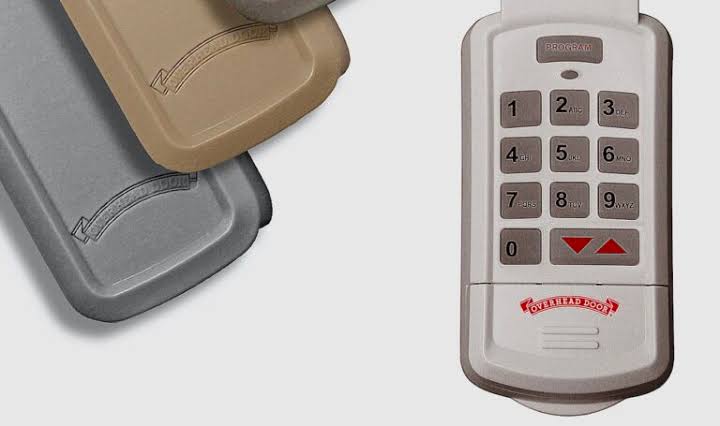
Have you ever felt a pang of anxiety wondering if your old garage door code is still in the hands of a former neighbor or a contractor? You are not alone. Security concerns are one of the top reasons homeowners look up how to change code on keyless entry garage door opener systems. Whether you have just moved into a new house or simply want to refresh your security measures, updating your keypad PIN is a straightforward process that can give you immediate peace of mind.
In this guide, we will walk you through the exact steps to secure your garage. We will cover universal methods, brand-specific nuances, and troubleshooting tips to ensure you never get locked out—or worse, left vulnerable.
Why Changing Your Garage Door Code Is Crucial
Before we dive into the technical steps, it is important to understand why this task should be on your home maintenance checklist. Many homeowners assume that because their garage door opener uses “rolling codes” (a technology that changes the signal with every use), they are immune to hacking. While rolling codes do prevent simple signal interception, they do not protect against physical access to your keypad.
If someone knows your static PIN, they can enter your garage at any time. According to recent home security surveys, over 30% of homeowners never change the default or previous owner’s garage code after moving in. This creates a significant security gap. By learning how to change code on keyless entry garage door opener units, you are taking a proactive step in protecting your vehicles, tools, and most importantly, your family.
General Steps: How to Change Code on Keyless Entry Garage Door Opener
While every manufacturer has slight variations, the core logic behind reprogramming a keypad remains consistent. Most modern openers use a “Learn” button located on the motor unit inside the garage. Here is the universal process that works for approximately 80% of residential openers.
Step 1: Locate the “Learn” Button
Climb a sturdy ladder and look at your garage door opener motor unit hanging from the ceiling. The “Learn” button is usually located on the back or side of the unit. It is often colored yellow, purple, orange, or red. Next to it, there may be an LED light.
Step 2: Clear Old Codes (Optional but Recommended)
For maximum security, you may want to erase all previously programmed remotes and keypads. To do this, press and hold the “Learn” button for about 6–10 seconds until the indicator light turns off. Release the button. Note: This will disable all existing remotes, so you will need to reprogram them.
Step 3: Program the New PIN
- Press the “Learn” button once briefly. The LED light should turn on or blink.
- Within 30 seconds, go to your external keypad.
- Enter your desired new 4-digit PIN.
- Immediately press and hold the “Enter” or “Send” button on the keypad.
- Watch the motor unit. When the lights flash or you hear two clicks, the code is accepted.
Step 4: Test the System
Wait for the motor unit light to stop blinking. Go outside and test your new PIN. If the door opens, you have successfully learned how to change code on keyless entry garage door opener systems using the standard method.
Brand-Specific Instructions: Nuances Matter
While the general method works for many, some brands have unique requirements. Understanding these differences can save you frustration.
| Brand | Unique Requirement | Common Learn Button Color |
|---|---|---|
| Chamberlain | May require pressing “Learn” twice for older models. | Yellow or Purple |
| LiftMaster | Often uses a “Smart” button; requires holding for 2 seconds. | Orange or Red |
| Genie | Uses a “Program” button rather than “Learn.” | Blue or Red |
| Craftsman | Similar to Chamberlain; check for dip switches on very old models. | Green or Yellow |
If you own a Genie opener, for example, the process might involve pressing the “Program” button until the round blue light flashes, then entering the PIN on the keypad followed by the “Program” button again. Always refer to your specific manual if the universal steps fail. For more detailed technical specifications on rolling code technology, you can visit Wikipedia’s page on Rolling Codes.
Troubleshooting: What If It Doesn’t Work?
Even when you follow the instructions perfectly, things can go wrong. Here are the most common issues and how to fix them.
The Keypad Is Unresponsive
If the keypad does not light up or respond to button presses, the issue is likely power-related.
- Check the Batteries: Replace the 9V or AA batteries in the keypad. Even if they seem new, voltage drops can prevent programming.
- Check the Wiring: If your keypad is wired, ensure the connections at the back of the unit are tight and not corroded.
The Motor Unit Does Not Respond
If you press the “Learn” button and nothing happens:
- Check the Lock Feature: Some openers have a “Lock” button on the wall console. If this is activated, it disables remote and keypad entry. Disable it and try again.
- Power Cycle: Unplug the opener for 30 seconds and plug it back in. This resets the internal logic board.
The Code Is Accepted But the Door Won’t Open
This usually indicates a sync issue.
- Re-enter the Code: Try programming the PIN again, ensuring you press the “Enter” button firmly.
- Check Range: Stand within 5 feet of the motor unit when testing. If it works close up but not from the driveway, you may have an antenna issue.
Best Practices for Choosing a Secure PIN
When you learn how to change code on keyless entry garage door opener systems, the strength of your new PIN is just as important as the programming process. Avoid using obvious numbers like your birth year, address, or “1234.”
- Avoid Repetition: Do not use 1111 or 2222.
- Mix It Up: Choose a random sequence that has no personal meaning.
- Change Regularly: Experts recommend changing your garage code every 6–12 months, or immediately after anyone who knew the old code moves out or completes work on your home.
FAQ Section
1. Can I change the code without accessing the motor unit?
No, for security reasons, you must physically access the motor unit to press the “Learn” or “Program” button. This prevents unauthorized individuals from changing your code remotely.
2. How do I find my garage door opener manual if I lost it?
Most manufacturers provide PDF versions of their manuals on their official websites. You can search by the model number, which is usually printed on a label on the motor unit.
3. Will changing the code affect my car’s built-in garage door opener?
If you cleared all codes (Step 2 in the general guide), yes, you will need to reprogram your car’s HomeLink system. If you only added a new keypad code without clearing memory, your car will still work.
4. What should I do if my keypad is weather-damaged?
If the keypad is exposed to rain or extreme heat, the internal circuitry may fail. If replacing the batteries does not help, you may need to purchase a universal replacement keypad compatible with your opener’s frequency.
5. Is it safe to use a wireless keypad?
Yes, modern wireless keypads use encrypted signals. However, physical security is key. Ensure the keypad is mounted in a location that is not easily visible from the street to prevent “shoulder surfing” where someone watches you enter the code.
Conclusion
Securing your home does not have to be complicated. By following this guide on how to change code on keyless entry garage door opener systems, you have taken a vital step toward protecting your property. Remember, the key to success is patience, fresh batteries, and locating that elusive “Learn” button.
Don’t let an old code compromise your safety. Take ten minutes today to update your PIN. If you found this guide helpful, please share it with your neighbors on social media—security is always better when we look out for each other!
Leave a Reply