Worried that someone might still have access to your garage? You’re not alone—this is a common concern, especially after moving into a new home or losing a remote. Knowing How To Change Code On A LiftMaster Garage Door Opener is a quick and effective way to secure your property and regain peace of mind.
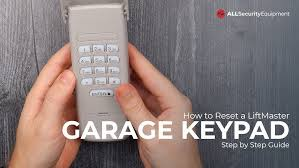
What Does Changing the Code on a LiftMaster Garage Door Opener Do?
Changing the code updates the access credentials used by your garage system, especially for keypads and remotes.
Why It Matters:
- Prevents unauthorized access
- Protects your home and belongings
- Resets old or shared access codes
- Enhances overall security
Read too: How Do You Change Code On Garage Door Keypad Fast?
Modern garage systems use rolling code technology, meaning each signal changes automatically. However, keypad codes still need manual updates for full protection.
How To Change Code On A LiftMaster Garage Door Opener (Step-by-Step)
This is the most important section. Follow each step carefully for best results.
Step 1: Locate the Learn Button
- Find the garage door opener motor unit (ceiling-mounted)
- Locate the “Learn” button
- It is usually near the antenna wire
- Common colors: yellow, purple, red/orange, or green
📍 This button is essential for programming changes.
Step 2: Press the Learn Button
- Press and release the Learn button
- An LED light will turn on
- You now have 30 seconds to complete the next step
⏱ Timing is critical—act quickly.
Step 3: Enter New Keypad Code
- Go to your garage keypad (outside the garage)
- Enter your desired 4-digit code (e.g., 2580)
- Press and hold the Enter button
🔐 Choose a code that is easy to remember but hard to guess.
Step 4: Confirm the Code
- Wait for the garage opener light to blink or click
- This indicates successful programming
✅ Your new code is now active.
Step 5: Test the New Code
- Enter the new code on the keypad
- Press Enter
- The garage door should open or close
✔️ If it works, you’re all set!
How Do You Reset a LiftMaster Garage Door Opener Code Completely?
If you want to remove all existing codes and start fresh, follow this method:
Full Reset Steps:
- Press and hold the Learn button for 6–10 seconds
- Wait until the LED light turns off
- This erases all stored remotes and keypads
- Reprogram everything from scratch
⚠️ Important: This will disconnect all devices.
Why Should You Change Your Garage Door Code Regularly?
Security experts recommend updating access codes periodically.
Best Times to Change Your Code:
- After moving into a new home
- When a remote is lost or stolen
- After sharing access with contractors
- Every 6–12 months for safety
📊 Studies show that garages are a common entry point in home break-ins, making code updates essential.
Common Mistakes to Avoid When Changing Codes
Even simple steps can go wrong if you’re not careful.
❌ Avoid These Errors:
- Waiting too long after pressing the Learn button
- Using easy-to-guess codes like “1234”
- Not testing the new code
- Forgetting to reset old remotes
LiftMaster Code Change: Pros vs Cons
Advantages vs Disadvantages
| Pros | Cons |
|---|---|
| Improves security instantly | Requires reprogramming devices |
| Easy and fast process | Can forget new code |
| No tools required | Limited time window |
What If the New Code Doesn’t Work?
If your keypad doesn’t respond, try these solutions:
Troubleshooting Steps:
- Check Battery in Keypad
Replace with a fresh battery if needed. - Repeat Programming Steps
Ensure you complete within 30 seconds. - Reset the System
Perform a full reset and try again. - Inspect Keypad Buttons
Worn-out buttons may not register input.
How Secure Is a LiftMaster Garage Door Opener?
LiftMaster systems are designed with modern security features.
Security Highlights:
- Rolling code technology
- Billions of possible combinations
- Protection against signal duplication
To understand how garage door systems operate, visit:
https://en.wikipedia.org/wiki/Garage_door_opener
Expert Insight: Why This Simple Step Matters
Home security professionals emphasize that updating your garage code is one of the easiest ways to prevent unauthorized access.
A poorly secured garage can give intruders direct access to your home. Taking a few minutes to change your code significantly reduces that risk.
Maintenance Tips After Changing the Code
Keep your system secure and efficient:
- Update your code every 6–12 months
- Avoid writing codes in visible places
- Test keypad monthly
- Keep the opener unit clean and dust-free
Signs You Need to Change Your Garage Code Immediately
Watch for these warning signs:
- Unknown access attempts
- Remote missing or stolen
- Keypad not responding properly
- Suspicious activity around your home
FAQ: How To Change Code On A LiftMaster Garage Door Opener
Q1: How long does it take to change the code?
Answer: Less than 5 minutes if you follow the steps correctly.
Q2: Can I change the code without the Learn button?
Answer: No. The Learn button is required for programming.
Q3: What is the best code to use?
Answer: Choose a unique 4-digit code that is not easily guessed (avoid birthdays or “1234”).
Q4: Will changing the code affect my remote?
Answer: No, unless you perform a full reset. Standard code changes only affect the keypad.
Q5: How often should I update my garage code?
Answer: Every 6–12 months or whenever security is a concern.
Q6: What happens if I forget my new code?
Answer: You’ll need to reset the system and program a new one.
Conclusion
Learning How To Change Code On A LiftMaster Garage Door Opener is a simple yet powerful way to improve your home’s security. In just a few minutes, you can prevent unauthorized access and ensure only trusted users can enter your garage.
By following this guide, you’ll have full control over your system and peace of mind knowing your home is protected. If you found this article helpful, share it on social media—someone else might need this solution too!
Leave a Reply