If your garage door opener beeps or stops working during a power outage, you’re likely dealing with a weak or dead battery. Many homeowners search How To Change Battery In Liftmaster Garage Door Opener to restore smooth operation quickly. The good news? This is a simple DIY task that takes less than 15 minutes.
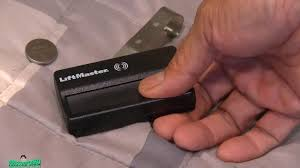
What Is a LiftMaster Garage Door Opener Battery?
A LiftMaster garage door opener battery is a backup power source that keeps your garage door functioning during power outages. Most modern LiftMaster models include a built-in battery system.
Read too: How Do You Change Code On Garage Door Keypad Fast?
💡 Fact: In the U.S., power outages affect millions annually, and backup batteries ensure your garage remains accessible and secure.
For more details on battery systems, see:
https://en.wikipedia.org/wiki/Rechargeable_battery
Why Do You Need to Replace the Battery?
Over time, batteries lose their ability to hold a charge.
Common Signs You Need a Replacement:
- Beeping sound every 30–60 seconds
- Garage door won’t open during outages
- Flashing LED indicator
- Battery warning on control panel
👉 Most LiftMaster batteries last 1–3 years depending on usage.
What Type of Battery Does LiftMaster Use?
Most models use a 12V rechargeable sealed lead-acid battery.
Common Specifications:
| Feature | Details |
|---|---|
| Voltage | 12V |
| Type | Sealed Lead-Acid (SLA) |
| Lifespan | 1–3 years |
| Replacement Cost | $20–$50 |
How To Change Battery In Liftmaster Garage Door Opener (Step-by-Step)
Tools You’ll Need:
- Step ladder
- Screwdriver (Phillips or flathead)
- Replacement battery
Step 1: Disconnect Power
Unplug the garage door opener from the power outlet for safety.
Step 2: Locate the Battery Compartment
- Usually found on the side or back of the motor unit
- Covered by a plastic panel
Step 3: Open the Battery Cover
- Use a screwdriver if needed
- Gently remove the cover
Step 4: Remove the Old Battery
- Disconnect the red and black wires
- Carefully slide the battery out
Step 5: Install the New Battery
- Connect wires correctly:
- Red = Positive (+)
- Black = Negative (–)
- Place the battery securely inside
Step 6: Close the Compartment
- Reattach the cover
- Tighten screws if necessary
Step 7: Restore Power and Test
- Plug the opener back in
- Test the garage door
- Confirm no warning beeps
✅ Total time: 10–15 minutes
Safety Tips When Replacing the Battery
- Always disconnect power first
- Avoid touching exposed wires
- Use the correct battery type
- Dispose of old batteries properly
🔋 Tip: Never throw batteries in regular trash—use recycling centers.
Benefits vs Drawbacks of Battery Backup Systems
Benefits
- Works during power outages
- Adds convenience and safety
- Maintains home security
Drawbacks
- Requires periodic replacement
- Slight additional cost
- Can degrade over time
Common Mistakes to Avoid
1. Installing the Wrong Battery
Always match voltage and type.
2. Reversing Polarity
Incorrect wiring can damage the system.
3. Ignoring Warning Beeps
This can lead to failure during emergencies.
4. Skipping Regular Checks
Inspect battery health every 6–12 months.
How Often Should You Replace the Battery?
Experts recommend replacing your battery:
- Every 1–3 years
- Immediately after warning signals
- Before storm or outage seasons
Expert Tips for Longer Battery Life
- Keep garage temperature between 50–77°F
- Avoid moisture exposure
- Test backup system twice a year
- Use manufacturer-approved batteries
💡 Pro Insight: Batteries stored in extreme heat can lose up to 30% of lifespan.
Troubleshooting After Battery Replacement
Garage Door Still Not Working
- Check wiring connections
- Ensure battery is fully seated
Beeping Continues
- Reset the opener
- Confirm compatibility
Door Moves Slowly
- Battery may need charging
- Inspect opener motor
FAQ: How To Change Battery In Liftmaster Garage Door Opener
Q1: How long does it take to replace the battery?
Typically 10–15 minutes.
Q2: Do I need a professional?
No, most homeowners can do it themselves.
Q3: Can I use any 12V battery?
No, use a compatible sealed lead-acid battery recommended for LiftMaster.
Q4: Why is my opener still beeping after replacement?
It may need a reset or the battery isn’t connected properly.
Q5: Is it safe to replace the battery myself?
Yes, as long as you follow basic safety precautions.
Q6: What happens if I don’t replace the battery?
Your garage door won’t work during power outages.
Conclusion
Learning How To Change Battery In Liftmaster Garage Door Opener is a simple yet essential maintenance task that keeps your garage running smoothly—even during power outages. With just a few tools and steps, you can restore reliability and avoid unexpected problems.
Take a few minutes today to check your battery and replace it if needed. If this guide helped you, share it on social media so others can keep their garage doors working safely too!
Leave a Reply