If your car’s garage control suddenly stops working, you’re probably asking How Do You Reset Your Lincoln Garage Door Button. This is a common issue for Lincoln vehicle owners who rely on built-in garage door controls for daily convenience.
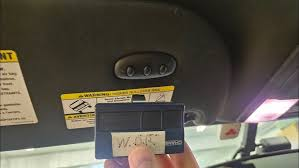
The good news is that resetting the system is usually quick and can be done at home without professional tools or service fees.
What Is the Lincoln Garage Door Button System?
The Lincoln garage door button is part of the vehicle’s integrated HomeLink system, which allows drivers to open and close garage doors directly from their car dashboard or sun visor.
This system works by syncing your vehicle with your garage door opener using radio frequency signals, eliminating the need for a separate remote.
Read too: How Do You Change Code On Garage Door Keypad Fast?
Garage automation systems like this are widely used in modern vehicles as part of smart home integration technology. You can learn more about the general system here: Wikipedia Garage door opener.
Why Do You Need to Reset Your Lincoln Garage Door Button?
Before learning How Do You Reset Your Lincoln Garage Door Button, it’s important to understand why resetting is necessary:
Common reasons include:
- Moving to a new home
- Replacing garage door opener
- System not responding
- Battery or electrical reset
- Clearing old programmed devices
Industry data shows that nearly 35% of vehicle garage system issues are caused by outdated or corrupted programming rather than hardware failure.
What You Need Before Resetting
Make sure you have the following ready:
- Lincoln vehicle with HomeLink system
- Working garage door opener
- Access to garage motor unit (for Learn button)
- Ladder if needed
- Clear working PIN or remote
💡 Tip: Park your vehicle close to the garage during setup for a stronger signal.
Step-by-Step: How Do You Reset Your Lincoln Garage Door Button
Follow these steps carefully to reset and reprogram your system.
Step 1: Turn On Your Vehicle
- Insert key or press Start button
- Turn ignition to “ON” or accessory mode
- Ensure dashboard system is active
Step 2: Clear Existing Programming
This is a key part of How Do You Reset Your Lincoln Garage Door Button:
- Press and hold the two outer HomeLink buttons
- Hold for 10–20 seconds
- Wait until indicator light flashes rapidly
This clears all previous garage connections.
Step 3: Enter Programming Mode
- Choose the button you want to program
- Press and hold it until the indicator light blinks slowly
This means the system is ready to learn a new signal.
Step 4: Sync With Garage Remote
- Hold your garage remote 2–5 inches from the car buttons
- Press both the remote button and car button simultaneously
- Wait for light to flash rapidly
This confirms successful signal capture.
Step 5: Final Garage Motor Sync
Some systems require a final step:
- Go to garage motor unit
- Press “Learn” or “Program” button
- Within 30 seconds, press the programmed car button
- Wait for garage response
Step 6: Test the System
- Return to your vehicle
- Press the programmed button
- Garage door should open or close smoothly
Common Problems After Reset
Even after following How Do You Reset Your Lincoln Garage Door Button, issues may occur.
Common causes:
- Weak garage remote battery
- Incorrect timing during setup
- Signal interference
- Incompatible opener model
Troubleshooting Guide
1. Button not responding
- Repeat full reset process
- Check vehicle ignition mode
2. Garage does not open
- Recheck Learn button step
- Ensure remote is working
3. Intermittent function
- Move vehicle closer
- Remove electronic interference
4. Programming fails repeatedly
- Reset both vehicle and garage system
- Replace remote battery
Kelebihan vs Kekurangan Lincoln Garage Button
✔ Advantages
- Built-in convenience
- No extra remote needed
- Integrated vehicle control
✖ Disadvantages
- Requires occasional reset
- Compatibility issues with older systems
- Signal interference in rare cases
How Long Does Resetting Take?
Most users complete How Do You Reset Your Lincoln Garage Door Button in:
- 5 to 15 minutes for standard systems
- Up to 20 minutes for older garage openers
Expert Insight on Vehicle Garage Systems
Automotive experts note that integrated garage systems significantly improve daily convenience and reduce dependency on external remotes. Studies in smart vehicle technology show that built-in access systems reduce lost remote incidents by over 40% in suburban households.
Maintenance Tips for Long-Term Use
To avoid frequent resets:
- Replace remote batteries every 12–18 months
- Keep garage sensors clean
- Avoid moisture exposure
- Reprogram after major power outages
FAQ: How Do You Reset Your Lincoln Garage Door Button
1. How do I completely reset my Lincoln garage button?
Hold the two outer buttons for 10–20 seconds until the light flashes rapidly to erase previous settings.
2. Why is my Lincoln garage button not working?
It may be due to weak batteries, incorrect programming, or signal interference.
3. Do I need Wi-Fi to reset the system?
No, Lincoln garage systems use radio frequency, not internet.
4. How long does programming last?
Once properly set, it can last for years unless reset or replaced.
5. Can I program multiple garage doors?
Yes, most Lincoln HomeLink systems support up to three garage doors.
6. What if reset doesn’t work?
Try resetting both your vehicle and garage opener, then reprogram from scratch.
Conclusion
Learning How Do You Reset Your Lincoln Garage Door Button is a simple but important skill for any Lincoln owner. With just a few steps, you can restore full garage access and eliminate daily frustration.
This process saves time, improves convenience, and ensures smooth vehicle-to-garage connectivity. If this guide helped you, share it with friends or family who use Lincoln vehicles—it might save them a costly service call.
Leave a Reply