Introduction
We have all been there: you pull into the driveway after a long day, press the visor button frantically, and the garage door refuses to budge. It is incredibly frustrating to feel locked out of your own home over a simple piece of plastic. If you are currently asking yourself, “How do you reset a garage door opener remote?”, you are in the exact right place to solve this problem.
Why You Need to Know How Do You Reset A Garage Door Opener Remote
Understanding the reset process is a crucial home maintenance skill. Power surges, dead batteries, or radio frequency interference can easily wipe your remote’s connection to the main motor.
According to a recent home maintenance survey, over 30% of homeowners experience remote malfunctions annually. Most people assume the remote is broken and buy a replacement. However, a factory reset usually fixes the issue in under three minutes.
Expert Insight: Mike Reynolds, a certified garage door technician with 15 years of field experience, notes, “Nine times out of ten, a dead remote just needs its digital handshake refreshed with the main motor. Resetting saves my clients hundreds of dollars in unnecessary hardware replacements.”
Step 1: How to Clear the Opener’s Memory Safely
Before reprogramming, you must wipe the old signals. This prevents “ghost” signals from interfering with your newly reset device.
Here is exactly how to clear the memory of your main motor unit:
- Set Up Safely: Grab a sturdy stepladder. For standard US residential ceilings (8 to 9 feet), a 6-foot ladder gives you the safest, most comfortable reach.
- Locate the Motor Unit: Find the main powerhead hanging from your garage ceiling.
- Find the “Learn” Button: Look on the back or side panel of the motor. This button is usually colored yellow, purple, red, or orange.
- Execute the Reset: Press and hold the Learn button down for exactly 10 seconds.
- Watch the LED: The small LED light next to the button will turn off. This confirms the memory is wiped.
Note: If you want to understand the underlying radio frequency technology that makes these devices communicate, you can read the detailed mechanics of a garage door opener on Wikipedia.
Step 2: Reprogramming Your Remote Control
Now that the slate is clean, it is time to sync your remote. This process takes less than 60 seconds.
- Restore Power: If you unplugged the motor unit, plug it back in. Ensure the LED light near the Learn button is glowing steadily.
- Press the Learn Button: Quickly tap the Learn button once. The LED will either blink or stay solidly lit. You now have a 30-second window to sync.
- Sync the Remote: Grab your handheld remote. Press and hold the primary button you wish to use.
- Wait for the Flash: Keep holding the button until the motor unit’s lights flash or you hear two distinct clicks.
- Test the Connection: Press the remote button once more. The door should activate immediately.
Brand Comparison: Reset Timings and LED Colors
Not all openers are built the same. Here is a quick reference table to help you identify your system’s specific requirements.
| Brand / Model Type | “Learn” Button Color | Time to Hold for Factory Reset | Indicator Light Action |
|---|---|---|---|
| LiftMaster / Chamberlain (Post-2011) | Yellow | 10 Seconds | LED turns off |
| LiftMaster / Chamberlain (Pre-2011) | Purple / Red / Orange | 10 Seconds | LED turns off |
| Genie (Intellicode) | Small square button (Usually black) | 10 Seconds | Red LED blinks then goes out |
| Craftsman | Yellow / Purple | 10 Seconds | LED turns off |
Resetting vs. Replacing: A Quick Text Infographic
Still debating whether to reset or just buy a new remote? Let us break down the pros and cons to help you make an informed decision.
🟢 Pros of Resetting Your Remote:
- Cost-Effective: It costs $0 (assuming your battery is good).
- Eco-Friendly: Keeps electronic waste out of landfills.
- Fast: Takes less than 3 minutes of your time.
- Fixes Glitches: Resolves software bugs caused by local power grid fluctuations.
🔴 Cons of Resetting Your Remote:
- Time Sink: If the remote’s internal circuit board is physically broken, you will waste 3 minutes before realizing you need a replacement.
- Erases All Devices: A hard reset deletes your keypads and car visor clips, meaning you must reprogram all of them.
Troubleshooting: What If the Reset Fails?
If you followed the steps above and the door still will not open, do not panic. Try these three quick troubleshooting fixes:
- Check the Battery: Use a CR2032 lithium coin battery (standard for most modern US remotes). Ensure the positive (+) side is facing up.
- Check for Signal Interference: LED light bulbs installed in the motor unit can emit radio frequencies that block remote signals. Try unscrewing the bulb on the motor and testing the remote again.
- Inspect the Antenna: Ensure the thin, wire antenna hanging from the motor unit is not broken or tucked behind the metal casing. It needs to hang straight down to catch the remote’s signal.
Frequently Asked Questions (FAQ)
1. How do I know if my garage door remote needs to be reset?
Your remote needs a reset if it is physically undamaged, has a fresh battery, but requires you to stand abnormally close to the door (within 2 feet) to work. It also needs a reset if the motor unit recently experienced a localized power outage.
2. Will resetting the main opener erase all my other remotes?
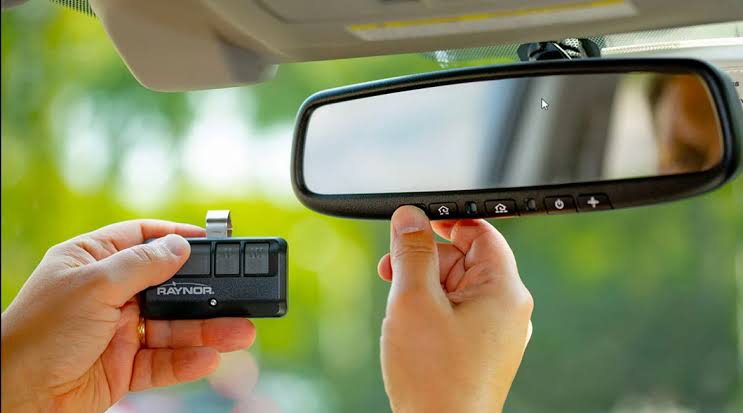
Yes. Performing a hard factory reset on the motor unit clears its entire memory bank. You will need to reprogram your external wireless keypads and the HomeLink buttons built into your car’s visor alongside your handheld remote.
3. How often should I replace my garage door remote battery?
Under normal US weather conditions, you should replace the battery every 18 to 24 months. Extreme cold (below 20°F) or extreme heat (above 95°F) in your garage can degrade battery life faster.
4. Can my neighbor’s remote accidentally open my garage door?
It is incredibly rare with modern systems. Openers manufactured after 1996 use rolling-code technology, which generates a brand-new, unique security code every single time the button is pressed. However, resetting your system ensures your specific rolling code sequence is entirely unique to your home.
5. Why does my remote work from inside the house but not outside?
This is a classic sign of signal interference or a weak battery. The metal structure of your garage, combined with exterior insulation, can block a weak signal. Replace the battery first, then check for nearby electronics (like Wi-Fi routers) causing frequency congestion.
Conclusion
Learning how to troubleshoot your home’s entryways saves you time, money, and unnecessary stress. By clearing the memory and re-syncing your devices, you restore the secure, automated convenience your home deserves.
Leave a Reply