If your remote stopped working or your system is acting up, you might be asking: how do you reset a Craftsman garage door opener? Resetting is often the quickest way to fix glitches, remove old remotes, and restore proper function. The good news? It’s easier than most people think.
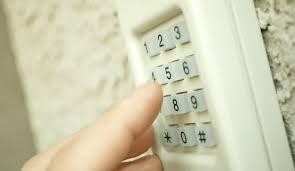
How Do You Reset A Craftsman Garage Door Opener? (Quick Answer)
To reset a Craftsman garage door opener, press and hold the Learn button on the motor unit for 6–10 seconds until the LED light turns off. This clears all programmed remotes and keypads.
Read too: Tc1 Tricode Garage Door Opener Remote W/ Clip Chamberlain: Complete Guide
👉 After resetting, you’ll need to reprogram all devices.
For a deeper understanding of garage door systems, visit:
https://en.wikipedia.org/wiki/Garage_door
Why Would You Need to Reset Your Craftsman Garage Door Opener?
Resetting solves several common problems.
Main Reasons:
- Remote control not working
- Lost or stolen remote (security concern)
- Moving into a new home
- System malfunction or glitches
- Need to reprogram new devices
💡 Security experts recommend resetting openers when moving into a new home to prevent unauthorized access.
Where Is the Learn Button Located?
The Learn button is essential for resetting.
Common Locations:
- Back of the motor unit
- Under the light cover
- Side panel of the opener
Common Colors:
- Yellow
- Purple
- Red/Orange
- Green
👉 The color indicates frequency and compatibility.
Step-by-Step: How To Reset a Craftsman Garage Door Opener
Follow these steps carefully.
Step 1: Locate the Learn Button
Use a ladder if necessary.
Tip: It’s usually near the antenna wire.
Step 2: Press and Hold the Learn Button
Steps:
- Press and hold the Learn button
- Keep holding for 6–10 seconds
- Watch for the LED light to turn off
Step 3: Confirm the Reset
Once the LED turns off:
✅ All remotes and keypads are erased
✅ The opener is fully reset
Step 4: Reprogram Your Devices
After resetting, reconnect your devices.
Steps:
- Press the Learn button once
- Press your remote button within 30 seconds
- Test the connection
What Happens After Resetting?
Resetting clears all stored data.
Effects:
- Removes all remotes
- Deletes keypad codes
- Clears memory settings
⚠️ You must reprogram everything after a reset.
Reset vs Reprogram: What’s the Difference?
| Feature | Reset | Reprogram |
|---|---|---|
| Purpose | Clear all memory | Add new devices |
| Time Needed | 10 seconds | 1–5 minutes |
| Data Removed | Yes | No |
| When to Use | Troubleshooting/security | Adding remotes |
Common Problems After Reset (and Fixes)
1. Remote Won’t Reconnect
Causes:
- Weak battery
- Incorrect timing
Fix:
- Replace battery
- Retry within 30 seconds
2. Keypad Not Working
Causes:
- Not reprogrammed
- Wrong PIN
Fix:
- Re-enter PIN
- Repeat programming steps
3. Opener Not Responding
Causes:
- Power issue
- Internal fault
Fix:
- Unplug for 30 seconds
- Plug back in and retry
How Often Should You Reset Your Garage Door Opener?
Reset only when necessary.
Recommended Situations:
- After losing a remote
- Moving into a new house
- Persistent technical issues
👉 Frequent resets are not required for normal use.
DIY vs Professional Help
DIY Reset
Pros:
- Free
- Takes less than 1 minute
- Easy for beginners
Cons:
- Requires reprogramming devices
- May need troubleshooting
Professional Help
Pros:
- Handles complex issues
- Ensures proper setup
Cons:
- Costs $50–$150
- Not necessary for basic resets
Safety Tips When Resetting
- Use a stable ladder
- Keep hands clear of moving parts
- Ensure the door is closed before resetting
- Avoid pressing buttons repeatedly
Real-Life Example
A homeowner moved into a new house and noticed the garage opening unexpectedly.
Problem:
- Previous owner’s remote still connected
Solution:
- Reset the opener
- Reprogrammed new remotes
✅ Result: Secure and controlled access restored.
FAQ: How Do You Reset A Craftsman Garage Door Opener
1. How long does it take to reset the opener?
It takes about 10 seconds to reset the system.
2. Will resetting remove all remotes?
Yes. All remotes and keypads will be erased.
3. Can I reset without a Learn button?
No. The Learn button is required for a full reset.
4. Why is my opener still not working after reset?
It could be due to power issues, faulty wiring, or damaged components.
5. Do I need to reset regularly?
No. Only reset when troubleshooting or for security reasons.
6. Is resetting safe to do myself?
Yes, it’s completely safe if you follow basic precautions.
Conclusion
Understanding how do you reset a Craftsman garage door opener can save you time, money, and frustration. With just a simple press of the Learn button, you can clear old settings, improve security, and fix many common issues.
After resetting, don’t forget to reprogram your remotes and keypads to restore full functionality. It’s a quick and effective solution that every homeowner should know.
If this guide helped you, share it with others who may need help resetting their Craftsman garage door opener!
Leave a Reply