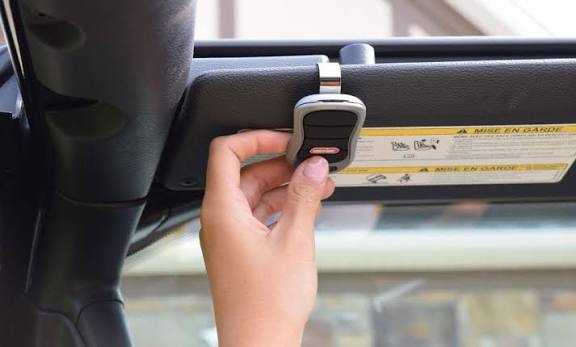
Tired of sitting in the cold or rain fumbling for a separate remote? If you are wondering how do you program your garage door to your car, you are not alone, and the good news is that it is easier than you think. Let’s get your built-in system synced up so you can pull in smoothly every time.
How Do You Program Your Garage Door To Your Car: The Basics
Most modern vehicles come equipped with an integrated remote control system, commonly known as HomeLink or Car2U. According to industry data, over 50 million vehicles on the road today feature these built-in systems.
Think of this process like introducing two friends who speak different languages. You simply need to teach your car’s system to understand the specific radio frequency of your garage door motor.
Before we dive into the steps, let’s look at what you need to gather.
What Do You Need Before You Start Programming?
Preparation is the secret to a frustration-free experience. According to professional garage door technicians, nearly 80% of synchronization failures happen simply because people skip the prep work.
Here is your quick checklist:
- Your vehicle: Parked inside the garage with the ignition turned to the “ON” or “Accessory” position (the engine does not need to be running).
- The original remote: The handheld clicker that currently works with your garage.
- A step ladder: To safely reach the motor unit hanging from your ceiling.
- Fresh batteries: Pro tip: Put brand new batteries in your handheld remote before starting. Weak signals are the number one cause of failure!
Step-by-Step Guide: How To Sync Your Garage Door Opener
Now that you are fully prepared, let’s walk through the exact process. Follow these concrete steps carefully.
Step 1: Clear the Old Memory
First, we need to wipe the slate clean. Locate the two outer buttons on your car’s built-in system. Press and hold them simultaneously for about 20 seconds. You will know it worked when the small LED indicator light begins to flash rapidly.
Step 2: Program the Vehicle’s Buttons
Next, we teach the car the remote’s signal.
- Hold your original handheld remote 1 to 3 inches away from the car’s buttons.
- Press and hold the button on your handheld remote that opens the garage.
- At the same time, press and hold the desired button in your car.
- Keep holding both until the car’s LED light flashes slowly, then changes to a rapid flash (this usually takes about 10 to 30 seconds).
Step 3: Sync with the Garage Motor (The “Learn” Button)
This is where you connect the car to the actual ceiling motor.
- Grab your step ladder and locate the motor unit.
- Find the “Learn” or “Smart” button. It is usually located right above the hanging white antenna wire and is often colored yellow, red, purple, or green.
- Press and release the “Learn” button. The indicator light next to it will turn on or blink for 30 seconds.
Step 4: Finalize the Connection
Within those 30 seconds, go back to your car. Press and hold the newly programmed built-in button for 2 to 3 seconds, then release it. Repeat this pressing and releasing cycle up to three times. You should hear the garage motor click, or see the lights flash, confirming the connection is successful!
Rolling Code vs. Fixed Code: Which System Do You Have?
Not all garage doors communicate the same way. To understand the technology behind your system, you can read more about the evolution of the garage door opener on Wikipedia.
Here is a quick breakdown to help you identify your system:
| Feature | Fixed Code (Dip Switch) | Rolling Code (Security+) |
|---|---|---|
| Security Level | Low. The code never changes, making it easily copied. | High. The code changes every single time you use it. |
| Programming Method | Match physical mini-switches inside the remote and motor. | Sync digitally via the “Learn” button on the motor. |
| Compatibility | Older homes and systems manufactured before 1993. | Modern garage systems (the standard for the last 30 years). |
| Troubleshooting | If it fails, check if the physical switches are perfectly aligned. | If it fails, you usually just need to repeat the “Learn” button sequence. |
Note: If you have an older Fixed Code system, you will need to open the remote and motor casing to match the tiny physical toggle switches instead of using the “Learn” button.
Troubleshooting: What If It Doesn’t Work?
Even with the best instructions, technology can sometimes be stubborn. If your car button isn’t triggering the door, do not panic. Check these common culprits:
- The LED didn’t flash rapidly in Step 2: Your handheld remote is likely too far from the car’s buttons, or the remote’s battery is dying. Move it closer to 1 inch away.
- The “Learn” button light stopped blinking: You took too long to go back to the car! The 30-second window closed. Simply press the “Learn” button on the motor again to reset the timer.
- The door moves an inch and stops: This is a safety sensor issue, not a programming issue. Check the small “eyes” near the bottom of your garage door tracks to ensure they are clean and perfectly aligned.
Frequently Asked Questions (FAQ)
Can I program my garage door without a remote?
Yes, but it requires a bit more elbow grease. If you lost your remote, you can climb up to the motor unit on the ceiling and press the “Learn” button, then immediately press your car’s built-in button. However, having the original remote makes the signal matching process much more reliable.
How much does it cost to program a garage door to a car?
If you do it yourself using this guide, it costs $0. If you hire a professional garage door technician or a car dealership to do it for you, expect to pay a service fee ranging from $50 to $100, depending on your location and the complexity of your system.
Why won’t my car’s garage door button work after programming?
The most common reason is that the car’s memory was not fully cleared before starting. Another frequent issue is interference from LED light bulbs inside the garage door motor. Try temporarily unscrewing the garage light bulbs to see if the programming suddenly starts working.
How many garage doors can I program to my car?
Most standard built-in systems, like HomeLink, feature three buttons. This means you can program up to three different devices. This is perfect for a main garage door, a side gate, or even a home security system or smart lights.
Conclusion
Learning how do you program your garage door to your car is a fantastic way to modernize your daily routine. By following these step-by-step instructions, you can eliminate the hassle of carrying extra clickers and enjoy the luxury of pulling into your driveway with just the push of a single button.
Remember, patience is key—especially when dealing with the 30-second timer on your motor’s “Learn” button!
Leave a Reply