Have you ever stood in your driveway, pressing your garage door remote repeatedly, only to watch it remain stubbornly closed? It is one of the most frustrating moments for any homeowner. If you are wondering how do you program the clicker garage door opener, you are not alone. This common issue can usually be resolved quickly without calling a professional technician.
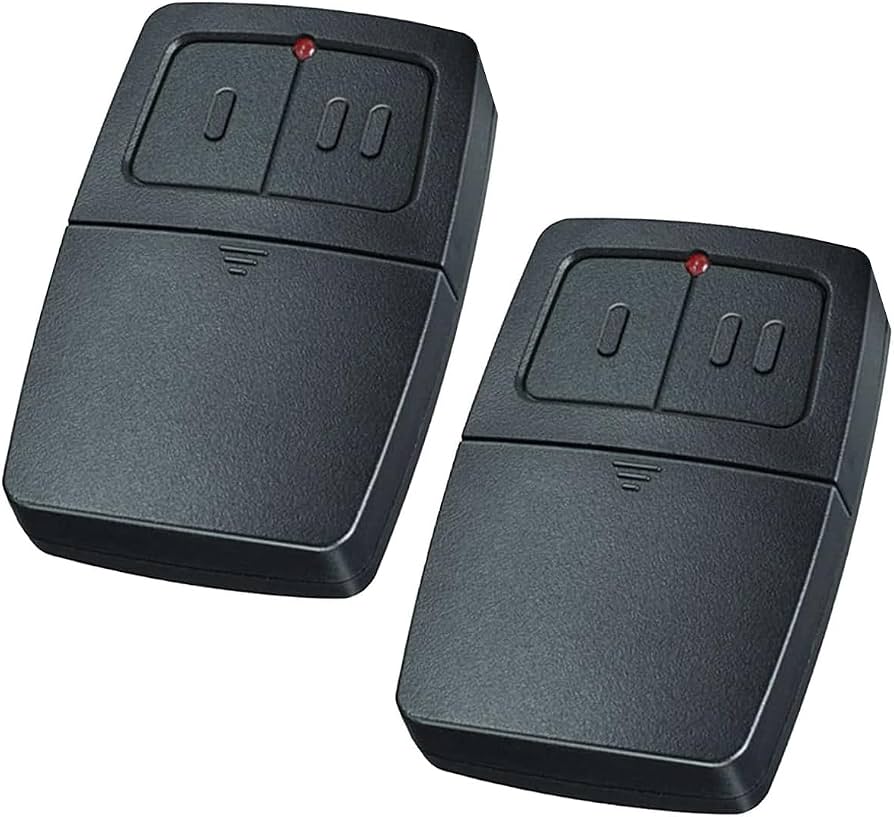
In this comprehensive guide, we will walk you through the exact steps to sync your remote, troubleshoot common errors, and ensure your garage operates smoothly again. Whether you have a new remote or need to reprogram an existing one, this tutorial covers everything you need to know.
Understanding Your Garage Door Opener System
Before diving into the programming process, it is essential to understand that not all garage door openers work the same way. The method for programming depends largely on the brand, model, and age of your unit. Most modern openers use rolling code technology for security, which means the code changes every time you press the button. This prevents thieves from intercepting the signal.
To identify your system, look for the manufacturer’s label on the motor unit hanging from your garage ceiling. Common brands include LiftMaster, Chamberlain, Genie, and Craftsman. Knowing your specific model helps you choose the correct programming method. For more detailed technical specifications about garage door mechanisms, you can refer to Wikipedia’s entry on garage door openers.
Why Does My Remote Stop Working?
There are several reasons why your clicker might stop communicating with the opener:
- Dead Batteries: The most common cause is simply weak batteries.
- Interference: LED light bulbs or other electronic devices can block signals.
- Lost Sync: Power outages or accidental button presses can erase the memory.
- Damaged Antenna: The wire antenna on the motor unit might be broken or blocked.
Method 1: Programming Using the Learn Button
The “Learn” button method is the most standard way to program a garage door remote. This approach works for the majority of modern openers manufactured after 1993. Follow these steps carefully to ensure successful synchronization.
Step-by-Step Instructions
- Locate the Learn Button: Climb a sturdy ladder and find the motor unit. The Learn button is usually located on the back or side of the unit. It is often colored yellow, purple, red, or green.
- Clear Old Codes (Optional): If you are replacing a lost remote, press and hold the Learn button for about 6–10 seconds until the indicator light turns off. This erases all previously programmed remotes. Note: You will need to reprogram all your existing remotes after doing this.
- Press the Learn Button: Press and release the Learn button once. The indicator light will turn on or start blinking. You typically have 30 seconds to complete the next step.
- Program the Remote: Within those 30 seconds, press and hold the button on your handheld remote that you want to use. Hold it for about 3–5 seconds.
- Confirm Success: Watch the motor unit’s light. It should blink or turn off, indicating that the code has been accepted. You may also hear a click sound.
- Test the Remote: Step away from the ladder and press the remote button. The garage door should open or close.
Important Safety Tips
- Always keep your hands and fingers clear of moving parts.
- Ensure the area around the garage door is clear of people and objects before testing.
- If the light does not respond, check your remote batteries first.
Method 2: Programming Without a Learn Button
Older garage door openers, particularly those made before 1993, may not have a Learn button. Instead, they use DIP switches. These are small tiny switches inside both the motor unit and the remote control.
How to Match DIP Switches
- Open the Motor Unit Cover: Remove the cover of the garage door opener motor to reveal the DIP switches.
- Check the Remote: Open the battery compartment of your remote to see its DIP switches.
- Match the Pattern: Ensure that the position of each switch (up or down) in the remote matches exactly with the pattern on the motor unit.
- Test the System: Close the covers and test the remote. If the door operates, the programming is complete.
Note: DIP switch systems are less secure than rolling code systems because the code never changes. Consider upgrading your opener if you are still using this older technology.
Troubleshooting Common Programming Issues
Even when following the steps correctly, things can go wrong. Here are some common problems and their solutions.
| Problem | Possible Cause | Solution |
|---|---|---|
| Remote does not respond | Dead batteries | Replace with fresh alkaline batteries. |
| Light blinks but door doesn’t move | Sensor misalignment | Check safety sensors near the floor; ensure nothing blocks them. |
| Programming fails repeatedly | Interference | Unplug nearby LED bulbs or electronics temporarily. |
| Only works up close | Weak signal | Check antenna wire on motor unit; ensure it hangs down vertically. |
Dealing with Interference
One often-overlooked issue is interference from LED light bulbs. Some cheap LED bulbs emit electromagnetic noise that disrupts the radio frequency of your garage door opener. If your remote works intermittently, try unscrewing any LED bulbs in the garage door opener unit and replacing them with incandescent bulbs or high-quality LEDs labeled as “garage door compatible.”
Frequently Asked Questions (FAQ)
1. How do I know if my garage door opener uses rolling codes?
Look for a label on the motor unit that says “Security+” or “Rolling Code.” Additionally, if your opener has a Learn button, it almost certainly uses rolling code technology. Older models with DIP switches do not.
2. Can I program a universal remote to my garage door opener?
Yes, most universal remotes can be programmed to work with major brands like LiftMaster, Chamberlain, and Genie. You will need to follow the specific instructions included with the universal remote, which usually involve setting a code dial or using a self-learning feature.
3. What should I do if I lost my only remote?
If you have no working remotes, you can still open the door using the keypad outside (if programmed) or the wall-mounted control panel inside the garage. To program a new remote, you will need access to the Learn button on the motor unit. If you cannot reach it safely, consider hiring a professional.
4. How many remotes can I program to one opener?
Most modern garage door openers can store between 8 to 12 remote codes. However, check your specific model’s manual for exact limits. If you reach the limit, you may need to clear old codes before adding new ones.
5. Why does my remote work sometimes but not others?
This is often due to battery weakness or signal interference. Try replacing the batteries first. If the problem persists, check for nearby electronic devices or LED bulbs that might be causing interference. Also, ensure the antenna on the motor unit is hanging freely and not wrapped around the hardware.
6. Is it safe to program the garage door opener myself?
Yes, programming a garage door opener is generally safe if you follow basic precautions. Always use a sturdy ladder, keep your body clear of moving parts, and ensure the door path is clear. Never attempt to adjust springs or cables, as these are under high tension and require professional handling.
Conclusion
Learning how do you program the clicker garage door opener is a valuable skill that saves you time and money. By identifying your opener type, using the Learn button or DIP switches correctly, and troubleshooting common issues, you can get your garage door back in working order quickly.
Remember to keep your remote batteries fresh and avoid signal interference for optimal performance. If you found this guide helpful, please share it with friends or family who might be struggling with their garage door remotes. A simple share on social media can help someone else avoid the frustration of a stuck garage door!
Stay safe, and enjoy the convenience of a fully functional garage door system.
Leave a Reply