If you’re struggling with How Do You Program A Liftmaster Garage Door Keypad, you’re not alone. Many homeowners find it confusing to sync their keypad with a LiftMaster garage door opener, especially with different models and security settings.
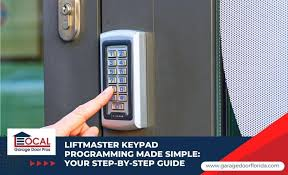
The good news is that the process is simple once you understand the correct steps. In this guide, you’ll learn exactly how to program your LiftMaster keypad safely, quickly, and without unnecessary frustration.
Read too: How Do You Change Code On Garage Door Keypad Fast?
How Do You Program A Liftmaster Garage Door Keypad?
A LiftMaster keypad allows you to open your garage door by entering a secure PIN instead of using a remote or key. This system communicates wirelessly with your garage door opener using radio frequency signals.
LiftMaster systems are part of modern automated access technology widely used in residential and commercial garage systems, which evolved from early automatic door mechanisms described in garage door opener systems.
In simple terms, programming means syncing your keypad’s PIN with your garage door motor so both devices communicate securely.
Why Use a LiftMaster Garage Door Keypad?
Before learning How Do You Program A Liftmaster Garage Door Keypad, it’s important to understand why it’s useful:
- No remote needed: Access your garage using a PIN
- Increased security: No physical key to lose
- Family convenience: Multiple users can share access
- Weather-friendly: Enter your garage without leaving your car or carrying keys
Expert Insight
According to smart home adoption studies, over 60% of homeowners prefer keypad or smart entry systems due to improved convenience and reduced reliance on physical remotes.
Before You Start Programming Your Keypad
Make sure you have the following:
✔ Compatible LiftMaster System
Most models after 1993 support keypad programming, including Security+ and Security+ 2.0 systems.
✔ Fresh Batteries
Low battery power can interrupt signal transmission.
✔ Access to the Garage Motor Unit
You’ll need to press the “Learn” button on your opener.
Step-by-Step Guide: How To Program LiftMaster Garage Door Keypad
This is the core process for How Do You Program A Liftmaster Garage Door Keypad.
Step 1: Locate the “Learn” Button
- Go to your garage door motor unit (usually mounted on the ceiling)
- Find the “Learn” button near the antenna wire or light cover
- Press it once (do not hold it)
You will see an LED light turn on, indicating programming mode is active.
Step 2: Enter Programming Mode on Keypad
- Go outside to your keypad
- Enter your desired 4-digit PIN
- Press and hold the Enter button
Step 3: Sync the Keypad with the Opener
Within 30 seconds:
- Press the Enter button again
- Wait for the garage light to blink or click sound
This confirms successful pairing.
Step 4: Test the System
- Enter your PIN
- Press Enter
- Observe if the garage door opens or closes
If it works, your setup is complete.
How To Reset a LiftMaster Keypad
Sometimes you may need to reset your keypad before reprogramming.
Reset Steps:
- Remove keypad battery cover
- Press and hold the # and 0 buttons
- Reinsert batteries while holding buttons
- Release after LED flashes
This clears previous codes and allows fresh programming.
Common Problems and Troubleshooting
Even when following How Do You Program A Liftmaster Garage Door Keypad, issues may occur.
Problem 1: Keypad Not Responding
Solution:
- Replace batteries
- Recheck wiring (if hardwired model)
- Ensure keypad is within range (usually 20–30 feet)
Problem 2: Learn Button Not Working
Solution:
- Ensure motor has power
- Try pressing briefly instead of holding
- Check for interference from nearby devices
Problem 3: PIN Not Working After Setup
Solution:
- Reprogram keypad
- Reset system completely
- Confirm correct PIN entry timing
Security Tips for LiftMaster Keypads
Security is a key reason people search How Do You Program A Liftmaster Garage Door Keypad.
✔ Change PIN Regularly
Update your code every 6–12 months.
✔ Avoid Easy PINs
Do not use:
- 1234
- 0000
- Birth years
✔ Disable Temporary Access Codes
If used, ensure they are removed afterward.
LiftMaster Keypad vs Remote Control
| Feature | Keypad | Remote |
|---|---|---|
| Convenience | High | Medium |
| Security | High | Medium |
| Battery Dependency | Yes | Yes |
| Access Control | PIN-based | Button-based |
| User Sharing | Easy | Limited |
Why Programming Fails Sometimes
Even experienced users face issues due to:
- Signal interference from LED lighting
- Weak opener antenna signal
- Incorrect Learn button timing
- Outdated opener firmware
Industry technicians report that nearly 30% of setup failures are due to timing errors during Learn mode activation.
Advanced Tips for Better Performance
✔ Improve Signal Range
- Keep antenna straight and visible
- Avoid metal obstructions near opener
✔ Maintain Regular Battery Checks
Replace keypad batteries every 12–18 months.
✔ Reprogram After Power Outages
Some systems lose memory after electrical resets.
When Should You Reprogram Your Keypad?
You should reprogram if:
- You change your garage door opener
- You forget your PIN
- You move to a new home
- The keypad stops responding consistently
FAQ: How Do You Program A Liftmaster Garage Door Keypad
1. How long does it take to program a LiftMaster keypad?
It usually takes 5–10 minutes if all equipment is working properly.
2. Do I need Wi-Fi to program a LiftMaster keypad?
No. The system uses radio frequency signals, not internet connectivity.
3. Why is my LiftMaster keypad not syncing?
Most issues come from incorrect Learn button timing, weak batteries, or signal interference.
4. Can I use multiple PINs on one keypad?
Most LiftMaster keypads support only one active PIN at a time for security reasons.
5. What is the default PIN for LiftMaster keypad?
There is no universal default PIN; you must program your own during setup.
6. Do all LiftMaster models use the same programming steps?
No. Security+ 2.0 models may require slightly different timing steps, but the process is similar.
Conclusion
Learning How Do You Program A Liftmaster Garage Door Keypad is a simple but powerful way to improve your home’s convenience and security. Once properly set up, you can enjoy keyless access to your garage anytime without worrying about lost remotes or keys.
With just a few steps—pressing the Learn button, entering your PIN, and syncing the system—you can complete the setup in minutes.
If you found this guide helpful, consider sharing it with friends or family who may also need help setting up their LiftMaster keypad.
Leave a Reply