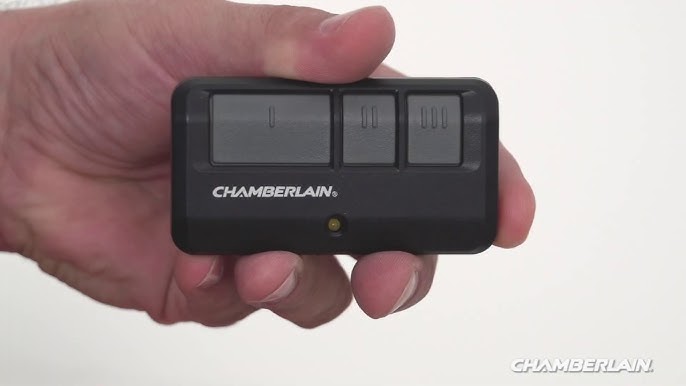
Introduction
There is nothing quite as frustrating as standing in your driveway, rain pouring down, and realizing your garage door remote has stopped working or was never synced in the first place. You might be asking yourself, “How do you program a clicker garage door remote?“ without having to call an expensive technician or wait days for an appointment.
The good news is that programming a universal or brand-specific clicker is usually a simple, five-minute task that requires no special tools. Whether you have just bought a new home, lost your old remote, or upgraded to a smarter system, this guide will walk you through the process with clarity and confidence. We will cover the essential steps, safety precautions, and troubleshooting tips to ensure your garage door responds to your command every single time.
Understanding Your Garage Door Opener System
Before pressing any buttons, it is crucial to understand what kind of system you are dealing with. Not all garage door openers are created equal, and the programming method depends heavily on the age and brand of your unit.
Most modern openers use one of two technologies:
- Dip Switches: Older models (pre-1990s) often use tiny physical switches inside the remote and the motor unit that must match perfectly.
- Smart/Learn Button: Modern units (post-1993) use rolling code technology for security. These require you to press a “Learn” or “Program” button on the motor unit to sync the remote.
According to the Consumer Product Safety Commission, ensuring your garage door opener meets current safety standards is vital. If your opener is older than 20 years, consider upgrading not just for convenience, but for safety features like automatic reversal sensors.
Identifying the “Learn” Button
The key to programming most modern remotes is locating the Learn Button on your garage door opener motor. This button is typically located on the back or side of the motor unit hanging from your ceiling.
| Brand | Common Learn Button Color | Location |
|---|---|---|
| Chamberlain / LiftMaster | Yellow, Purple, Orange, or Red | Back panel, near antenna wire |
| Genie | Purple, Blue, or Green | Side or back panel |
| Craftsman | Yellow, Purple, or Red | Similar to Chamberlain models |
| Overhead Door | Red, Purple, or Blue | Near the light lens or back |
Note: If you cannot find a learn button, consult your specific model’s manual, as some very old units may require dip switch alignment.
Step-by-Step: How Do You Program a Clicker Garage Door Remote?
Now, let’s get into the core of the matter. While slight variations exist between brands, the general process for syncing a clicker remote follows a standard protocol. Follow these steps precisely to avoid errors.
Step 1: Clear the Memory (Optional but Recommended)
If you are replacing a lost remote or suspect interference, it is best to clear the opener’s memory first. This ensures no old, potentially compromised codes remain active.
- Locate the Learn Button on the motor unit.
- Press and hold the Learn Button for approximately 6–10 seconds.
- Wait until the indicator light next to the button turns off.
- Release the button. Your opener is now reset. Warning: This will erase all previously programmed remotes and keypads.
Step 2: Initiate Programming Mode
- Press the Learn Button once briefly. Do not hold it down.
- The indicator light will either turn on solid or begin to blink. This indicates the unit is in “programming mode” and listening for a signal.
- You typically have 30 seconds to complete the next step before the mode times out.
Step 3: Sync the Clicker Remote
- Take your new clicker remote and stand within clear view of the motor unit (usually within 10–15 feet).
- Press and hold the button on the remote that you wish to program.
- Hold it for 2–3 seconds, then release.
- Watch the motor unit. The indicator light should blink or you may hear a click sound. This confirms the code has been accepted.
Step 4: Test the Connection
- Press the programmed button on your remote again.
- The garage door should activate (open or close).
- If the door does not move, repeat Steps 2 and 3, ensuring you are pressing the remote button firmly.
Troubleshooting Common Programming Issues
Even with careful following of instructions, things can go wrong. Here are the most common reasons why your clicker might not be programming and how to fix them.
1. Dead Batteries
It sounds obvious, but it is the number one cause of failure. Before attempting to reprogram, replace the battery in your clicker remote. Use a high-quality alkaline battery (typically CR2032 or 3V lithium) to ensure consistent signal strength.
2. Interference from LED Bulbs
Recent studies have shown that certain LED light bulbs installed in garage door opener units can emit frequency interference that blocks remote signals.
- Solution: Try removing the LED bulb and testing the remote with the light off. If it works, replace the bulb with a manufacturer-approved LED or an incandescent bulb.
3. Distance and Obstacles
Ensure you are not trying to program the remote from too far away. Metal beams, thick walls, or stored items can block the signal during the initial sync. Stand directly under or near the motor unit during programming.
4. Locked Opener
Some modern openers have a “Lock” feature that disables remote controls for security. Check your wall console to ensure the lock function is not engaged.
Security Best Practices for Your Garage Remote
Programming your remote is not just about convenience; it is about security. Garage doors are a common entry point for burglars if not properly secured.
- Use Rolling Codes: Ensure your opener uses rolling code technology (standard in most units made after 1993). This changes the code every time you use the remote, preventing thieves from “capturing” and replaying your signal.
- Don’t Leave Remotes in Cars: Avoid leaving your clicker in a visible spot in your car. Thieves often scan neighborhoods for cars parked in driveways to steal remotes.
- Regularly Update Codes: If you lose a remote, immediately clear the memory and reprogram all remaining devices. This renders the lost remote useless.
FAQ: Frequently Asked Questions
Q1: Can I program a universal clicker to any garage door opener?
A: Most universal remotes are compatible with major brands like Chamberlain, LiftMaster, Genie, and Craftsman. However, they may not work with proprietary systems or very old models (pre-1990) that use dip switches. Always check the compatibility list on the remote’s packaging.
Q2: How do I know if my remote is successfully programmed?
A: You will usually see the light on the motor unit blink or hear a click. Additionally, the garage door should respond immediately when you press the button. If the light on the motor stays solid without blinking, the programming likely failed.
Q3: Why does my remote work sometimes but not others?
A: This is often due to weak batteries or radio frequency interference. Try replacing the battery first. If the issue persists, check for nearby sources of interference, such as large metal objects or LED bulbs in the opener unit.
Q4: Can I program multiple remotes to the same opener?
A: Yes. Most modern garage door openers can store between 8 to 50 different remote codes. You simply repeat the programming steps for each additional remote.
Q5: What should I do if I don’t have the original remote to copy?
A: You do not need an original remote to program a new one. As long as you have access to the motor unit and can press the “Learn” button, you can sync a brand-new remote from scratch.
Q6: Is it safe to program the remote myself?
A: Yes, it is completely safe. You are only interacting with low-voltage buttons on the remote and the logic board of the opener. Just ensure you are standing on a stable ladder if you need to reach the motor unit.
Conclusion
Learning how do you program a clicker garage door remote is a valuable skill that saves you time and money. By understanding your opener’s type, locating the learn button, and following the simple sync procedure, you can regain control of your garage access in minutes.
Remember to prioritize security by using rolling code technology and keeping your remotes safe. If you encounter persistent issues, consult your manufacturer’s manual or contact a professional, but for most users, this DIY approach is effective and reliable.
Did this guide help you get your garage door working again? Share this article with friends or family who might be struggling with their own remotes, and let us know in the comments if you have any other home automation tips!
Leave a Reply