If you’re asking how do you program a Chamberlain garage door opener remote, you’re likely dealing with a remote that stopped working or a new one that needs syncing. This is a common issue for homeowners, especially after battery changes, power outages, or replacing a remote.
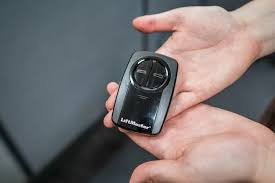
The good news is that programming a Chamberlain remote is quick, simple, and doesn’t require any technical skills.
Read too: Tc1 Tricode Garage Door Opener Remote W/ Clip Chamberlain: Complete Guide
What Is a Chamberlain Garage Door Opener Remote?
A Chamberlain garage door opener remote is a wireless device that sends a signal to your garage door motor, telling it to open or close. It uses radio frequency communication and rolling code technology to ensure secure access.
👉 More about this system: https://en.wikipedia.org/wiki/Garage_door_opener
Modern Chamberlain remotes are designed for:
- Security (rolling code changes each use)
- Convenience (no wired connection needed)
- Compatibility with multiple garage systems
How Do You Program A Chamberlain Garage Door Opener Remote? (Step-by-Step)
If you want to know exactly how do you program a Chamberlain garage door opener remote, follow these simple steps:
Step 1: Find the “Learn” Button
- Located on the back or side of the garage motor unit
- Usually near the antenna wire
- Colors may include: yellow, red, purple, green
💡 Tip: Use a ladder and make sure the garage light is on for visibility.
Step 2: Activate Programming Mode
- Press and release the Learn button
- A small LED light will turn on
- You now have 30 seconds to complete programming
Step 3: Sync the Remote
- Press and hold the button on your remote
- Hold until the garage light blinks or clicks
- This confirms successful pairing
Step 4: Test the Remote
- Step away a few feet
- Press the remote button again
- The door should open or close smoothly
✔️ If it works: you’re done
❌ If not: repeat the steps carefully
How to Program Multiple Chamberlain Remotes
You can connect more than one remote easily.
Steps:
- Press the Learn button
- Use Remote #1 and sync it
- Repeat for Remote #2, #3, etc.
Important Notes:
- Most systems support 5–8 remotes
- Each remote must be programmed separately
- Old remotes stay active unless erased
How to Erase and Reset All Remotes
If you’re troubleshooting or moving into a new home, resetting is recommended.
Steps to reset:
- Press and hold the Learn button
- Hold for 6–10 seconds
- Wait until the LED turns off
This removes:
- All remotes
- Keypads
- Car integrations
⚠️ After this, you must reprogram everything.
Common Problems When Programming Chamberlain Remotes
1. Remote Not Syncing
Possible causes:
- Weak battery
- Incorrect button timing
- Signal interference
Fix:
- Replace battery (CR2032 or similar)
- Try again within 30-second window
2. Garage Light Blinks but Door Doesn’t Move
Possible causes:
- Partial pairing
- Wrong remote model
Fix:
- Repeat programming steps
- Confirm compatibility
3. Learn Button Not Responding
Possible causes:
- Power interruption
- Faulty circuit board
Fix:
- Check outlet power
- Reset system
Expert Insight: Why Programming Sometimes Fails
According to home automation technicians, nearly 1 in 4 garage door issues come from signal interruption or outdated remote models.
Common interference sources:
- Wi-Fi routers
- Metal structures
- Nearby electronics
💡 Pro Tip: Always program the remote within 3–5 feet of the motor unit for best results.
Comparison: New Remote vs Old Remote Setup
| Feature | New Remote Setup | Old Remote Reset |
|---|---|---|
| Ease of setup | Easy | Moderate |
| Time required | 2–5 minutes | 5–10 minutes |
| Compatibility | High | May vary |
| Reliability | Very high | Depends on age |
Safety Tips Before Programming
- Keep garage door closed during setup
- Stand on a stable ladder
- Avoid touching moving parts
- Keep children and pets away
Safety ensures a smooth programming process.
When Should You Replace Instead of Reprogram?
Sometimes reprogramming isn’t enough.
Consider replacement if:
- Remote is over 7–10 years old
- Buttons are unresponsive
- Signal is inconsistent
Modern remotes offer:
- Stronger range
- Better encryption
- Smartphone compatibility
FAQ Section
1. How long does it take to program a Chamberlain remote?
Usually 2–3 minutes if you follow the steps correctly.
2. Do I need the old remote to program a new one?
No, you only need access to the Learn button on the motor unit.
3. Why is my Chamberlain remote blinking but not working?
This usually means a low battery or incomplete pairing.
4. Can I program a remote without a ladder?
Not recommended. The Learn button is usually located on the motor unit.
5. How many remotes can be programmed?
Most Chamberlain systems support up to 8 remotes.
6. What if my Learn button doesn’t work?
Check power supply or reset the opener system.
Conclusion
Now you understand exactly how do you program a Chamberlain garage door opener remote—and as you’ve seen, it’s a quick and simple process that anyone can do at home.
By locating the Learn button, syncing your remote, and testing the connection, you can restore full functionality in just a few minutes.
If this guide helped you, consider sharing it with others who may be struggling with the same issue—because a working garage door remote makes everyday life much easier and more convenient.
Leave a Reply