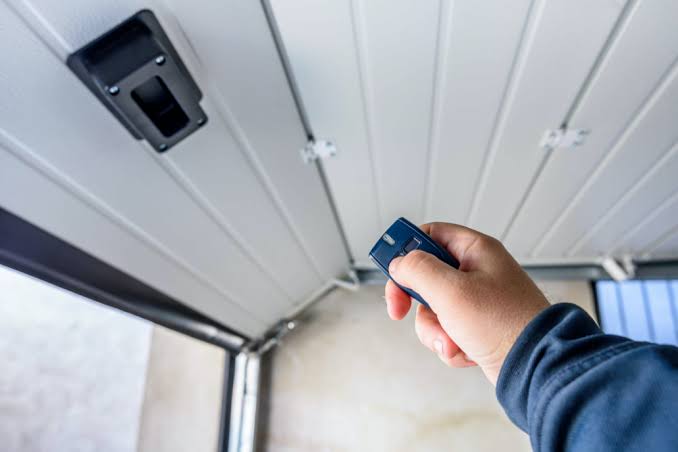
Have you ever stood in your driveway, pressing the remote button repeatedly, only to watch your garage door remain stubbornly closed? It is a frustrating experience that disrupts your daily routine and can even raise security concerns if the system isn’t responding correctly. If you are asking yourself, “How do I program my Overhead Door garage door opener,” you are not alone; this is one of the most common maintenance questions homeowners face.
The good news is that reprogramming your opener is rarely a complex technical challenge. With the right instructions and a bit of patience, you can restore functionality in minutes without calling a professional. This guide will walk you through the exact steps to sync your remotes, keypads, and smart devices, ensuring your home remains secure and accessible.
Understanding Your Overhead Door Opener Model
Before diving into the buttons and LEDs, it is crucial to identify which type of Overhead Door operator you have. Overhead Door Corporation has manufactured several series over the years, and the programming method varies slightly between them. The two most common residential models are the Legacy Series (older models) and the Intellicode Series (newer models with rolling code technology).
Identifying your model ensures you use the correct frequency and coding method. Using the wrong sequence can desynchronize the entire system, requiring a full factory reset. You can usually find the model number on a label located on the motor unit’s back or side panel.
| Feature | Legacy Series (Older) | Intellicode Series (Newer) |
|---|---|---|
| Technology | Fixed Code | Rolling Code (Secure) |
| LED Indicator | Often Red or Green | Usually Blue or Amber |
| Programming Button | “Learn” or “Program” | “Learn” Button (Square/Rectangular) |
| Security Level | Basic | High (Changes code every use) |
If you are unsure, consult your owner’s manual. If the manual is lost, you can often find digital copies by searching the serial number on the Overhead Door official support page or checking general technical archives like Wikipedia’s entry on garage door openers for historical context on how these technologies evolved.
Step-by-Step: Programming a Standard Remote Control
For most homeowners, the primary goal is syncing a handheld remote. Whether you have a new remote or the old one stopped working, the process is straightforward. Follow these precise steps to ensure a successful connection.
1. Locate the “Learn” Button
Climb a sturdy ladder to access the motor unit mounted on your garage ceiling. Look for the “Learn” or “Program” button. On Intellicode models, this button is typically located on the back panel near the antenna wire. It is often colored purple, red, or orange, depending on the manufacturing year.
2. Clear Old Codes (Optional but Recommended)
If your remote is behaving erratically, it is best to clear the memory first. Press and hold the “Learn” button for approximately 10 seconds until the indicator light turns off. This erases all previously programmed remotes and keypads. Note: You will need to reprogram all devices after this step.
3. Initiate Programming Mode
Press the “Learn” button once briefly. You should see the indicator light illuminate or blink. This signals that the opener is now in “listening mode,” waiting for a signal from a remote. You typically have 30 seconds to complete the next step before the mode times out.
4. Sync the Remote
Within those 30 seconds, press and hold the button on your remote control that you wish to program. Hold it for 2–3 seconds. Watch the motor unit’s LED light; it should blink or flash to confirm it has received the signal. Release the remote button immediately after the flash.
5. Test the Connection
Step down from the ladder and press the remote button again. The garage door should activate. If it does not, repeat the process, ensuring you are within range (usually 10–15 feet) during programming.
How to Program a Wireless Keypad
Many homeowners prefer the convenience of a wireless keypad mounted outside the garage. Programming this device requires a slightly different approach because it involves entering a PIN code.
- Enter Programming Mode: Press the “Learn” button on the motor unit. The LED will light up.
- Input Your PIN: On the wireless keypad, enter your desired 4-digit PIN.
- Confirm the Code: Press the “Enter” or “Send” button on the keypad. Some models require you to press and hold the button corresponding to your PIN for a few seconds.
- Verification: The motor unit’s light should blink, indicating the code is accepted. Test the keypad by entering the PIN and pressing “Enter.”
Pro Tip: Choose a PIN that is easy for family members to remember but difficult for strangers to guess. Avoid obvious sequences like “1234” or your birth year.
Integrating Smart Home Technology
In the modern era, many users want to control their garage via smartphone apps like MyQ or Alexa. While Overhead Door has its own proprietary systems, many newer openers are compatible with universal smart hubs.
To connect your opener to a smart home system:
- Ensure your opener has a smart compatibility module installed. If not, you may need to purchase a retrofit kit.
- Download the respective app (e.g., Aladdin Connect or MyQ).
- Follow the in-app instructions to pair the device via Wi-Fi or Bluetooth.
- Security Note: Always enable two-factor authentication (2FA) in your smart home app to prevent unauthorized access.
According to recent industry studies, smart garage door usage has increased by 40% in the last five years, highlighting the importance of secure digital integration. However, always prioritize the physical security of the opener itself by keeping the firmware updated.
Troubleshooting Common Programming Issues
Even with careful following of instructions, things can go wrong. Here are solutions to the most frequent problems.
- Remote Not Responding: Check the battery first. A weak battery may send a signal strong enough to work occasionally but too weak to program. Replace it with a fresh CR2032 or AA battery, depending on your model.
- LED Light Not Blinking: If the motor unit’s LED does not react when you press the “Learn” button, the logic board may be faulty, or the unit may be in lock mode. Check for a “Lock” feature on your wall console and disable it.
- Interference Issues: LED light bulbs in the garage can sometimes interfere with radio frequencies. If programming fails, try turning off nearby LED lights and retrying the process.
FAQ Section
Q1: How do I know if my Overhead Door opener uses rolling codes?
Most Openers manufactured after 1997 use rolling code technology (Intellicode). You can verify this by checking the manual or looking for the term “Intellicode” on the motor housing. Rolling codes change every time you use the remote, providing enhanced security against code grabbing.
Q2: Can I program a universal remote to my Overhead Door opener?
Yes, most universal remotes are compatible with Overhead Door systems. You will need to set the dip switches or use the auto-search function on the universal remote to match the frequency of your opener. Refer to the universal remote’s manual for specific brand codes.
Q3: What should I do if I lose all my remotes?
If you lose all remotes, you can still operate the door using the wall-mounted console inside the garage. To regain remote access, you will need to purchase new remotes and program them using the “Learn” button on the motor unit as described above.
Q4: Is it safe to program the opener myself?
Yes, programming is a low-risk task that does not involve handling high-voltage wiring. However, always exercise caution when using a ladder. Ensure the ladder is stable and never attempt to open the motor casing, as this involves dangerous electrical components.
Q5: Why does my remote work intermittently after programming?
Intermittent issues are often caused by signal interference or weak batteries. Try reprogramming the remote closer to the motor unit. If the problem persists, check for nearby electronic devices that might be causing frequency interference.
Conclusion
Learning how do I program my Overhead Door garage door opener empowers you to maintain your home’s security and convenience without relying on expensive service calls. By identifying your model, following the precise steps for your specific device, and troubleshooting common issues, you can ensure smooth operation for years to come.
Remember, regular maintenance—such as checking batteries and clearing old codes—can prevent future headaches. If you found this guide helpful, please share it with friends or family who might be struggling with their garage doors. A well-functioning garage opener is a small detail that makes a big difference in daily life.
Stay safe, stay secure, and keep your garage moving smoothly!
Leave a Reply