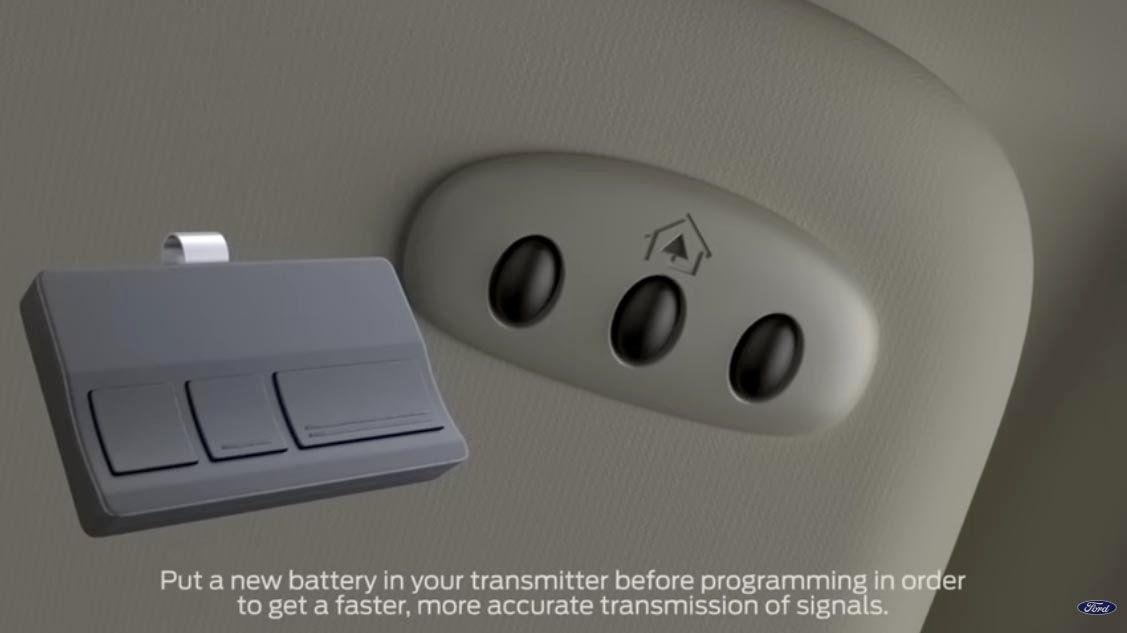
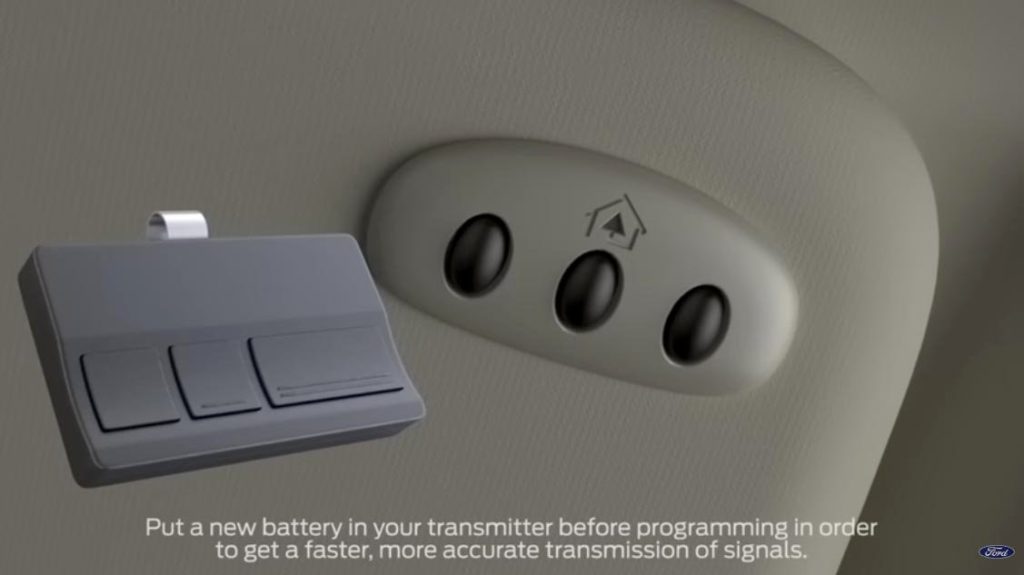
Have you ever pulled into your driveway, pressed the button on your visor, and watched in frustration as your garage door remained stubbornly closed? It is a common annoyance that disrupts the seamless luxury experience you expect from your vehicle. If you are wondering, “How do I program my Lincoln MKZ garage door opener,” you are not alone, and the solution is often simpler than you might think.
The Lincoln MKZ comes equipped with the HomeLink system, a universal transceiver that can replace up to three handheld remote controls for devices like garage doors, gate operators, and even home lighting systems. However, the programming process can vary depending on the age of your garage door motor and the specific model year of your Lincoln. This guide will walk you through every step, ensuring you can sync your car and garage efficiently without needing to call a technician.
Understanding the HomeLink System in Your Lincoln MKZ
Before diving into the buttons, it helps to understand what is happening under the hood—literally and figuratively. The HomeLink system in your Lincoln MKZ uses radio frequencies to communicate with your garage door opener. Most residential garage door openers operate on frequencies between 288 MHz and 390 MHz, or newer models using 433 MHz.
According to HomeLink’s official compatibility guidelines, their system is compatible with over 95% of garage door openers manufactured since 1982. This high compatibility rate means that unless you have a very old or highly specialized security system, your Lincoln MKZ should be able to talk to your garage door without additional hardware.
Why Does Programming Fail?
Sometimes, the issue isn’t the car; it’s the garage door motor itself. Older openers may have “rolling code” technology, which changes the access code every time you use the remote to prevent hacking. If your garage door was installed before 1995, it might use a fixed code, which is easier to program but less secure. Newer systems require a specific “learning mode” activation at the motor unit.
Step-by-Step Guide: How Do I Program My Lincoln MKZ Garage Door Opener?
Programming your Lincoln MKZ involves two main phases: clearing any previous settings (if necessary) and then training the car to recognize your garage door remote. Follow these steps carefully.
Phase 1: Clear Existing Channels (If Needed)
If you bought your Lincoln MKZ used, or if you are reprogramming a button that previously controlled a different device, you must clear the memory first.
- Turn the ignition to the “ON” position. You do not need to start the engine, but the electronics must be active.
- Press and hold the two outer buttons on the HomeLink panel (usually Button 1 and Button 3).
- Hold them for about 20 seconds until the indicator light begins to flash rapidly.
- Release the buttons. The memory is now cleared for those channels.
Phase 2: Standard Programming Method
This method works for most standard garage door openers.
- Position Your Vehicle: Park your Lincoln MKZ outside your garage, within range of the garage door opener motor. Ensure the engine is running or the ignition is in the “ON” position.
- Select a Button: Choose one of the three HomeLink buttons you wish to program. Let’s say we are using Button 1.
- Initiate Training Mode: Press and hold the selected HomeLink button. Do not release it yet.
- Use Your Handheld Remote: While still holding the HomeLink button, take your original garage door remote and press its button. Hold both buttons simultaneously.
- Watch the Light: Keep holding both buttons. The HomeLink indicator light will change from a slow blink to a rapid flash. This indicates that the frequency has been learned.
- Release and Test: Release both buttons. Now, press the HomeLink button in your car three times to test if the garage door operates.
Phase 3: Programming Rolling Code Systems
If the standard method above did not work, your garage door likely uses a rolling code security feature. This requires an extra step at the garage door motor unit.
- Locate the Learn Button: Climb a ladder safely and locate the “Learn” or “Smart” button on your garage door motor unit. It is usually located on the back or side of the motor housing and may be colored yellow, purple, or red.
- Activate Learning Mode: Press and release the “Learn” button on the motor. You typically have 30 seconds to complete the next step. An LED light on the motor will usually blink or stay solid to indicate it is ready.
- Return to Your Car: Within those 30 seconds, go back to your Lincoln MKZ.
- Send the Signal: Press and hold the programmed HomeLink button for two seconds, then release it. Repeat this “press-hold-release” cycle three times.
- Final Test: Press the HomeLink button again. The garage door should now activate. If it moves, you have successfully synced the rolling code.
Troubleshooting Common Issues
Even with careful following of instructions, things can go wrong. Here is a breakdown of common problems and their solutions.
| Issue | Possible Cause | Solution |
|---|---|---|
| Light flashes rapidly but door doesn’t move | Frequency matched, but code not accepted | Perform the “Rolling Code” steps at the motor unit. |
| Light does not flash at all | Battery issue or button failure | Check your handheld remote battery. Try a different HomeLink button. |
| Door moves partially then stops | Safety sensor obstruction | Check the photo-eye sensors at the bottom of your garage tracks for dirt or misalignment. |
| Interference from other devices | Frequency conflict | Try programming during a time when fewer electronic devices are active nearby. |
Expert Tip: The Distance Factor
When programming, distance matters. If you are too far away, the signal may be weak. If you are too close, the signal might be too strong for the receiver to interpret correctly during the learning phase. Start by parking about 10–15 feet away from the garage door. If that fails, try moving closer to 5 feet, but avoid parking directly underneath the motor.
Frequently Asked Questions (FAQ)
1. Can I program multiple garage doors to my Lincoln MKZ?
Yes, the HomeLink system in the Lincoln MKZ has three separate channels. You can program up to three different devices, such as two garage doors and a gate, or three different garage doors if you have multiple properties. Each button operates independently.
2. What if I lost my original handheld remote?
If you do not have the original handheld remote, you cannot use the standard in-car programming method. You will need to purchase a universal remote compatible with your garage door opener brand. Once you have the new universal remote, you can use it to train the HomeLink system using the steps outlined above. Alternatively, some modern garage door motors allow you to program via a keypad mounted outside the garage.
3. Does reprogramming erase my other saved devices?
No, reprogramming one button does not affect the other two buttons. However, if you choose to “Clear All” using the two-outer-button method, it will erase all three channels. Only use the clear function if you are selling the car or if all channels are malfunctioning.
4. Why does my garage door reverse immediately after closing?
This is rarely a HomeLink programming issue. It is usually a safety feature triggered by the garage door’s obstruction sensors. Check if the lenses on the sensors near the floor are clean and aligned. If they are blocked by debris or misaligned, the door will reverse to prevent injury. Reprogramming the Lincoln MKZ will not fix this mechanical safety issue.
5. Is it safe to use HomeLink for security?
Yes, HomeLink uses encrypted signals, especially when paired with rolling code garage door openers. This makes it significantly more secure than older, fixed-code remotes that could be easily intercepted by thieves. Always ensure your garage door motor firmware is up to date if it supports updates.
6. Can I program a Lincoln MKZ HomeLink to control lights?
Absolutely. HomeLink is not limited to garage doors. You can program it to control wireless lighting systems, home alarms, or even pool pumps, provided they operate on a compatible radio frequency and have a remote control that can be used for the initial training process.
Conclusion
Learning how do I program my Lincoln MKZ garage door opener is a valuable skill that restores convenience to your daily routine. Whether you are dealing with a simple fixed-code system or a complex rolling code setup, the process is manageable with the right steps. By understanding the difference between standard programming and rolling code activation, you can troubleshoot effectively and avoid unnecessary service calls.
Remember, patience is key. If the first attempt doesn’t work, double-check your distance, ensure your batteries are fresh, and verify that you are pressing the “Learn” button on the motor unit within the 30-second window.
Did this guide help you get your garage door working again? Share this article with fellow Lincoln owners on social media who might be struggling with their HomeLink system. A little knowledge goes a long way in keeping our drives smooth and our garages accessible!
Leave a Reply