If you’re wondering how do I program a Chamberlain garage door opener, you’re not alone. Many homeowners struggle with syncing remotes or resetting their opener after a power outage or battery replacement.
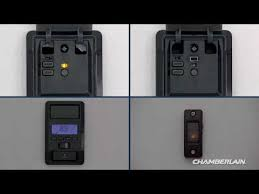
The good news? Programming a Chamberlain garage door opener is easier than it sounds—and you can usually do it in just a few minutes with the right steps.
What Is a Chamberlain Garage Door Opener and How Does It Work?
A Chamberlain garage door opener is a motorized device that opens and closes your garage door using a remote control or wall-mounted button.
Read too: Tc1 Tricode Garage Door Opener Remote W/ Clip Chamberlain: Complete Guide
It works through a radio frequency system that communicates between the remote and the opener’s internal receiver. Most modern systems use rolling code technology, which changes the access code every time you use it for better security.
👉 Learn more about how this system works here:
https://en.wikipedia.org/wiki/Garage_door_opener
How Do I Program a Chamberlain Garage Door Opener? (Step-by-Step)
Step 1: Locate the “Learn” Button
The first step in answering how do I program a Chamberlain garage door opener is finding the Learn button.
- Usually located on the back or side of the motor unit
- Often near the antenna wire
- Colors may include: yellow, red, purple, or green
💡 Tip: Use a ladder if needed, and ensure proper lighting.
Step 2: Press the Learn Button
- Press and release the Learn button
- A small LED light will turn on
- You now have about 30 seconds to program your remote
Step 3: Press the Remote Button
- Hold the button on your remote control
- Keep pressing until the garage door opener light blinks or clicks
This confirms the programming was successful.
Step 4: Test the Remote
- Press the remote again
- The garage door should open or close
✔️ If it works, you’re done!
❌ If not, repeat the process.
How to Program Multiple Remotes
Many users ask: Can I program more than one remote?
Yes—you can program multiple remotes by repeating the same steps for each device.
Important Notes:
- Most Chamberlain openers support up to 5–8 remotes
- Each remote must be programmed individually
- Old remotes will remain active unless erased
How to Erase All Codes (Reset Opener)
If you’re troubleshooting or moving into a new home, resetting is a smart move.
Steps to Reset:
- Press and hold the Learn button
- Hold for 6–10 seconds
- The LED light will turn off
This deletes:
- All remotes
- Keypad codes
- Vehicle integrations
⚠️ You will need to reprogram everything afterward.
Programming a Wireless Keypad (Bonus Guide)
If you have a keypad, here’s how to program it:
- Press the Learn button
- Enter a 4-digit PIN on the keypad
- Press and hold the ENTER button
- Wait for the light to blink
Now your keypad is ready to use.
Common Problems and How to Fix Them
1. Remote Not Working After Programming
Possible causes:
- Dead battery
- Wrong button pressed
- Out of range
Solution:
- Replace battery (usually CR2032)
- Stand closer to the opener
- Reprogram again carefully
2. Learn Button Not Responding
Possible causes:
- Power issue
- Faulty circuit board
Solution:
- Check power supply
- Reset the opener
- Contact a technician if needed
3. Garage Door Moves But Stops
This issue is not always programming-related.
Possible causes:
- Misaligned sensors
- Obstruction in tracks
Fix:
- Clean sensors
- Align them properly
- Remove debris
Expert Insights: Why Programming Sometimes Fails
According to industry professionals, nearly 30% of garage door issues are related to improper setup or signal interference.
Key Factors:
- Nearby wireless devices
- Thick walls blocking signals
- Outdated remote technology
💡 Pro Tip: Upgrade to newer remotes with stronger signal ranges if you experience frequent issues.
Comparison: Manual vs Professional Programming
| Method | Pros | Cons |
|---|---|---|
| DIY Programming | Free, fast, convenient | Risk of mistakes |
| Professional Help | Accurate, stress-free | Costs $75–$150 |
👉 For most homeowners, DIY programming is sufficient.
Safety Tips When Programming Your Opener
- Always keep hands clear of moving parts
- Use a stable ladder
- Ensure the door is fully closed before starting
- Disconnect power if working near wiring
Safety should always come first.
When Should You Replace Instead of Reprogram?
Sometimes programming won’t fix the issue.
Consider replacing if:
- Opener is 10–15 years old
- Frequent malfunctions occur
- Remote signal is inconsistent
Modern openers offer:
- Smartphone control
- Better security features
- Quieter operation
FAQ Section
1. How long does it take to program a Chamberlain garage door opener?
It usually takes 2–5 minutes if you follow the steps correctly.
2. Do I need the old remote to program a new one?
No, you only need access to the Learn button on the opener.
3. Why is my Chamberlain remote blinking but not working?
This often indicates a low battery or incomplete programming. Replace the battery and try again.
4. Can I program my car to the garage door opener?
Yes, many vehicles support HomeLink systems, which can be synced using the same Learn button process.
5. How many remotes can I connect?
Most units support up to 8 devices, including remotes and keypads.
6. What if I lost all remotes?
You can still program new ones by accessing the opener unit directly and using the Learn button.
Conclusion
Now you know exactly how do I program a Chamberlain garage door opener—and as you’ve seen, it’s a simple process that anyone can handle with a few easy steps.
From locating the Learn button to syncing multiple remotes, this guide gives you everything you need to get your system working smoothly again.
If you found this helpful, feel free to share it with friends or family who might be dealing with the same issue—because a properly working garage door makes everyday life a lot easier.
Leave a Reply